


The site you guest posted on gets a redesign and your link is gone. The partner you trusted quietly hands your placement to a competitor. That dofollow link you paid for flips to nofollow and you find out three months later when rankings drop.
If you have no monitoring setup, those leaks compound silently. That is exactly why backlink monitoring exists.
For SaaS and B2B teams, every lost link is budget already spent. The right backlink monitoring tool catches these losses in days.
This guide covers the 8 best backlink monitoring tools in 2026, ranked by alert accuracy, database size and fit for your team size.
Key Takeaways
- What it is: Backlink monitoring tracks live link status continuously.
- Top 8 tools: Ahrefs, Semrush, SE Ranking, Majestic, Linkody, Monitor Backlinks, Link Research Tools, Google Search Console.
- How we ranked: Database size and update frequency, alert accuracy and speed, link quality metrics and multi-domain agency support.
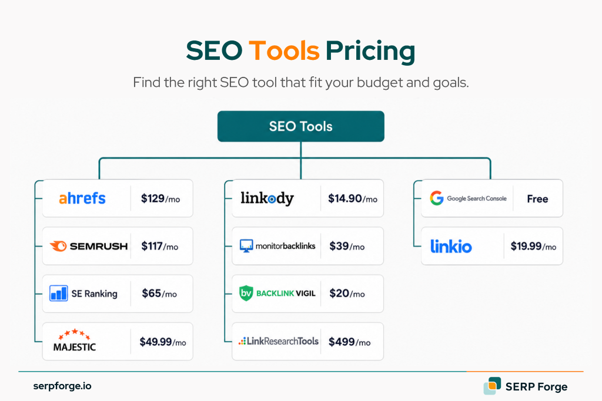
- Budget range: Free (GSC) to $499 per month (Link Research Tools). Most teams run $100 to $250 per month.
- What to avoid: Tools that check links weekly or less. By the time you get the alert, the damage is done.
What Is Backlink Monitoring and Why Does It Matter?
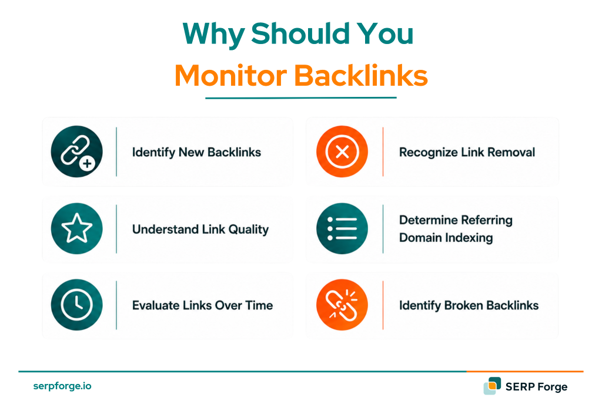
Backlink monitoring is the continuous tracking of links pointing to your website to detect when links are added, removed, or changed.
It is different from a backlink checker. A checker gives you a snapshot of your link profile at one point in time. A monitoring tool runs in the background and alerts you when something changes, whether a link disappears, flips from dofollow to nofollow, or the linking page drops out of Google’s index.
Without monitoring, you only discover lost links when rankings fall. By then, weeks or months of authority have already eroded. Ahrefs analysed 14 billion pages and found that 96.55% get zero traffic from Google and pages with more referring domains consistently get more organic traffic. Every lost link is a step backward on that curve.
Semrush’s 2024 Ranking Factors study found 8 out of the top 20 factors with the strongest correlation to Google rankings are related to backlinks. Protecting existing links is as important as building new ones.
8 Best Backlink Monitoring Tools in 2026
Here is a quick comparison before we go deep on each one:
| Tool | Best For | Database Size | Alert Frequency |
| Ahrefs | Agencies and serious SEOs | 35 trillion backlinks | Every 15–30 min |
| Semrush | All-in-one teams | 43 trillion backlinks | Every 15 min |
| SE Ranking | Growing agencies, SMBs | Large, frequently updated | Daily to real-time |
| Majestic | Link quality analysis | Separate fresh and historic | Daily |
| Linkody | Freelancers and small agencies | Moderate | Daily |
| Monitor Backlinks | Simple alert setup | Moderate | Daily to weekly |
| Link Research Tools | Technical SEOs and auditors | Large multi-source index | Crawl-based |
| Google Search Console | Free baseline for everyone | Google’s own index | Manual/periodic |
1. Ahrefs
Ahrefs is the first tool I check when reviewing how a backlink profile has changed over time. In Site Explorer, the Backlinks report with new and lost link filters shows which links appeared, which links dropped and when the change happened.
This matters because Ahrefs found that 96.55% of pages get zero organic traffic from Google and pages with more referring domains tend to get more organic traffic. So when a page loses a link from a relevant domain, it is better to catch it early than notice the issue after rankings move.
What stands out is the amount of context Ahrefs gives before the next step. I can check DR, anchor text, link type, target page and referring domain traffic before deciding whether a lost link is worth reclaiming. Once a valuable link is lost, link reclamation can help recover the backlink and restore its SEO value. I also use competitor backlink growth to spot repeated link patterns that can turn into new outreach angles.
You can use Ahrefs to check:
- New and lost backlinks
- Referring domain changes
- DR, anchor text and link type data
- Competitor backlink growth
- Historical backlink trends
Ahrefs works well for agencies, in-house SEO teams and link builders who monitor link profiles regularly. It tracks backlink gains and losses in detail, gives context to judge link quality and helps prioritise lost link outreach.
The main limitation is that pricing may feel high for smaller teams. It also does not have a built-in outreach CRM, so any reclaim outreach needs to happen outside the platform.
2. Semrush
Semrush fits teams that want backlink monitoring connected with the rest of their SEO work. It tracks new, lost and broken backlinks while also covering rankings, audits and competitor research in the same platform.
Semrush reports that, in its 2024 Ranking Factors study, 8 of the top 20 factors with the highest ranking correlation are related to backlinks. That is why I treat backlink monitoring as ranking protection, not just link counting.
The part I check most is how Semrush connects backlink changes with risk signals. When a new backlink appears, the tool shows whether it looks safe, risky or worth reviewing further. I use the Lost and Found section to review daily backlink movement and spot wider patterns across referring domains.
Semrush is useful for tracking:
- New, lost and broken backlinks
- Toxic or risky backlinks
- Referring domain changes
- Follow and nofollow shifts
- Competitor backlink movement
This makes it a good fit for SEO teams that want backlink monitoring, audits, keyword tracking and competitor research in one platform. It works especially well when backlink changes need to be reviewed alongside wider SEO performance.
The main drawback is that the dashboard can feel crowded at first. Some alerts also need manual review before action, especially when backlink risk signals need more context.
3. SE Ranking
SE Ranking sits between basic backlink tools and expensive SEO suites. Its backlink monitoring setup lets users import links from SE Ranking, Google Search Console or a manual list, then track what happens to those links over time.
What I like here is that it tracks the actual status of each backlink. I can see whether a link stays live, turns inactive, changes from dofollow to nofollow or starts pointing to a broken page. For paid placements or outreach campaigns, I would use the cost tracking feature to connect backlink monitoring with campaign spend.
With SE Ranking, you can monitor:
- Live, inactive and broken backlinks
- Links imported from Google Search Console
- Dofollow and nofollow changes
- Anchor text changes
- Placement cost and campaign ownership
SE Ranking is a good fit for growing agencies, SaaS teams and SMBs that need backlink monitoring with rank tracking. It is especially practical for teams that want to connect link status with campaign cost.
The limitation is that its database does not match Ahrefs or Semrush. It may also feel less suitable for very large link profiles or advanced agency reporting.
4. Majestic
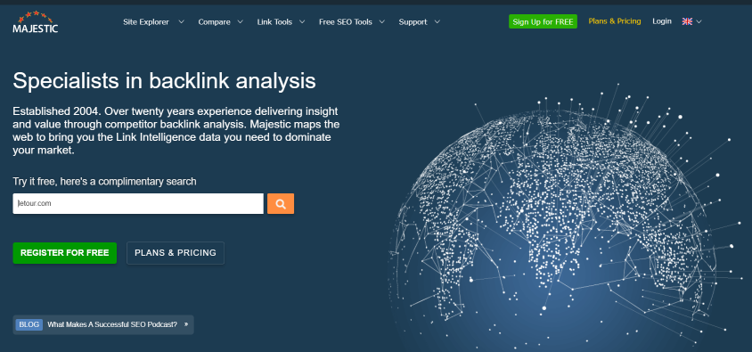
Majestic works best when the question is not only which backlinks changed, but which changes deserve attention. It adds a quality layer to backlink monitoring, especially when used beside another tool.
The main reason I check it is Trust Flow and Citation Flow. If a high Trust Flow backlink drops, I treat that loss differently from a low-value link disappearing.
The Fresh Index shows recent backlink changes, while the Historic Index gives a longer view of the site’s link profile, so I use that comparison to separate recent backlink loss from older patterns or temporary crawl gaps.
Majestic gives quick insight into:
- Fresh Index backlink changes
- Historic Index backlink history
- Trust Flow and Citation Flow
- New and lost links
- Anchor text and target page patterns
This makes Majestic useful for technical SEOs and link auditors who want quality-based backlink analysis. It helps prioritise lost links, review link quality and add another view beside Ahrefs or Semrush.
The interface feels older than newer SEO tools. Fresh discovery can also lag behind bigger platforms, so Majestic works better as a support tool than a complete monitoring setup.
5. Linkody
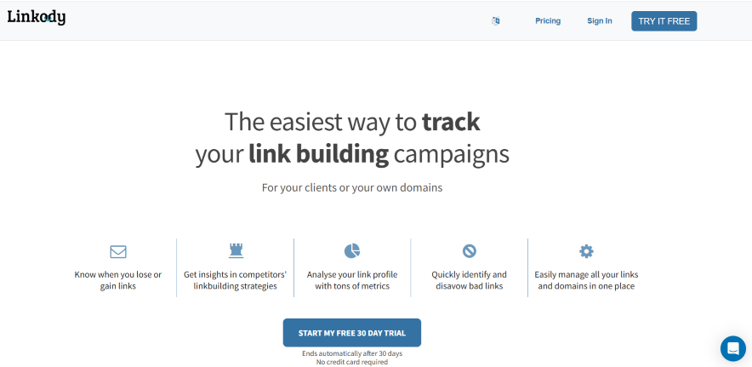
Linkody is built for teams that mainly want to know one thing: did any backlink change today? It keeps the workflow simple because it focuses on monitoring instead of trying to be a full SEO suite.
I would use Linkody for simple daily backlink checks. It sends updates when a link is gained, lost, changed to nofollow or starts returning an error. I like that the workflow stays light, especially for smaller teams managing client links.
The white-label reports also make sense for client work. A freelancer or small agency can send backlink updates without building a report from scratch every week. I would pair it with another tool for keyword research, audits and deeper competitor checks.
Linkody covers the basics like:
- Daily backlink checks
- New and lost link alerts
- Dofollow and nofollow tracking
- 404 and link status checks
- White-label PDF reports
Linkody works well for freelancers, small agencies and lean SEO teams that want daily backlink alerts. It is easy to set up, focused on backlink monitoring and useful for client reporting.
The main limitation is that it does not do much outside backlink monitoring. Teams will still need another tool for audits, content, keyword research and competitor analysis.
6. Monitor Backlinks
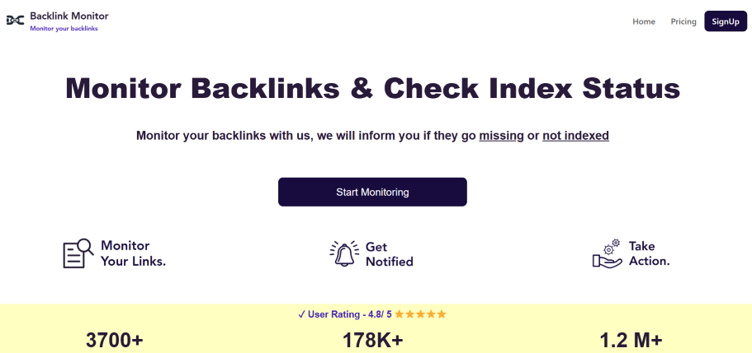
Monitor Backlinks suits users who want link changes presented in a simple dashboard. It shows new and lost backlinks, follow/nofollow status, SEO strength and acquisition date in one view.
I find the timeline view useful when reviewing link movement over a few months. I can see when links appeared, when they dropped and whether the link profile changed suddenly. For important link losses, I would cross-check the data in another tool before taking action.
It also works for suspicious backlink checks. If a site starts getting strange links from irrelevant domains, Monitor Backlinks can flag those changes early enough for review.
The platform helps you track:
- New and lost backlinks
- Follow and nofollow status
- Link acquisition dates
- Sudden backlink spikes
- Suspicious new referring domains
Monitor Backlinks is a good fit for solo SEOs, consultants and small businesses that need a simple monitoring setup. It works well for smaller websites and client projects where reporting does not need much setup.
The backlink index is smaller than major SEO platforms. It also does not offer the same depth as Ahrefs or Semrush for advanced link-building teams.
7. Link Research Tools
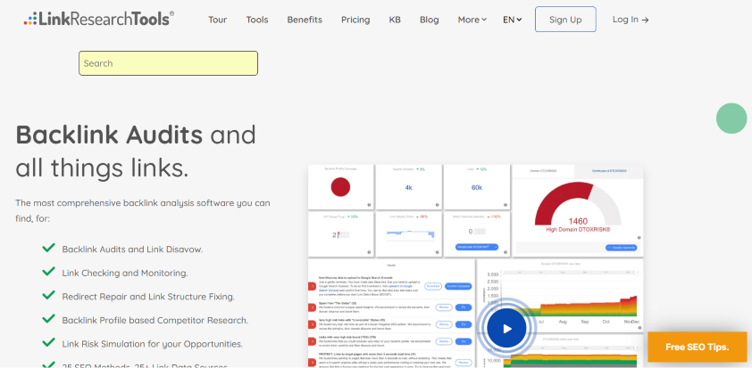
Link Research Tools is for backlink monitoring cases where one data source is not enough. It suits technical SEOs more than beginners because the reports need interpretation.
The biggest difference I notice is that it combines backlink data from different sources instead of depending on one index. If a link loss appears across multiple sources, I would trust that signal more than a single-tool alert. For basic backlink monitoring, I would still choose a simpler tool, but for audits, penalty recovery or enterprise cleanup, the multi-source view makes sense.
It also works well for risk-heavy backlink profiles. The platform can review suspicious links, link risk and possible PBN patterns, which makes it more relevant for agencies handling complex backlink cleanup.
The reports can help review:
- Multi-source backlink data
- Link risk signals
- Lost links confirmed across sources
- Suspicious link patterns
- Possible PBN links
- Advanced backlink audit data
Link Research Tools is best suited to large agencies, enterprises and technical SEOs managing complex backlink profiles. It gives more confidence when confirming lost links and works well for audits or penalty recovery.
The main drawback is cost and complexity. It is expensive for smaller teams and takes time to learn, so it may be too advanced for basic backlink monitoring.
8. Google Search Console
Every backlink monitoring setup should start with Google Search Console because it shows link data from Google’s own system. The Links report shows top linked pages, top linking sites and anchor text.
The main reason I use it is confirmation. If a backlink appears in a third-party tool but not in Search Console, I would review it before assuming it passes value. It does not work like a full monitoring tool because it has no link loss alerts, competitor tracking or link quality scoring, so I would never use it alone.
Still, every site should keep Google Search Console in the stack because it gives a free baseline from Google.
In the Links report, you can check:
- Top linked pages
- Top linking sites
- Anchor text data
- Links Google has processed
- Free backlink visibility
Google Search Console works for every website owner and SEO team as a free backlink baseline. It helps confirm important links and gives a starting point for backlink review.
The limitation is that it shows limited backlink data, has no automated lost link alerts, no competitor monitoring and no link quality or toxicity scoring.
How to Choose the Right Backlink Monitoring Tool
The decision comes down to three things: how many sites you manage, whether you need client-facing reports and how fast you need to know when a link disappears.
Here is how to match the right backlinks monitoring tool to how your team works:
Agencies
You need multi-domain monitoring, team access, white-label reporting and data you can put in front of clients without caveat. Ahrefs or Semrush as your primary platform covers the core monitoring and gives you competitor data alongside it. Add SE Ranking if you want stronger cost tracking per link across client campaigns.
Freelancers and Small Teams
You need something you can set up once and trust. Linkody covers daily monitoring and client PDF reports at a price that does not affect margin. Pair it with Google Search Console as your free baseline and you have a complete setup for under $20 per month.
Beginners
Start with Google Search Console. Verify your site, check the Links report weekly and export your top linked pages. Once you are doing that consistently, add SE Ranking or Monitor Backlinks for automated alerts. Upgrade to Ahrefs or Semrush when you are actively building links and need competitor data to inform your strategy.
Conclusion
Backlinks you cannot see are backlinks you cannot protect. The tools on this list cover every budget and team size, from Google Search Console at zero cost to Link Research Tools for large-scale audits.
The right setup for most SaaS teams is a primary platform like Ahrefs or SE Ranking for daily monitoring and competitor insight and Google Search Console as a free second source of truth.
Pick the combination that fits your team, turn on alerts and run a weekly link health check. That routine alone will protect more ranking authority than most link building campaigns can replace.
FAQs
What is backlink monitoring?
Backlink monitoring is the continuous tracking of links pointing to your website. It detects when links are added, removed, or changed and alerts you so you can act before rankings are affected.
What is the difference between backlink monitoring and a backlink checker?
A backlink checker gives you a snapshot of your link profile at one moment in time. A backlink monitoring tool runs continuously and fires alerts when links change status.
One tells you where you are. The other tells you when something changes.
Which backlink monitoring tool has the most accurate data?
Ahrefs holds the most accurate backlink data according to 68.1% of SEOs surveyed in Editorial.Link’s 2025 study of 518 SEO professionals.
Semrush has the largest index at approximately 43 trillion links updated every 15 minutes. For most teams, Ahrefs offers the best balance of accuracy and usability.
How often should I check my backlinks?
Set up automated alerts so you do not have to check manually. Run a quick weekly review of new and lost links. Do a full quarterly audit to spot trends and clean up low-quality links before they accumulate.
Do free backlink management tools work?
Google Search Console is free and shows accurate data directly from Google’s index. It only shows a sample of your links, fires no automated alerts and has no competitor data.
It works as a free baseline for backlinks monitoring. Every team needs a paid tool alongside it for complete coverage.
What should I do when I lose a backlink?
First, confirm the link is actually gone by checking in two tools, not just one, to rule out a crawl error. Then identify why it was removed: page redesign, content update, or deliberate removal. If the link was editorially placed and had real authority, send a polite outreach email to the site owner.
If it was a paid placement covered by a replacement guarantee, contact your agency. Log the loss and track whether rankings on the linked page shift over the following weeks.