


Link builders who skip preparation build the wrong links. Link builders who skip quality control keep those wrong links in their reports. Both groups end up with the same result: three months of outreach and rankings that have barely moved.
This link building checklist covers 7 phases, with 27 core checks and sub-checks. It starts with your backlink audit and ends with confirming every live link is indexed and dofollow. Use it as your campaign template, hand it to your team and run it every month.
For quick definitions of key terms, refer to our link building glossary
What Is a Link Building Checklist?
A link building checklist is a repeatable step-by-step process for planning, prospecting, vetting, pitching, and verifying backlinks.
It is a repeatable system you run every campaign cycle. Teams that follow a consistent backlink checklist build links faster, waste less time on bad prospects and can trace exactly where a campaign is underperforming.
Why Do You Need a Link Building Checklist?
Link building has too many moving parts to run from memory. Prospecting, vetting, content, outreach, follow-up, quality control and monitoring all run in parallel.
Missing one step costs you links or puts your profile at risk. Google’s spam policies penalise manipulative link schemes. A checklist keeps every link on the right side of those guidelines and gives you a record of what worked when results need to be explained.
Three outcomes a backlink building checklist produces consistently:
- Higher outreach reply rates from better vetting and personalisation
- Fewer wasted hours on prospects that were never going to convert
- A backlink profile that holds up under algorithm updates
How to Prepare a Link Building Campaign?
Preparation is the step most teams skip. They jump to prospecting without knowing where their profile stands, which pages need links, or how far behind they are versus competitors. Run these five checkpoints before any outreach begins.
1. Audit Your Current Backlink Profile
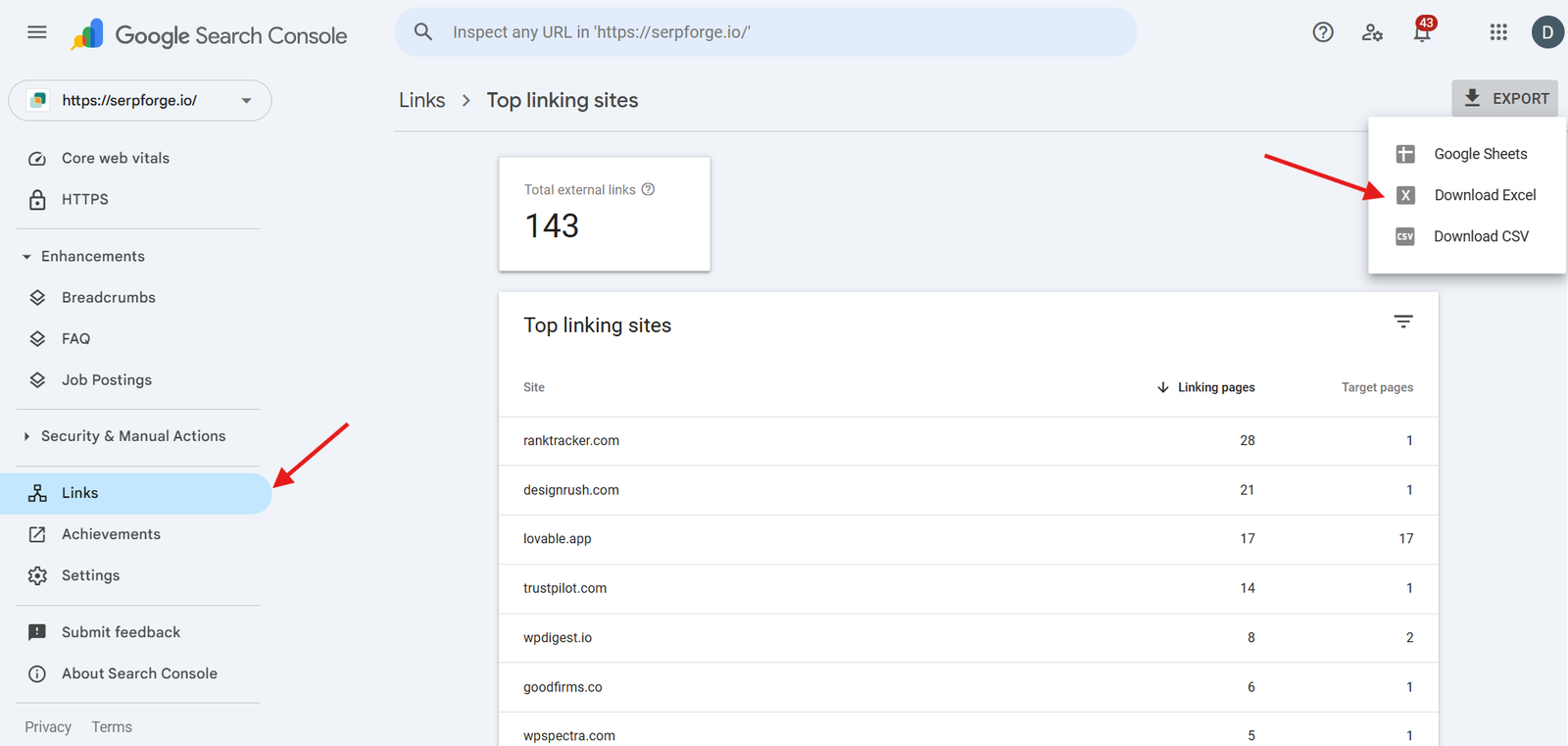
Pull your full backlink profile using backlink monitoring tools like Ahrefs Site Explorer or Google Search Console. Check for:
- Total referring domains and their DR range
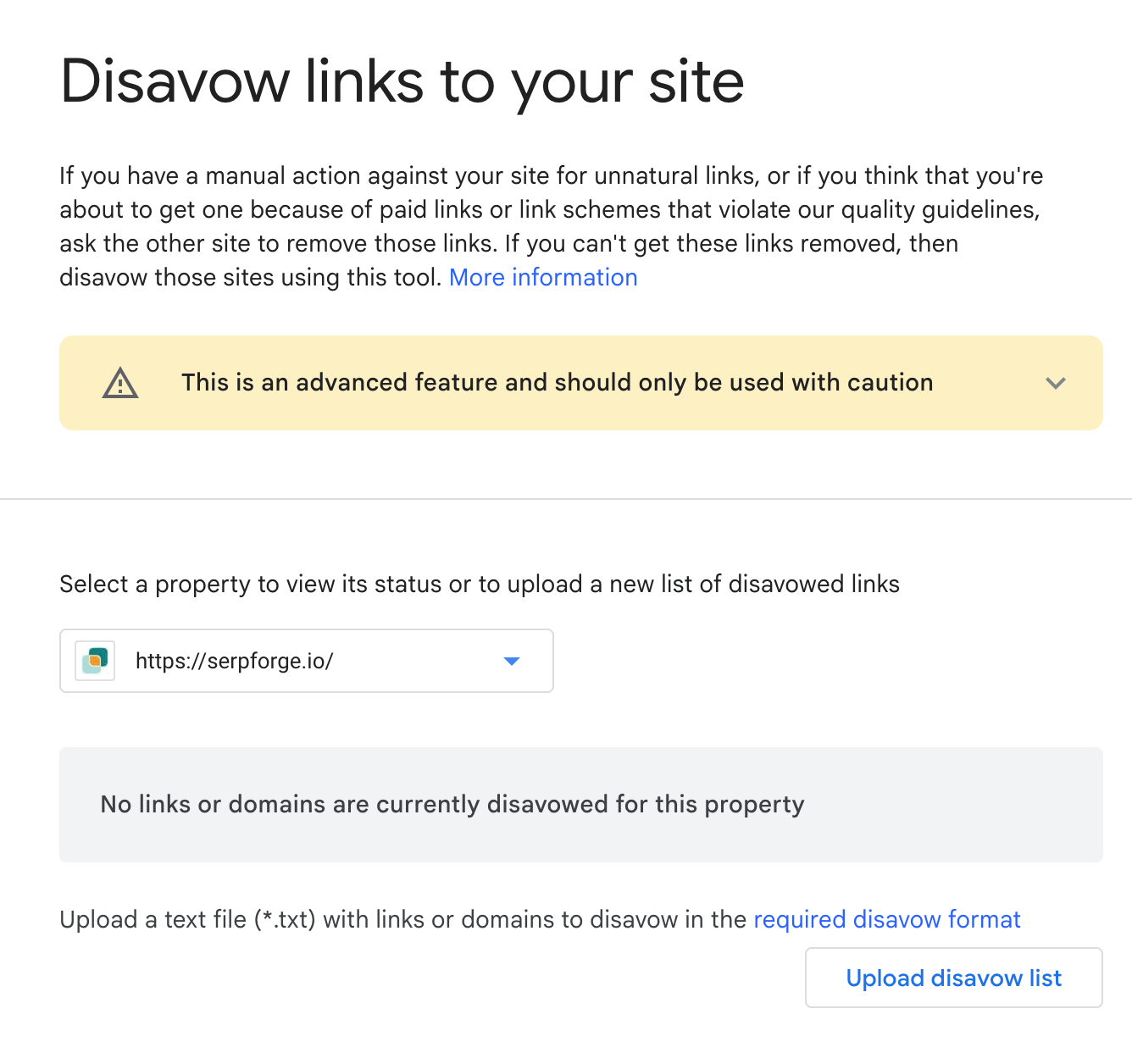
- Toxic or spammy links that need disavowing
- Lost links from the last 90 days
- Anchor text distribution; flag exact match anchors above 5%
Use link reclamation to recover high-value lost backlinks before building new ones.
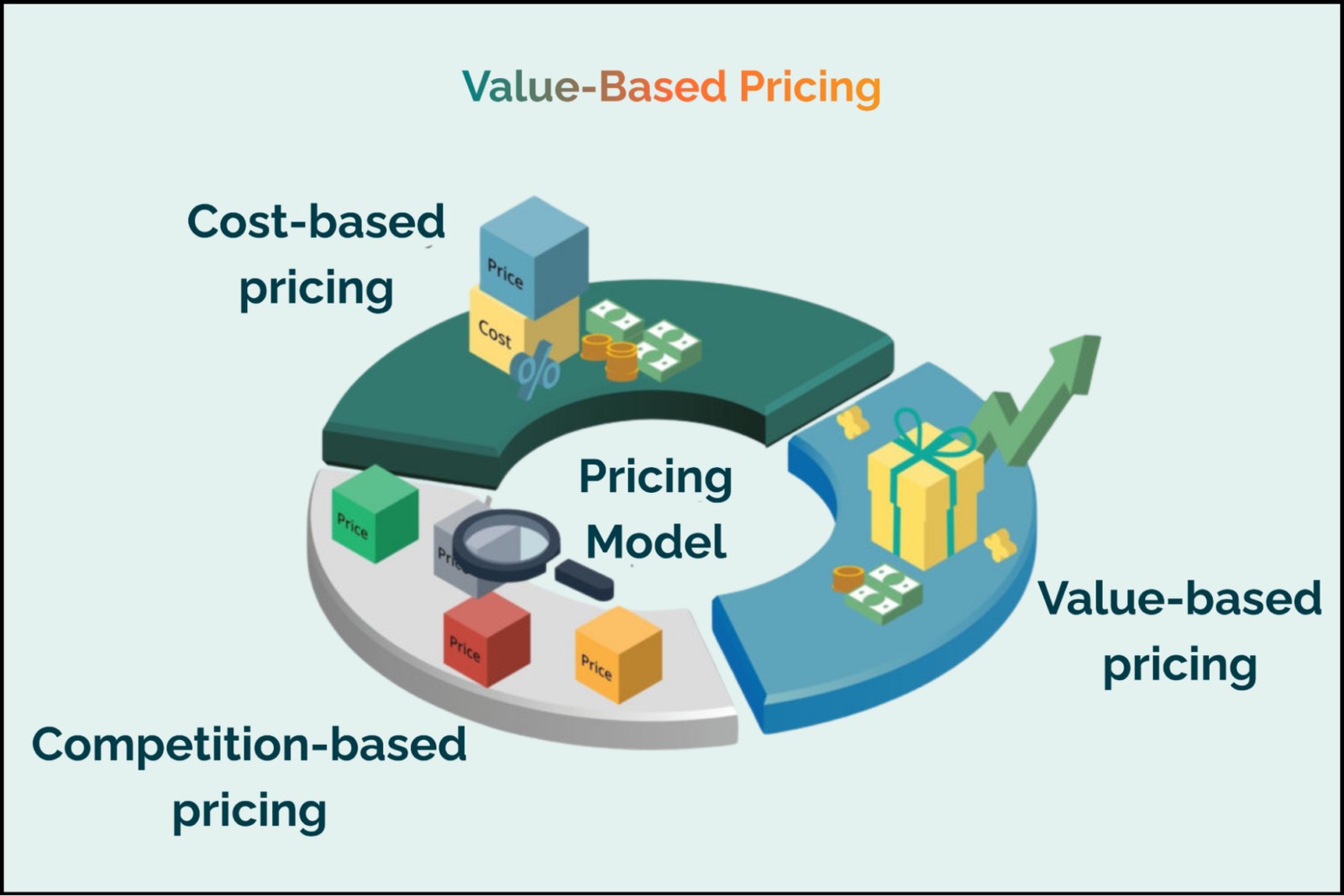
This audit tells you where you are starting from. It also shows whether cleanup is needed before building new links.
2. Set Campaign Goals
Vague goals produce vague results. Set specific, measurable targets before prospecting starts:
| Goal Type | Example Target |
|---|---|
| Referring Domains | Acquire 15+ new referring domains per month. |
| DR Floor | Ensure all newly acquired backlinks come from DR 30+ domains. |
| Priority Pages | Focus on 3 target pages during each campaign cycle. |
| Keyword Movement | Move the target page from position 14 into the top 10 search results. |
Write these down before you begin. They are what your end-of-month report measures against.
3. Identify Target Pages
Focus on pages with a ranking goal- product pages, high-value blog posts and landing pages targeting keywords with real search volume.
Choose pages that are already indexable, have strong on-page SEO and sit within striking distance of page one.
A page at position 15 for a 1,000-volume keyword is a better link target than a brand new page with zero ranking history.
4. Calculate the Link Gap
A link gap is the difference between referring domains pointing to your page and referring domains pointing to the top-ranking competitor page.
Run this in Ahrefs or Semrush for each priority page. If the top result has 45 referring domains and yours has 12, your gap is 33. That number gives your campaign a concrete objective.

5. Set Up a Tracker
Every prospect, outreach attempt and live link needs to be logged before you start. Build your tracker in Google Sheets with these columns as a minimum:
| Column | Purpose |
|---|---|
| Prospect URL | Tracks the page or website being pitched for a backlink opportunity. |
| DR | Measures the authority and quality of the referring domain. |
| Contact Name and Email | Stores the outreach target information for communication and follow-ups. |
| Outreach Date | Helps manage follow-up timing and outreach tracking. |
| Reply Status | Tracks whether the prospect replied, declined, or requires follow-up. |
| Link Live URL | Records the final published backlink URL for verification. |
| Dofollow Confirmed | Checks whether the backlink passes SEO authority. |
| Date Indexed | Confirms when the live backlink page was indexed by search engines. |
Where to Find Link Building Opportunities?
Prospecting is a volume game at the start and a precision game after filtering. The goal is a pipeline of qualified prospects.
6. Analyse Competitor Backlinks
If a site links to your competitor, it already operates in your space and may link to your content too.
Pull the top three competitors for your target keyword into Ahrefs or Semrush. Export their referring domains. Filter for DR 30+ and check each for topical relevance. These are your warmest prospects. The targeting work is already done.
Checkpoint 7. Search for Resource Pages
Resource pages curate links to useful content in a specific niche. They are built to link out, which makes them high-conversion targets for any link-building process checklist.
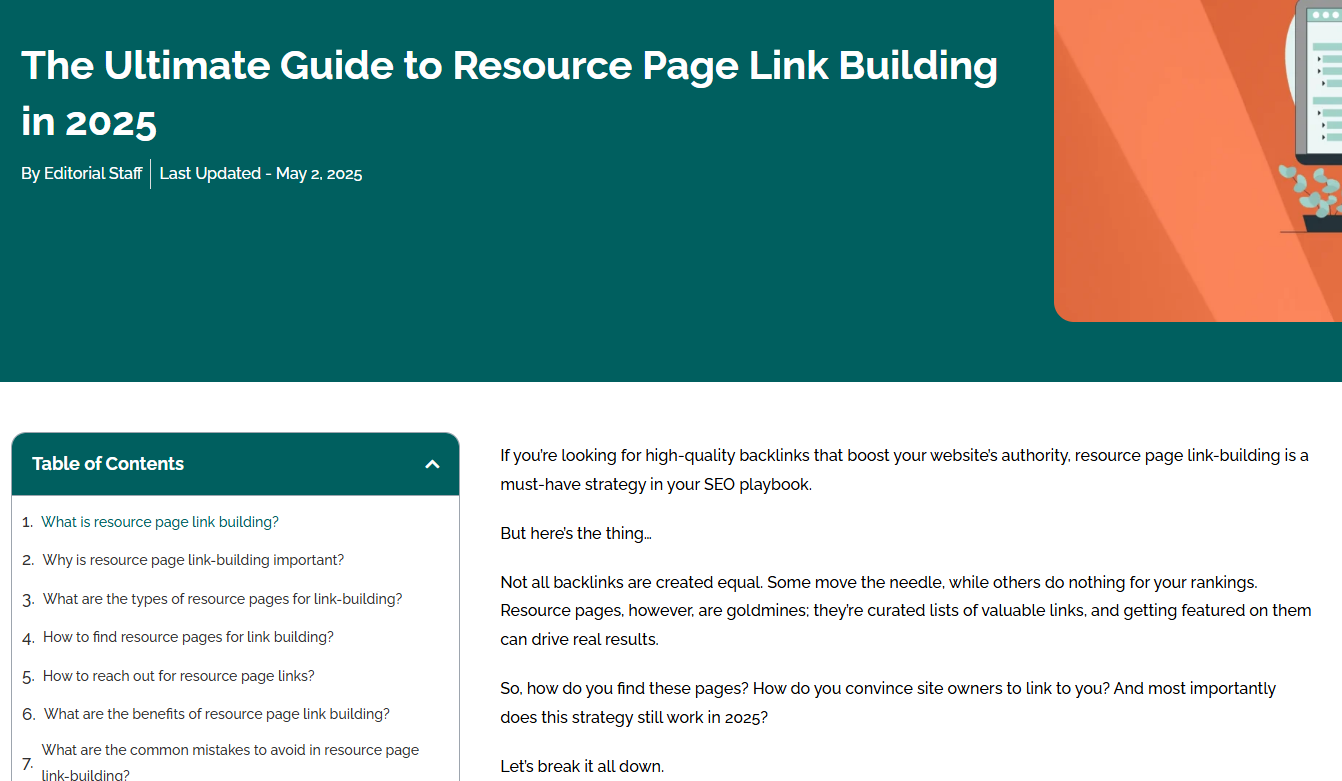
Learn more about finding, vetting, and pitching these opportunities in our resource page link building guide.
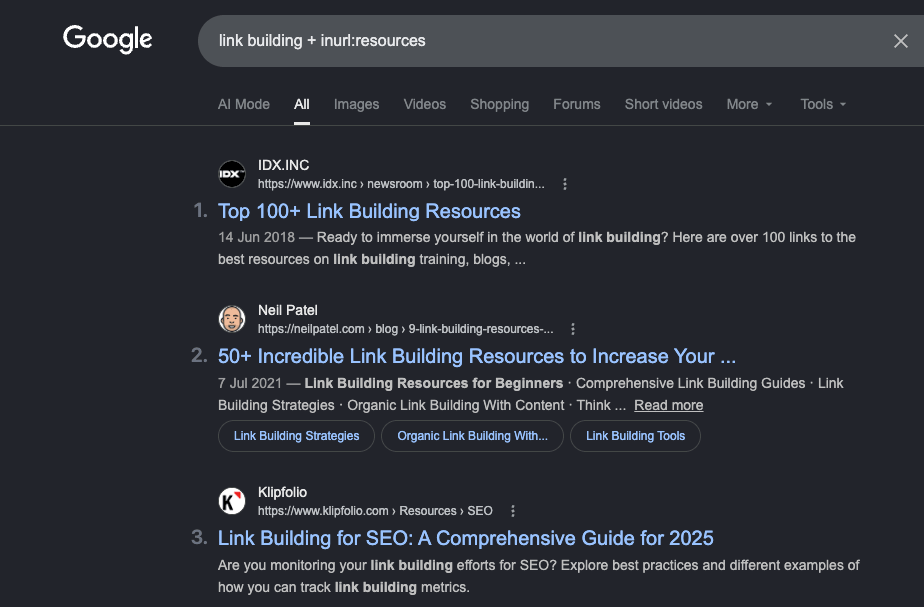
Use these Google search operators to find them:
- keyword inurl:resources
- keyword “helpful links”
- keyword “best resources”
- keyword intitle:links
Export results using the Ahrefs SEO Toolbar to pull DR and traffic data alongside each URL.
8. Find Broken Links
Find a relevant page with dead links, flag those broken links and suggest your content as a replacement. The site owner gets a fix and you get a placement.
Check for broken links using the Ahrefs SEO Toolbar. Go to Outgoing Links, click “Check status,” and filter for 4xx errors.
Before pitching, paste the broken URL into Wayback Machine to see what used to be there. Your replacement content should match that original intent closely.
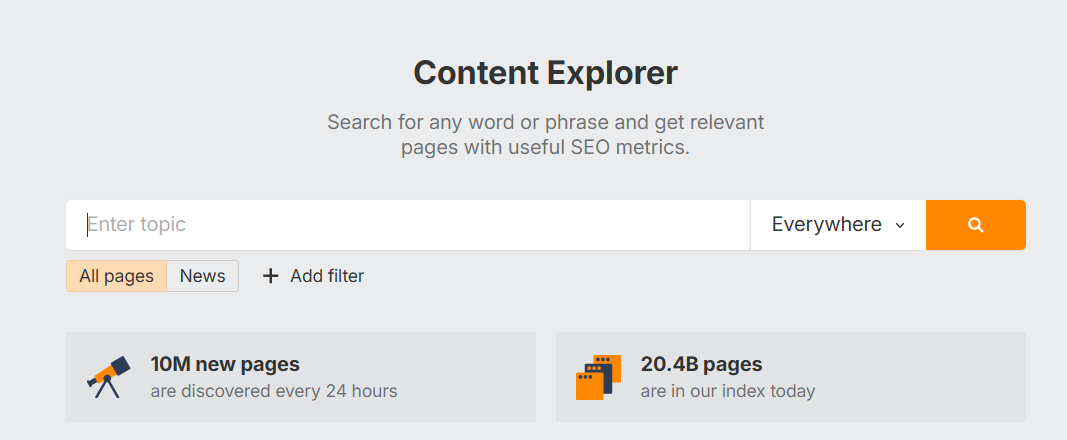
9. Look for Unlinked Brand Mentions
Search for your brand name using Google Alerts. When someone mentions your brand without a link, a short personalised email asking them to add one converts at a high rate.
They already know who you are. This is one of the lowest-effort steps in the entire process.
Track every converted mention with a link building report so no earned link goes unrecorded.
10. Join Link Building Communities
Link building communities on Slack and private forums surface real-time opportunities. This includes guest post swaps, editorial requests and resource page additions that are listed publicly nowhere else.
Members who contribute before they ask build relationships that convert into links consistently.
Testimonial link building follows a similar approach, earning backlinks by providing genuine feedback before asking for anything in return.
Checkpoint 11. Identify Guest Posting Opportunities
Use these search strings to find open guest post opportunities:
- keyword “write for us”
- keyword “guest post guidelines”
- keyword “contribute an article”
- keyword “submit a post”
Filter every result for DR 30+ before adding it to your outreach list. Guest posts on low-DR, low-traffic sites burn time without moving rankings.
How to Vet Link Building Prospects?
Prospecting produces a raw list. Vetting turns that raw list into a qualified one. Every hour spent on a prospect that will never convert is an hour away from one that will.
At SERP Forge, we apply a fixed internal standard before any prospect enters outreach. We call it the SERP Forge Vetting Rule.
The SERP Forge Vetting Rule
Every prospect must clear five criteria before it moves forward. No exceptions.
- SaaS-focused domain: The site must publish content for a SaaS or B2B software audience. General marketing blogs, broad tech publications, or niche-irrelevant sites do not qualify. One exception applies: if a site covers a topic directly adjacent to the client’s SaaS category and the linking page is a strong topical match, it may be included.
- DR 50 or above: Check in Ahrefs. Any domain below DR 50 does not enter the pipeline.
- 1,000+ monthly organic visits: Pull traffic data from Ahrefs or Semrush. A high DR with near-zero organic traffic is a disqualifying signal. Both numbers must hold.
- Clean backlink profile: Open the referring domains report in Ahrefs. Remove the prospect immediately if you see unrelated foreign-language domains in bulk, a sudden spike-and-drop in referring domains, or links from known PBN networks.
- Active and maintained: The site must have published new content within the last 90 days. Author profiles must be real and identifiable. A neglected site produces a weak link regardless of its DR.
Use this table as your first-pass filter before any manual review:
| Check | Tool | Pass | Fail |
|---|---|---|---|
| Topical Relevance | Manual Review | Website operates in the same or a closely related niche. | No topical overlap or relevance. |
| Domain Rating | Ahrefs | DR 30+ | DR below 30 |
| Organic Traffic | Ahrefs / Semrush | 5,000+ monthly organic visits with stable growth. | Sudden traffic spike followed by a major decline. |
| Backlink Profile | Ahrefs | Natural and diversified anchor text profile. | Heavy use of exact-match anchor text. |
| Indexability | Robots Checker | Page is crawlable and indexable. | Noindex tag or blocked from indexing. |
| Site Activity | Manual Review | Fresh content published within the last 90 days. | No new content published for over 6 months. |
12. Check Topical Relevance
Topical relevance is the first filter: before DR, before traffic, before everything else.
Prioritizing this helps you earn relevant backlinks from websites and pages closely aligned with your target topic.
Ask one question for every prospect: does this site cover topics directly related to the page you are building links to? If the answer is no, remove it.
In multilingual link building, language, geography, and audience intent directly affect backlink relevance.
13. Verify Domain Rating and Organic Traffic
Apply these minimums before manual review:
| Metric | Minimum |
|---|---|
| Domain Rating (DR) | 30+ |
| Monthly Organic Traffic | 5,000+ |
| Traffic Trend | Stable or growing |
A site with DR 50 and zero organic traffic is a red flag. It may have built links artificially or lost traffic after a penalty. Always check both metrics together.
14. Check the Backlink Profile for Spam
Pull the prospect domain into Ahrefs and look at its referring domains. Remove the site from your list if you see any of these:
- Majority of backlinks from unrelated foreign-language sites
- Referring domain count that spiked suddenly then dropped
- High ratio of exact match anchor text across all backlinks
- Links from known PBN networks or link farms
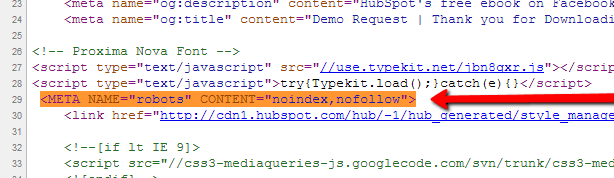
15. Confirm the Page Can Be Indexed
A link on a noindexed page passes zero value. Check the target page is clear of noindex tags or robots.txt disallow rules. This takes ten seconds per URL.
16. Look for Signs the Site Is Actively Maintained
A neglected site produces a weak link. Before pitching, confirm:
- The site has published new content in the last 90 days
- Author profiles are real, identifiable people
- Contact information is current and functional
What Content to Create for Link Building?
Content is the asset you are pitching. Thin, generic content that is a worse version of what already ranks will produce zero conversions regardless of outreach quality.
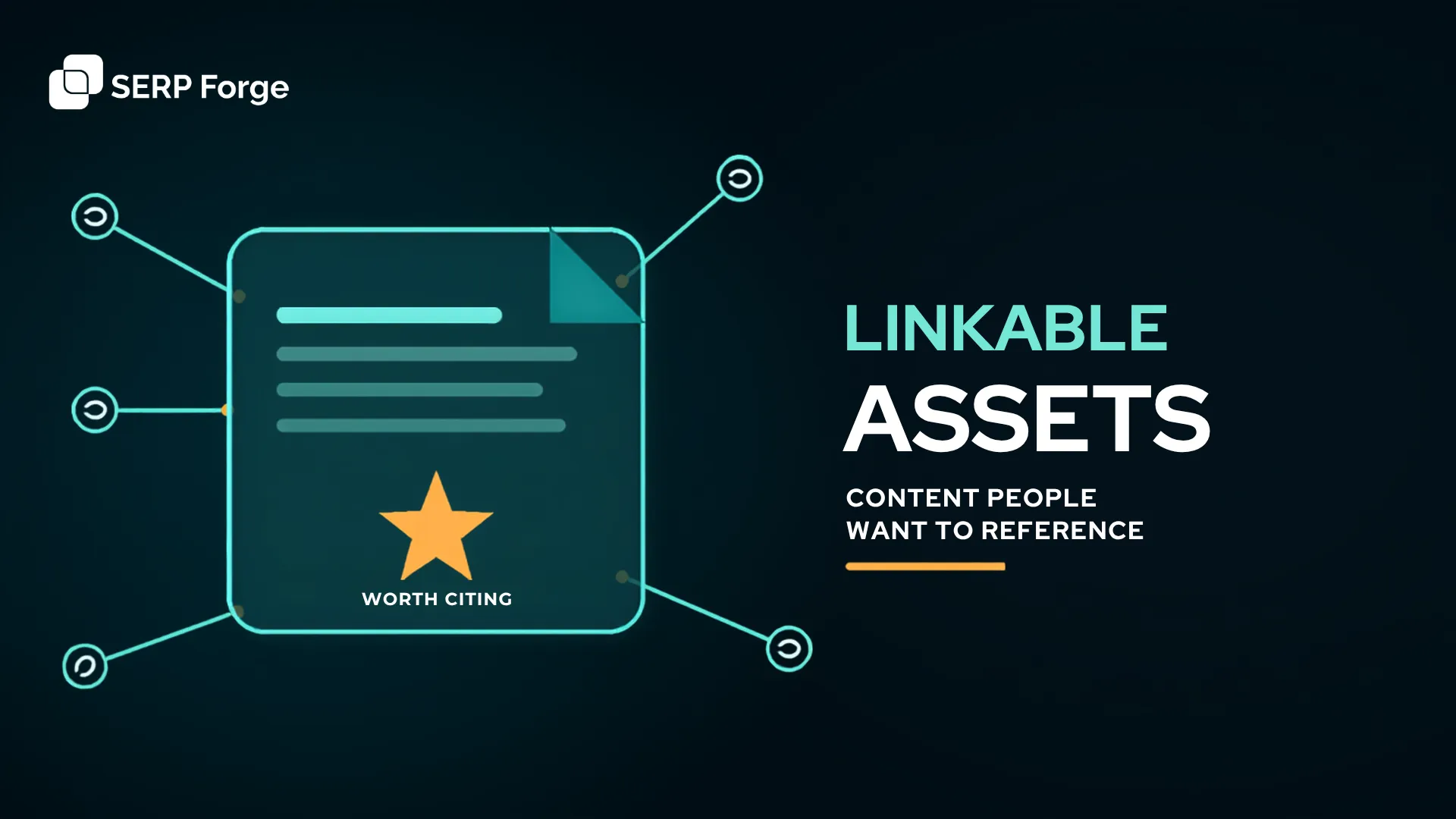
Building linkable assets gives publishers a stronger reason to reference your content.
17. Match the Topic to the Target Site
Check what topics your target sites already link to or publish. Create content that slots into that existing pattern. Ask them to make an exception and the answer will be no.
18. Follow the Site’s Content Guidelines
Every guest post target has editorial standards. Read them before writing a word. Sites that publish data-driven, long-form content will reject a 700-word opinion piece regardless of outreach quality. Match the format, tone and depth of what the site already publishes.
19. Use Natural Anchor Text
Over-optimised anchor text is a manual action risk. Use a natural distribution across all links you build:
Suggest natural variations to site owners. Let editorial judgment determine the final text.
20. Write at Least 1,000 Words of Original Content
Thin content earns zero links and zero rankings. Aim for a minimum of 1,000 words of original, well-researched content. Original data, proprietary frameworks and first-hand examples are the three content types that earn the most unsolicited backlinks over time.
These are classic examples of link baiting assets because they provide enough value for other websites to reference and link to them naturally.
21. Add Internal and External Links
Every piece of link building content should include an internal link to your target page and external links to authoritative third-party sources. Google’s guidelines on qualifying outbound links confirm that linking to credible external sources is a positive quality signal.
How to Outreach for Link Building?
Outreach is where campaigns fall apart. The targeting was solid, the content is strong and the email lands in the wrong inbox addressed to no one in particular. Fix the process and your conversion rate shifts immediately.
22. Find the Right Contact
Always find the person who manages the page or edits the publication:
- Check the “Team” or “About” page for an editor or content lead
- Search LinkedIn for the site name alongside “editor” or “content manager”
- Use an email finder tool to verify the format once you have a name
- Use a “suggest a resource” form when the site provides one
The SERP Forge outreach team has run thousands of pitches across SaaS, B2B, and tech verticals over five years. Most templates failed. A few worked consistently. The two below are what remained after that process.
23. Write a Personalised Outreach Email
We tested broad pitches, short pitches, long pitches, and pitches built around flattery. After five years of outreach across hundreds of SaaS and B2B campaigns, two templates produced reply rates worth repeating.
Write every outreach email around three core principles:
- Be specific. Reference the exact page, section, or content gap you are responding to. A named section or a specific broken URL signals you read the page and a generic opener signals a mass blast.
- Frame around a gap, not a request. Explain what your content covers that their existing linked resources do not. Give the editor a functional reason to act.
- Lead with value in broken link pitches. Flag the dead links before mentioning your replacement. You are solving a problem they already have. The resource suggestion follows naturally from that.
Keep every email under 100 words. One clear reason for them to click is enough. Every additional sentence increases the chance they stop reading.
f you need proven templates and strategies, check out our comprehensive guide to email outreach
24. Follow Up Once
Send one follow-up five to seven days after the first email. Two lines only:
Hi [Name], just following up on the resource suggestion from last week. Happy to answer any questions.
Two contacts is professional. Three becomes spam. The follow-up exists to catch a missed email, not to pressure a response.
Checkpoint 25. Track Every Outreach Attempt
Log every email sent, the date, and the response in your tracker. Without this data you cannot calculate reply rate, identify which prospect sources convert best, or know which follow-ups are due.
Campaigns that skip tracking cannot be improved. You will repeat the same outreach mistakes indefinitely because there is no record of what worked and what did not.
How to Quality Check a Link After It Goes Live?
A confirmed placement is a placement. A confirmed, indexed, dofollow link is a win. Verify every live link before adding it to your report.
26. Confirm the Link Is Dofollow
Check the link attribute directly in the page source or with the Ahrefs SEO Toolbar. A nofollow, sponsored, or UGC-tagged link should not be counted as a standard editorial dofollow link. If the site tagged it incorrectly, contact the editor and ask for the attribute to be corrected.
Google’s link qualification guidelines specify that sponsored and UGC links should carry separate attributes from editorial placements.
27. Verify the Page Is Indexed
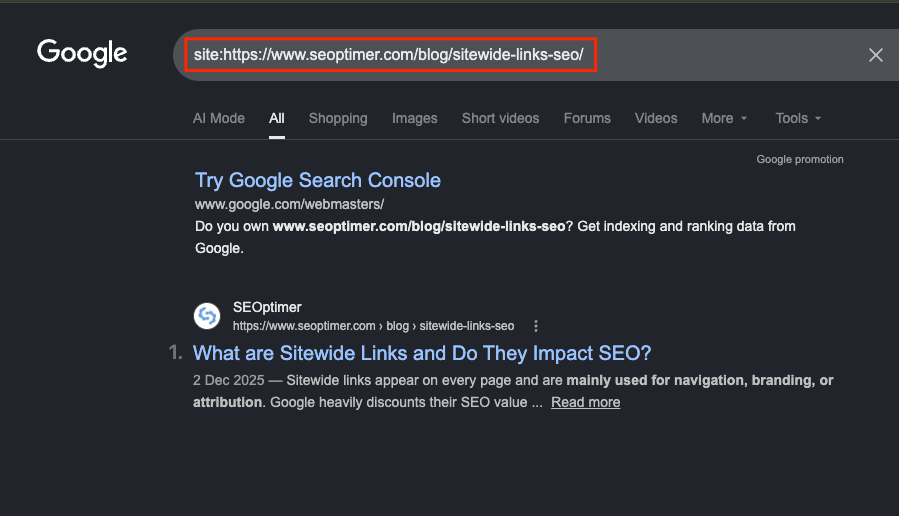
Paste the page URL into Google with a site: prefix. A page that does not appear is unindexed and the link is uncounted. Flag it in your tracker and follow up with the site owner if the page stays unindexed past 30 days.
29. Add the Link to Your Tracker
Record the live URL, anchor text used, link attribute, referring page DR and date confirmed. This is the data that goes into your monthly report and proves campaign progress to stakeholders.
Ongoing Link Building Checklist
Running the checklist once is a campaign. Running it every month is a backlink strategy. Rankings move, links drop and competitors keep building.
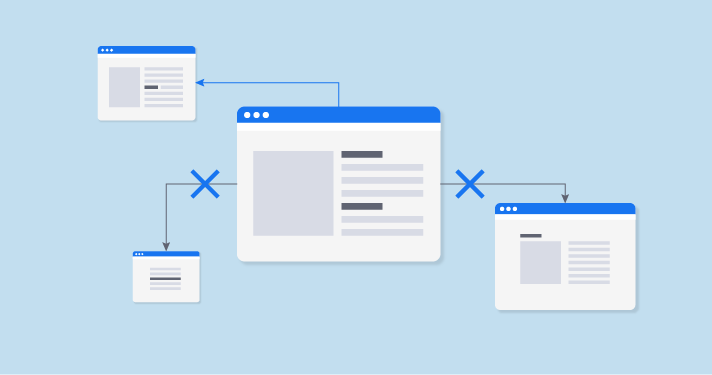
30. Monitor for Lost Links
Pull a lost links report from Ahrefs or Semrush every month. For each lost link above DR 40, identify the reason and attempt recovery:
- Page removed: contact the editor and ask for reinstatement or a replacement
- Site redesign: find the new URL and request the link be updated
- Link deleted: reach out with a polite inquiry
Ten lost DR 60+ links in a month can offset twenty new DR 30 links in ranking impact.
21. Track Ranking and Traffic Movement
Every target page should have a tracked keyword in Ahrefs Rank Tracker or Google Search Console. Review position changes monthly and map them against link activity for that page.
Ranking movement on a specific page, attributed to specific links placed, is the clearest ROI case you can make to clients or leadership.
21. Review and Adapt Your Strategy
Every three months, audit which prospect sources produced the most live links and which outreach templates performed best.
Drop what is converting at zero. Double down on what works. A link building process checklist that stays static stops working.
Link Building Checklist Template
SERP Forge built this checklist after running campaigns for 100+ clients and placing 10,000+ live links. Every phase and every check below reflects what works in production. Run every phase in sequence and check off each item before moving to the next.
When to Outsource Link Building Instead of Doing It In-House
In-house link building works when your team can run 20–30 personalised, well-vetted pitches per week and track results consistently. Most early-stage teams lack that capacity.
Outsource when the time cost of prospecting and outreach pulls your team away from higher-leverage work. A good agency runs the full backlink building checklist for you and reports at the link, page and ranking level.
Before hiring, ask three questions: What are your vetting criteria? Can you share a sample outreach email? How do you report on link quality? An agency that cannot answer all three clearly is running the process from memory.
Conclusion
Link building guides stop at outreach. This one goes further.
The steps that protect your profile: vetting, quality control and lost link recovery, are the ones teams skip. That is why campaigns plateau. New links come in and unnoticed losses cancel them out.
Run all seven phases. Flag the link gap before you prospect. Confirm every live link before you report it. Check what you lost before you celebrate what you gained.
Teams that compound rankings month over month run a system. You now have one. Use it.
FAQs
What should a link building checklist include?
A complete link building checklist covers seven phases: profile audit, goal setting, prospecting, vetting, content creation, outreach and quality control. Each phase has specific checkboxes that confirm the work was done correctly before moving forward.
How many links do I need to rank?
Run a link gap analysis in Ahrefs or Semrush. Compare your referring domains against the top three results for your target keyword. That number is your campaign objective.
What is the difference between dofollow and nofollow links?
Dofollow links pass PageRank and contribute to rankings. Nofollow links carry a rel=”nofollow” attribute and should not be counted as standard dofollow placements. They may still bring referral or discovery value.
Always verify the attribute after a link goes live.
How do I know if a site is worth building a link from?
Check four things: DR 30+, 5,000+ monthly organic traffic, topical relevance and a clean backlink profile. A site that passes all four is worth pitching.
Should I hire an agency for link building?
Hire an agency when your team lacks the capacity to run 20+ well-vetted pitches per week. Ask for their vetting criteria, a sample outreach email and a sample monthly report before signing.