


Most roundups label anything with an email tab as marketing automation. That is misleading.
Real marketing automation is about trigger-based workflows, behavioral sequencing, and cross-channel orchestration that runs without manual intervention.
Every tool below was selected because automation is its core function, not a bolted-on feature.
I have worked inside all 15 across different SaaS marketing automation tools. Here is what I actually found.
1. ActiveCampaign
The UI looks dated but the automation engine underneath is one of the most capable at its price point.
What sets it apart is that CRM and automation share the same data layer natively, so lead scoring, deal stage changes, and email behavior all feed a single workflow without Zapier glue.
I have built 15-branch conditional sequences in it that would require two separate tools in most other platforms.
Automation Features
- Multi-branch visual workflow builder triggered by contact behavior, CRM fields, tags, or deal stage changes.
- Site and event tracking fires sequences from URL visits or custom goal completions, turning intent signals into automated follow-ups.
- Predictive sending analyzes each contact’s historical open patterns and delivers at their personal peak window, not a segment-level send time.
- Real-time lead scoring auto-updates as contacts engage and triggers sales alerts or deal creation when thresholds are crossed.
Pros: Deep conditional logic without code. CRM-native means no sync drama between marketing and sales data.
Cons UI has not kept pace with the engine’s capability. Advanced reporting requires upgrading.
Pricing: Starts at $15/month. Full automation at Marketing Pro, around $49/month.
Best for: B2B SaaS teams needing CRM-tied behavioral automation without two separate platforms.
2. HubSpot Marketing Hub
HubSpot’s automation is not the deepest on this list, but the shared contact record across marketing, sales, and service eliminates a whole category of data quality problems.
Every workflow fires from the same source of truth. Teams that have dealt with field mapping failures between an email tool and a CRM will understand why that matters more than extra workflow features.
Automation Features
- Workflows trigger from form submissions, contact property changes, deal stage movement, list membership, or ad interactions.
- Automated lead rotation assigns contacts by territory or round-robin and fires a personalized sequence from the rep’s name without manual handoff.
- Smart content dynamically swaps page copy, CTAs, and email modules based on lifecycle stage or list membership.
- Sequence auto-pause detects replies and immediately removes contacts from enrollment, preventing over-communication.
Pros: Unified data model is the real differentiator. Clean data produces better automation outcomes than more complex logic running on messy data.
Cons: Advanced automation locked behind the $890/month Professional tier. Contact-based pricing scales aggressively.
Pricing: Free tier available. Starter at $20/month, Professional at $890/month.
Best for: Growing SaaS companies that prioritize data consistency and want marketing and sales automation on one platform.
3. Customer.io
Customer.io treats every custom event from your product as a first-class automation trigger. That means you can fire a sequence the moment a user activates a feature, hits a usage limit, or goes 14 days without logging in, not just when they open an email.
The setup requires developer involvement for event instrumentation, but once that is done, the automation possibilities are categorically different from a standard email platform.
Automation Features
Campaign triggers accept any custom event via API, SDK, or data warehouse sync, connecting automation directly to product telemetry.
Journey builder supports time delays, event splits, attribute filters, and multiple exit conditions for onboarding flows that adapt to each user’s in-product behavior.
Frequency capping automatically suppresses messages when a contact hits a defined communication limit, protecting deliverability and user trust simultaneously.
Webhook actions inside journeys push data to external systems at any step, removing the need for separate automation middleware.
Pros: Best event-driven architecture for product-led growth at this price point. Multi-channel from one canvas.
Cons: Requires developer setup. No landing page or top-of-funnel acquisition tooling.
Pricing: Essentials plan starts at $100/month for up to 5,000 profiles.
Best for: Product-led SaaS companies automating onboarding, feature adoption, and retention from real in-product behavior.
4. Marketo Engage (Adobe)
Marketo is where enterprise B2B marketing teams are built around, and the automation depth genuinely earns that position.
Smart Campaigns, Engagement Programs, and the Revenue Cycle Modeler give you control over lead nurture, stage progression, and account-level orchestration that would require multiple tools to replicate elsewhere.
The trade-off is steep: it rewards dedicated expertise and punishes teams that treat it as a plug-and-play tool.
Before committing to Marketo’s price point, benchmark it against your SaaS marketing budget to ensure the spend aligns with your growth stage.
Automation Features
- Smart Campaigns combine trigger-based entry with batch filter logic, handling both real-time and scheduled programs from one interface.
- Engagement Programs auto-advance leads through ordered content tracks, pausing when a contact becomes sales-active and resuming on handback.
- Revenue Cycle Modeler automates lead stage transitions and fires alerts at each funnel movement across the full demand generation lifecycle.
- Account-based automation syncs bidirectionally with Salesforce to trigger programs at the company level, not just individual contacts.
Pros: Deepest nurture logic and ABM automation available. Robust API and CRM integration layer.
Cons: High cost, steep learning curve, and requires a dedicated admin to operate properly.
Pricing: Custom. Growth tier typically starts at $1,000+/month.
Best for: Enterprise SaaS with dedicated marketing ops staff running account-based demand generation programs.
5. Klaviyo
B2B SaaS teams dismiss Klaviyo because of its e-commerce reputation, but that is worth reconsidering. The event-based flow system and predictive analytics layer work just as well for SaaS lifecycle automation.
What I find genuinely underrated is the automatic churn risk and lifetime value scoring built into every contact profile. You can trigger retention sequences before churn happens without building a custom predictive model.
Automation Features
Flow builder triggers sequences from events, list changes, or predictive attribute updates like churn risk score or engagement tier.
Predictive analytics auto-calculates churn likelihood, next action probability, and lifetime value per contact, usable as live flow conditions.
In-flow A/B testing routes traffic to variant branches and auto-promotes the winner after hitting statistical significance.
Smart sending suppresses messages during each contact’s historically inactive windows without per-campaign configuration.
Pros: Predictive segmentation that works out of the box is a real advantage for retention and re-engagement automation.
Cons: Pricing scales fast with list size. Not optimized for multi-stakeholder B2B account journeys.
Pricing: Free up to 250 contacts. Paid plans from $20/month.
Best for: SaaS businesses with freemium funnels or high email volume needing behavioral lifecycle automation with predictive targeting.
6. Braze
Braze is not just a campaign tool. It is a real-time event processing infrastructure with a marketing interface built on top.
The Intelligent Channel and Intelligent Timing features calculate the optimal delivery configuration per individual contact per campaign, not per segment.
Seeing that run on a large active user base and watching engagement rates climb without manual optimization is one of the more impressive things I have seen in a marketing automation platform.
Automation Features
- Canvas Flow builds multi-step, multi-channel journeys with action-based entry, audience exit conditions, and experiment steps in one canvas.
- Intelligent Timing calculates the best delivery window per individual contact based on historical engagement, not a segment-level send time.
- Intelligent Channel routes each message to the delivery surface where that specific user has the highest predicted engagement rate automatically.
- Connected Content fetches live data from external APIs at send time, enabling personalization based on current product state rather than enrollment-time data.
Pros: Real-time event processing at scale and AI-driven channel and timing optimization are the most mature implementations of those capabilities I have seen.
Cons: Enterprise pricing only. Implementation requires significant engineering resources and multi-week setup time.
Pricing: Custom enterprise pricing. Annual contracts typically start at $60,000/year.
Best for: Mid-market to enterprise SaaS with large mobile user bases needing real-time omnichannel automation at scale.
7. Pardot (Salesforce Marketing Cloud Account Engagement)
Pardot makes sense in one specific scenario: you are on Salesforce CRM and want marketing automation reading and writing to the same data objects your sales team works with.
The two-way sync between Engagement Studio automations and Salesforce Opportunities is genuinely tight and hard to replicate with third-party connectors. Outside of a Salesforce environment, more modern tools offer better value.
Automation Features
- Engagement Studio programs build drip sequences where every condition and action reads directly from Salesforce CRM fields and opportunity stages without middleware.
- Automation rules fire real-time actions like lead scoring, queue assignment, and internal alerts the moment a prospect meets defined criteria.
- Dynamic lists automatically add and remove contacts based on live Salesforce field values, keeping segments current without scheduled refreshes.
- Salesforce Engage pushes personalized automated emails from a rep’s inbox triggered by specific marketing engagement events.
Pros: Deepest native Salesforce CRM integration available. Marketing and sales automation operate on the same data record.
Cons: Minimal value outside Salesforce. UI has aged badly for the price.
Pricing: Growth plan starts at $1,250/month for up to 10,000 contacts.
Best for: B2B SaaS teams already on Salesforce CRM needing marketing automation embedded directly in their sales workflow.
8. Encharge
Encharge was built specifically for SaaS and it shows. The default templates, native integrations, and event model are all shaped around SaaS-specific workflows.
The Stripe integration is particularly well done. You can trigger automation sequences from billing events, plan upgrades, failed payments, and trial expirations without building custom webhook handlers, which for a small SaaS team saves real engineering time.
Automation Features
Flow builder triggers sequences from product events via API or native connections with Stripe, Segment, HubSpot, and Intercom.
Tag-based automation dynamically adjusts user journeys as tags are applied or removed based on behavior, letting one flow serve multiple user paths.
Broadcast and flow automation layer together so one-time announcement emails can enroll engaged recipients into deeper nurture sequences automatically.
Built-in lead scoring routes contacts to different automation paths once engagement thresholds are crossed.
Pros: Stripe billing event integration handles subscription lifecycle automation without custom webhooks. SaaS-native mental models throughout.
Cons: Thinner template library. Reporting depth requires exporting data elsewhere for attribution analysis.
Pricing: Starts at $99/month for up to 2,000 subscribers.
Best for: Early-stage SaaS companies automating trial onboarding and churn prevention without enterprise overhead.
9. Ortto (formerly Autopilot)
Ortto’s differentiator is its built-in Customer Data Platform. Most automation tools consume data that lives elsewhere.
Ortto attempts to be where the data lives, so the automation layer and analytics layer read from the same unified profile.
In practice, this means journey conditions can be built on a merged view of anonymous behavior, known contact data, and product events without manually stitching those sources together.
Automation Features
- Journey builder triggers multi-step automations from the unified CDP profile, giving flows access to pre-signup behavioral data that most tools never capture.
- Built-in CDP automatically merges anonymous visitor sessions with known contact records on identification.
- Form capture auto-enrolls contacts into journeys on submission with no connector setup or list import delay.
- Automated reporting pushes scheduled performance digests to stakeholders, removing manual dashboard check-ins.
Pros: CDP plus automation in one platform genuinely reduces sync overhead and the silent automation failures that come with multi-tool stacks.
Cons: Rebrand created documentation gaps. SMS automation availability varies by region.
Pricing: Starts at $99/month. Full CDP and automation at higher tiers.
Best for: SaaS teams wanting a unified customer data and automation platform without stitching together a separate CDP and journey tool.
10. Drip
Drip gets categorized as e-commerce, but the automation architecture suits SaaS teams running consumption-based or transactional models.
What I find genuinely underrated is the Liquid templating system for dynamic personalization. You write one template with Liquid variables pulling from contact attributes and every recipient gets a version that feels individually crafted, without building dozens of audience segments or duplicate campaign versions.
Automation Features
- Workflow builder triggers sequences from purchase events, API-sent custom events, or contact property changes with branching logic.
- Liquid-based dynamic content personalizes every message using contact attributes or event properties without creating separate email versions per audience.
- In-workflow split testing auto-identifies the top-performing branch after reaching statistical confidence without manual monitoring.
- Unified email and SMS automation runs both channels from a single workflow canvas.
Pros: Liquid templating produces deep personalization at scale without campaign management overhead. Clean, intuitive workflow UI.
Cons: Complex B2B multi-stakeholder journeys are not well supported. No built-in landing page or form builder.
Pricing: Starts at $39/month for up to 2,500 contacts.
Best for: SaaS companies with transactional or usage-based models needing behavioral automation with Liquid-powered personalization.
11. Salesforce Marketing Cloud
Salesforce Marketing Cloud is infrastructure-level automation. Journey Builder and Automation Studio handle multi-channel orchestration at a scale and depth no competing platform matches.
The teams that get the most out of it treat it exactly that way: they have a dedicated SFMC developer, a clear data architecture, and a long-term roadmap.
Teams that buy it expecting a quick ramp typically end up using 15% of what they paid for.
Automation Features
- Journey Builder orchestrates multi-channel experiences triggered by CRM events, API calls, or audience changes, with live A/B experiments running inside active journeys.
- Automation Studio runs scheduled SQL audience queries, data imports, and file transfers automatically, acting as a data operations layer feeding campaigns with fresh, accurate data.
- Einstein AI optimizes send frequency per contact and surfaces engagement scoring that feeds directly into automation entry conditions.
- Interaction Studio detects real-time behavioral signals and dynamically adjusts which automation path a contact is placed on as behavior occurs.
Pros: Unmatched scale and automation depth. SQL-based audience building gives data teams a level of segmentation precision visual filters cannot approach.
Cons: Multi-month implementation. Requires dedicated technical staff. Errors in automation logic can affect large audiences before anyone catches them.
Pricing: Custom enterprise pricing. Base packages typically start at $25,000/year.
Best for: Large-scale SaaS enterprises with the technical resources to operate the platform and justify the investment.
12. Reply.io
Reply.io sits between marketing automation and sales automation in a space most other tools here do not touch. It is built for outbound sequencing: multichannel prospecting cadences, follow-up automation, and SDR workflows.
The Jason AI feature writes personalized first-line email openers automatically based on prospect data. Output needs occasional cleanup, but the time saving on high-volume outbound is real.
Reply detection and sequence management are also genuinely good at preventing the embarrassing experience of a follow-up landing after a prospect has already replied.
Automation Features
- Sequence builder automates follow-up cadences across email, LinkedIn, calls, and SMS with conditional steps based on prospect engagement actions.
- AI reply detection categorizes incoming responses and pauses or advances sequences automatically without manual inbox monitoring.
- Automated prospect sourcing lets you define criteria and have Reply.io enroll prospects into sequences without manual list building.
- Jason AI generates personalized first-line email copy per prospect based on LinkedIn profile and company data.
Pros: Outbound automation from prospecting to booked meeting in one tool. AI personalization reduces manual research burden at scale.
Cons: LinkedIn automation sits in a gray area with platform policies. High-volume sending requires careful deliverability management.
Pricing: Starts at $59/user/month. Multichannel plans from $89/user/month.
Best for: SaaS teams running outbound prospecting automation where SDRs and marketing share a demand generation workflow or ABM for SaaS strategy
13. MoEngage
MoEngage sits in a sweet spot for SaaS products with a strong mobile surface. Most platforms treat push notifications as an add-on channel.
MoEngage builds its automation logic around mobile behavioral data from the start. The Sherpa AI feature calculates an optimal channel, timing, and content variant combination per individual user and executes it automatically across campaigns.
Watching that run on a large active user base and seeing engagement climb without manual optimization is one of the more impressive things this category has to offer.
Automation Features
- Flows builder orchestrates journeys triggered by real-time in-app or web behavioral events with branching logic that responds as actions happen, not in batches.
- Sherpa AI auto-optimizes send time, delivery channel, and content variant per individual user based on historical engagement, removing A/B test and scheduling overhead.
- RFM-based automation triggers retention or upsell flows automatically when a user’s recency, frequency, or value score changes.
- Anomaly detection monitors engagement continuously and can trigger automated re-engagement sequences when user activity drops below defined thresholds.
Pros: Mobile-first automation architecture. Sherpa AI’s individual-level optimization is the most mature implementation of that capability outside Braze.
Cons: Complex onboarding benefits from a dedicated CSM. Pricing requires a sales conversation to assess fit.
Pricing: Custom, based on monthly active users. Growth plan available for startups.
Best for: Mobile-first SaaS products needing AI-powered cross-channel automation with deep behavioral segmentation.
14. Iterable
Iterable handles high-frequency behavioral data without the latency problems that cause automation misfires at scale, which matters more than most teams realize until they outgrow tools that cannot keep up.
The Brand Affinity feature is the most underappreciated capability in the platform. Rather than manually segmenting users by engagement tier and building separate campaigns, Brand Affinity scores every user’s channel preference and routes automation accordingly.
On high-volume campaigns, that alone meaningfully reduces unsubscribes.
Automation Features
- Workflow Studio triggers multi-step journeys from events, list changes, or time conditions across email, push, SMS, and in-app, with simultaneous experiment branches inside live journeys.
- Dynamic content blocks pull real-time data from external APIs into message templates at send time, personalizing on current product state rather than enrollment-time snapshots.
- Brand Affinity auto-calculates each user’s channel engagement score and routes automated messages to their highest-affinity delivery surface.
- Catalog-based automation supports recommendation-driven sequences by pulling live product or content data into automation logic without manual exports.
Pros: High event volume handling with low latency. Brand Affinity channel routing is a genuine differentiator for multi-channel lifecycle campaigns.
Cons: Enterprise pricing with contract commitments. Email template editor is less flexible than some competitors.
Pricing: Custom enterprise pricing for mid-market and enterprise SaaS.
Best for: High-growth SaaS platforms running personalized multi-channel lifecycle automation at scale.
15. Userlist
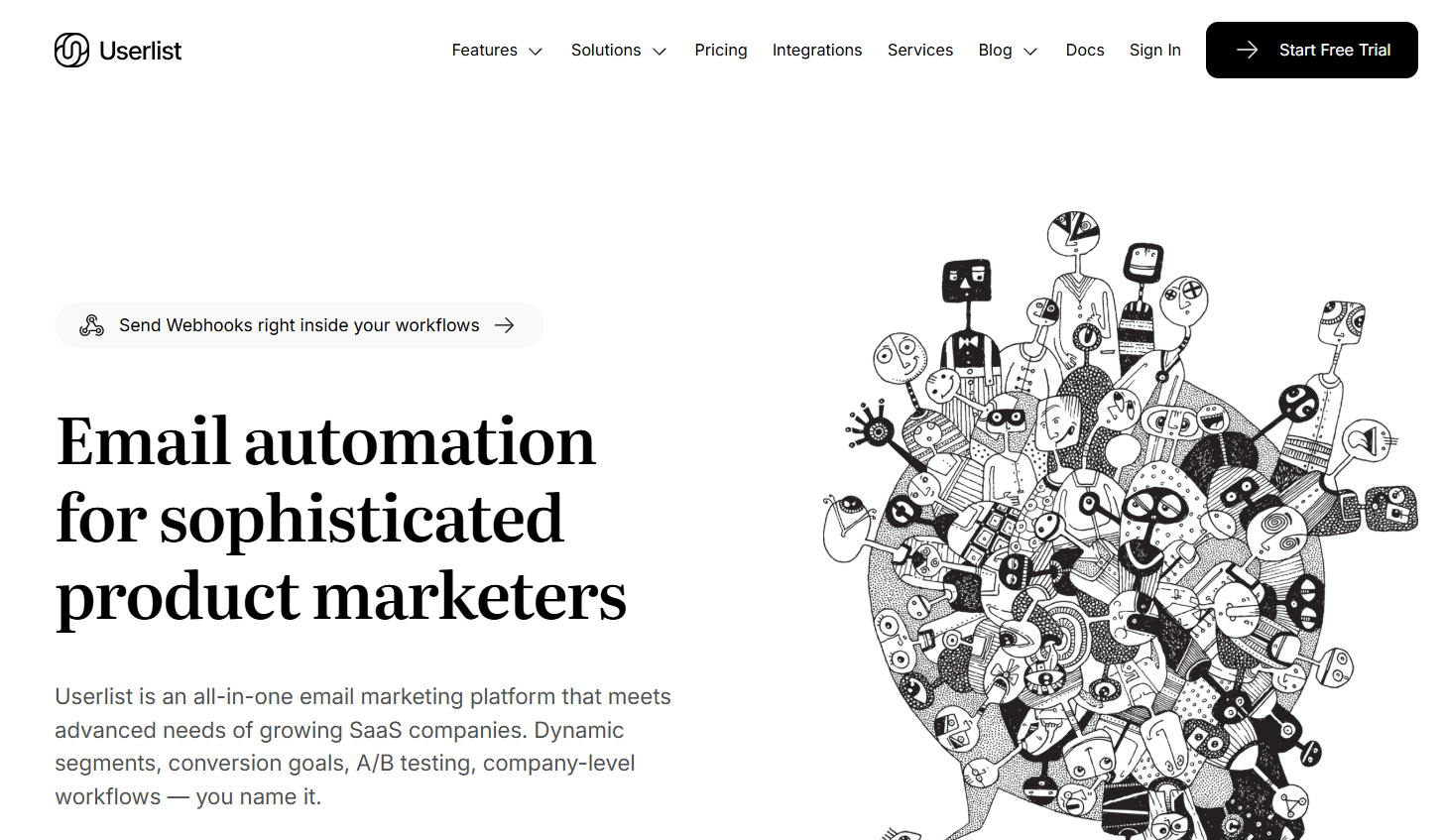
Userlist is the only tool on this list that handles company-level automation as a first-class feature, and for B2B SaaS that distinction matters significantly. Every other platform here automates at the user level and treats accounts as a contact attribute.
Userlist lets you trigger sequences when a company reaches three active users, fire check-in emails when account-wide activity drops, or deliver onboarding nudges at the workspace level rather than sending the same email to every individual in the same account.
Anyone who has tried to build account-based lifecycle automation in a contact-centric platform knows how much manual logic that workaround requires.
Automation Features
- Campaigns trigger from both user-level and company-level events independently, enabling account-wide automation based on team behavior rather than individual activity.
- Feature-based onboarding automation detects which product capabilities a user or account has not activated and fires targeted adoption sequences accordingly.
- Cancellation automation detects churned accounts and triggers win-back sequences automatically, branching on cancellation reason if passed via API.
- Plan-based segment automation adjusts messaging by subscription tier, team size, or industry for automated upsell and cross-sell sequences.
Pros: Native company-level automation is unique on this list and genuinely solves a B2B SaaS problem no other tool handles cleanly. Simple enough for a non-technical founder.
Cons: Email only, no SMS, push, or in-app. Minimal attribution reporting.
Pricing: Starts at $149/month for up to 3,000 users.
Best for: B2B SaaS founders and small teams needing account-level onboarding and retention automation without enterprise complexity.
Conclusion
Choosing the right marketing automation tool comes down to one question: where does your data live?
If it is in your product, go with Customer.io, Encharge, or Userlist. If it is in your CRM, ActiveCampaign, HubSpot, or Pardot fit better. Mobile-first products belong on Braze, MoEngage, or Iterable.
Start with the workflow creating the most manual work today, automate it with the tool that fits your data architecture, and build from there.
The best automation stack is the one your team actually maintains.