


Ahrefs supports multiple interface languages including English, German, Spanish, French, Italian, Japanese, Chinese, Dutch, Polish, Portuguese, Swedish, and Turkish.
If you prefer working in a different language, switching the interface can make your workflow smoother and improve how you interpret SEO metrics.
I have used Ahrefs for years, and whenever I switched devices or accounts, I often had to adjust the language settings. The process is simple, but many users overlook where the language option is located.
This guide explains each step clearly so you can update the interface language without confusion.
Steps to Changing the Language of the Ahrefs Interface
1. Log in to your Ahrefs Dashboard
Start by signing in to your Ahrefs account. Once you are logged in, you will land on the main dashboard where all your projects and tools are listed.
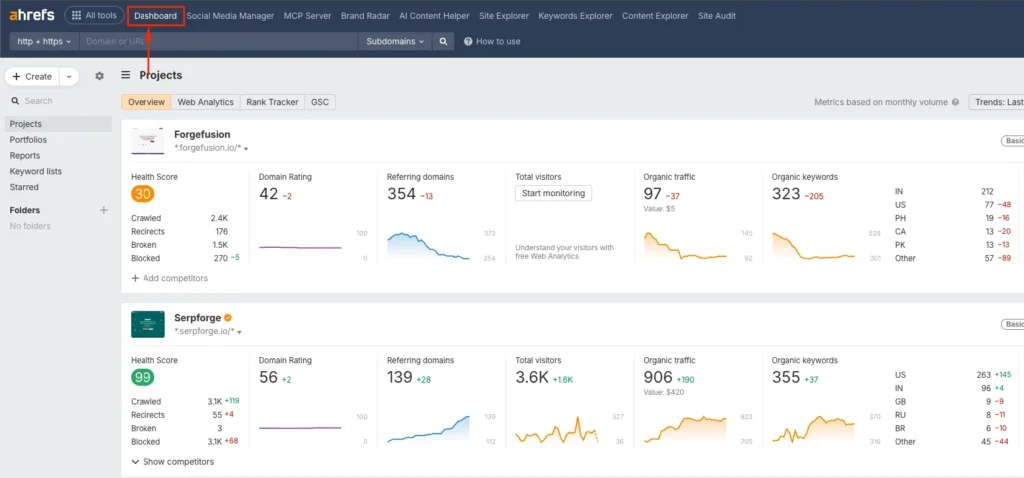
2. Scroll to the Bottom of the Dashboard
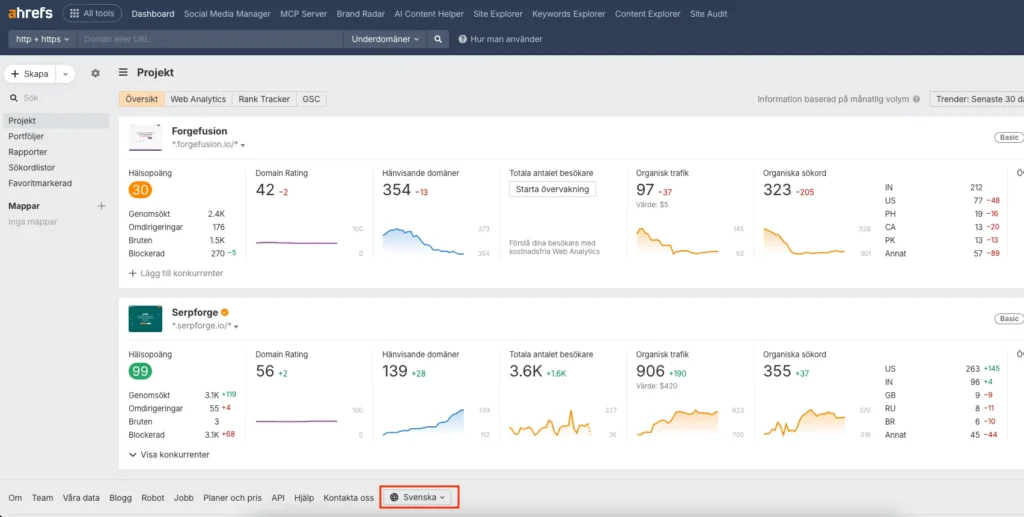
After your projects load, scroll down to the very bottom of the page. The language setting is located in the footer, which is why many users miss it at first.
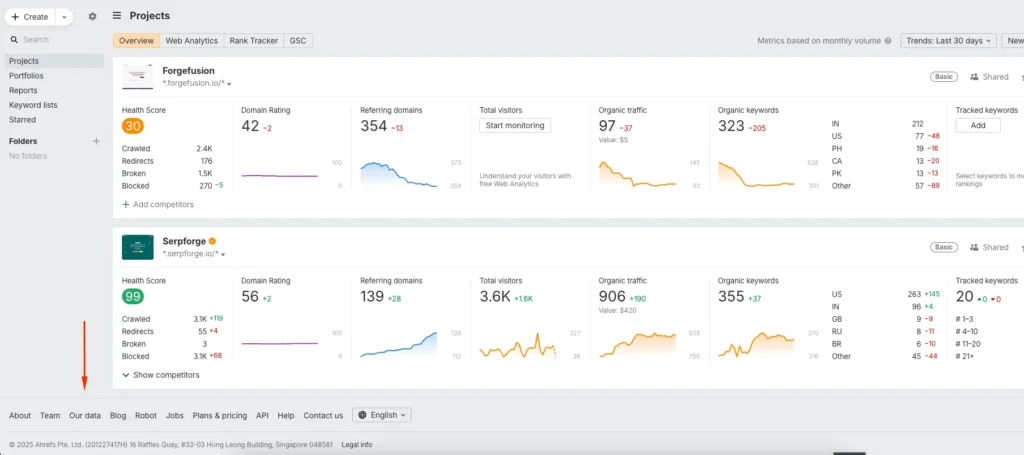
3. Find the Current Language Display
At the bottom navigation bar, you will see the current language, usually displayed as “English” by default. This is the clickable option that opens the language selection menu.
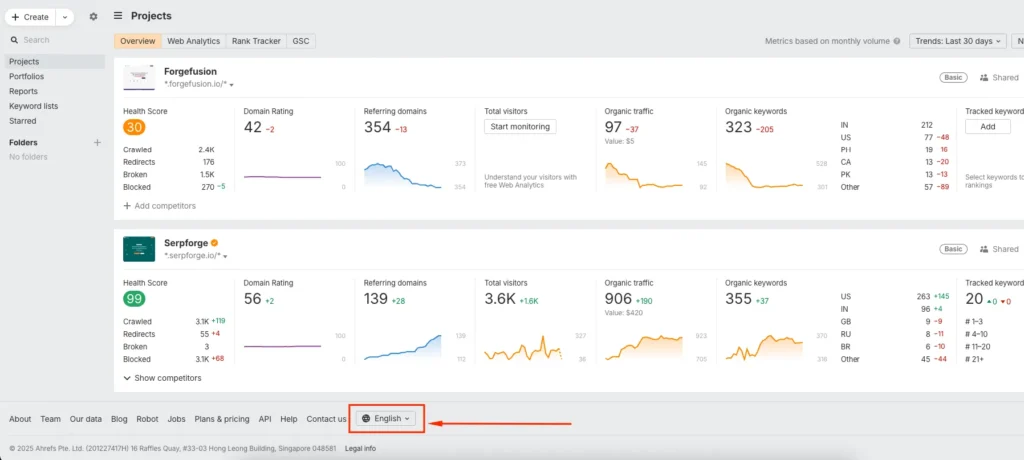
4. Select Your Preferred Language
Click the language label and choose your preferred option from the list. Ahrefs currently offers more than 12 interface languages. Select the one you are most comfortable with.
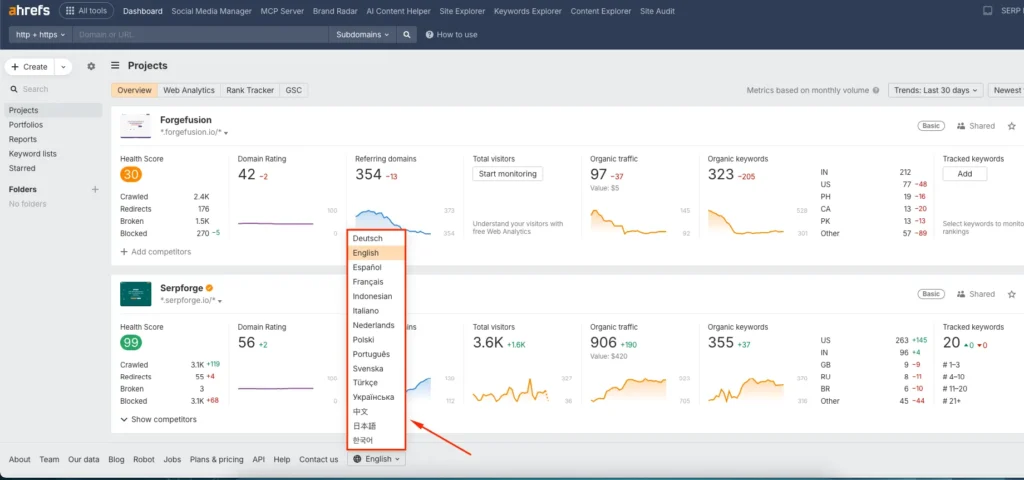
5. Refresh the Page
After choosing the language, refresh your page. The entire Ahrefs interface will reload in the language you selected.
Conclusion
Changing the language in the Ahrefs interface is a simple adjustment that can improve the way you analyze data and navigate SEO tools.
Ahrefs reports that a significant portion of its user base works in non-English languages. According to their public usage data, more than 35 per cent of Ahrefs users prefer the interface in languages like Spanish, German, and Japanese.
This shows that multilingual support is not just a minor feature but an important part of the user experience.
If you work in an international environment or collaborate with teams across regions, switching the Ahrefs interface language can make research, reporting, and communication much easier.
Frequently Asked Questions
Does changing the interface language affect my project data?
No, changing the interface language only updates the dashboard and menu labels. Your data, reports, and metrics remain unchanged.
Can I switch back to English anytime?
Yes, you can repeat the same steps and choose English from the language list whenever you want.
Is every Ahrefs tool available in all supported languages?
Most major tools are fully translated, but occasionally you may see minor labels or tooltips still in English depending on updates.
Does language selection sync across devices?
Ahrefs keeps your language preference tied to your account. When you log in from another device, it usually loads your last selected language.
Can I change the language inside specific reports only?
No, language settings apply to the entire interface. Report-level language changes are not available.

