


Anchor text distribution shows how other websites describe your pages through backlinks. Search engines use this information to understand page relevance, link intent, and topical authority.
An unbalanced anchor text profile, especially one dominated by exact-match keywords, increases the risk of ranking drops and manual or algorithmic penalties.
In this guide, I explain how to check anchor text distribution in Ahrefs using a simple, practical workflow.
This is the same process I use during backlink audits to identify over-optimization, validate link quality, and protect rankings before issues appear.
Steps to Check Anchor Text Distribution in Ahrefs
1. Open Site Explorer from the Top Menu
Log in to Ahrefs and click Site Explorer from the top navigation menu. This tool allows you to analyze backlink data at the domain, subdomain, or URL level.
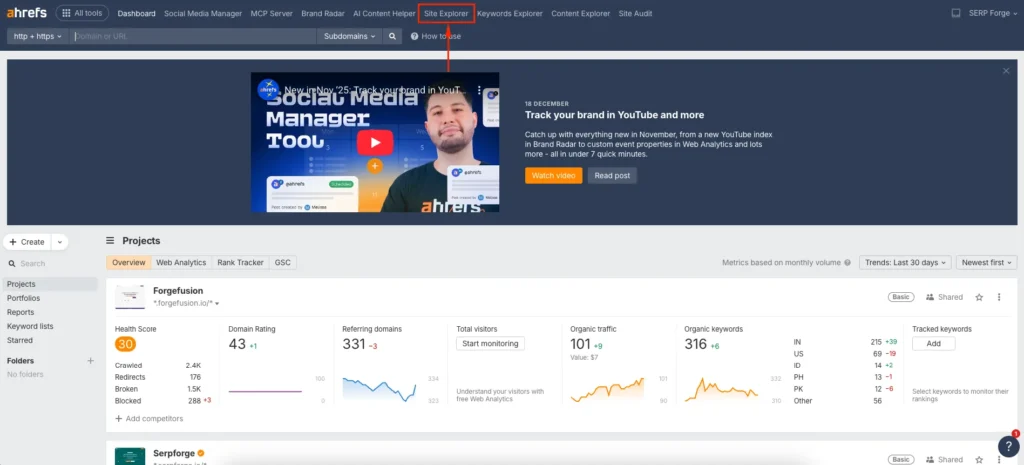
I always start with Site Explorer because it gives a complete view of how external sites link to a website.
2. Enter the Domain and Click Search
Enter the domain you want to analyze and click the search button. You can analyze your own website or a competitor’s site.
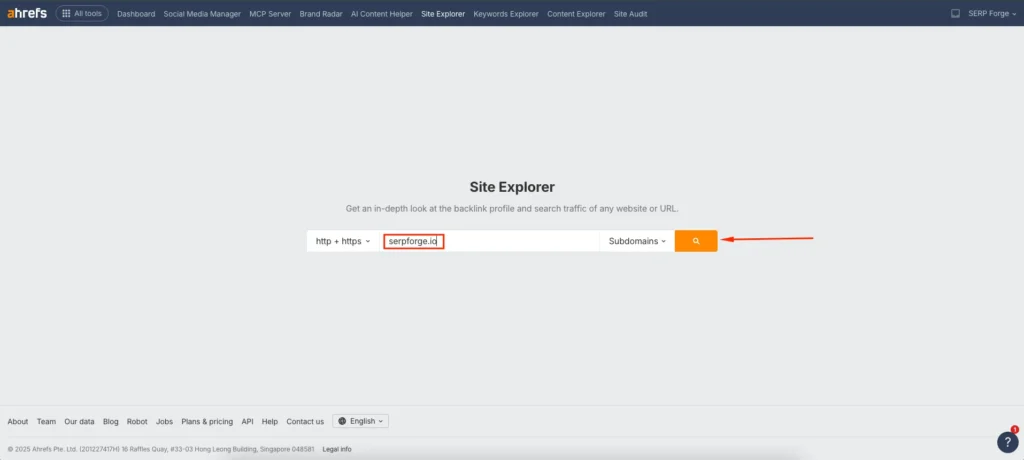
For anchor text audits, I usually begin at the domain level to understand the overall link profile before reviewing individual pages.
3. Select Anchors from the Left Sidebar
In the left sidebar, click Achors. This section lists all anchor texts to the selected domain or URL.
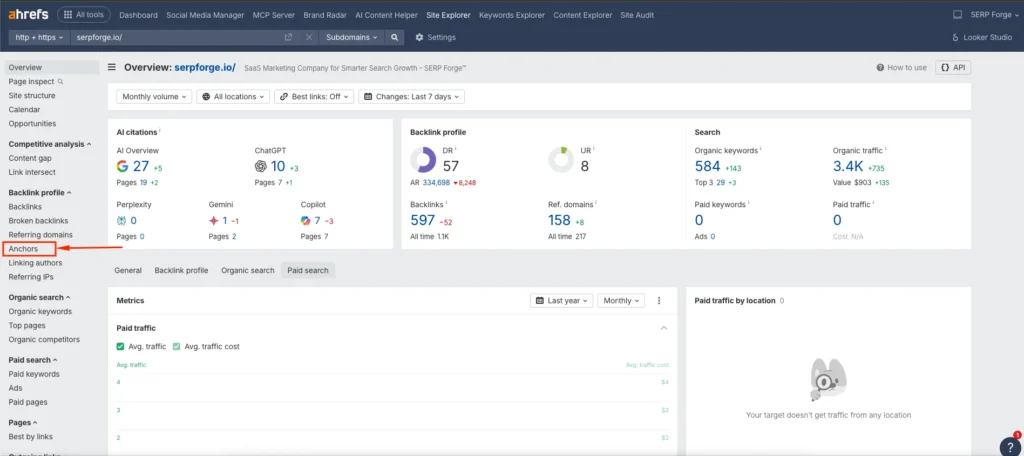
Ahrefs organizes anchor data clearly, which makes it easy to identify linking patterns and anchor text usage.
4. Review Anchor Text and Linked URLs
In the backlinks report, review the anchor text column alongside the target URLs. This shows how other websites reference your content.
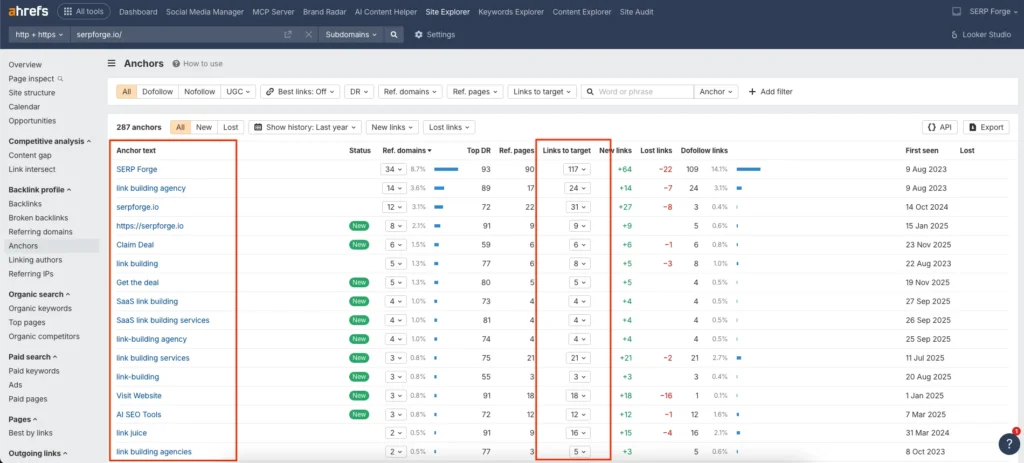
Pay close attention to anchor text types such as branded anchors, generic anchors, naked URLs, and keyword-rich anchors. A healthy anchor text distribution usually includes a strong mix of these variations.
5. Click a “Link to Target” to See Detailed Backlink Data
Click “link to target” pointing specifically to that page. This helps you evaluate anchor text distribution at the page level.
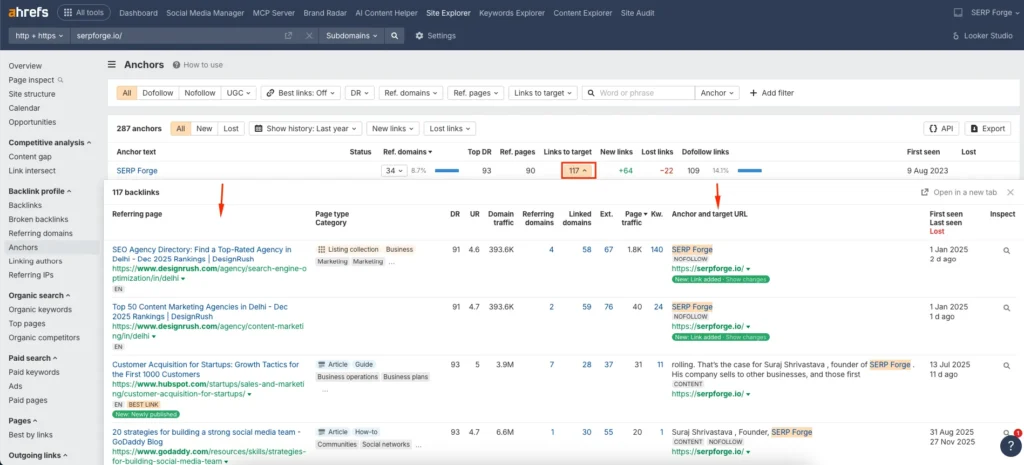
I often use this step to audit important landing pages, especially those that target competitive keywords or have experienced ranking fluctuations.
Conclusion
Checking anchor text distribution in Ahrefs is a critical part of backlink analysis and SEO risk management.
It helps you understand how search engines interpret your link profile and whether your backlinks support or weaken your rankings.
From my experience, regular anchor text audits prevent over-optimization issues and guide smarter link-building decisions.
When you understand how your site is being referenced across the web, you gain better control over relevance, authority, and long-term search performance.
Frequently Asked Questions
What is anchor text distribution in SEO?
Anchor text distribution refers to the percentage breakdown of different anchor text types used in backlinks, such as branded, generic, exact match, and partial match anchors.
What is a healthy anchor text distribution?
A healthy distribution usually includes mostly branded and natural anchors, supported by a smaller number of keyword-based anchors. The exact ratio depends on niche and competition.
Can over-optimized anchor text hurt rankings?
Yes. Excessive use of exact-match or keyword-heavy anchors can trigger algorithmic penalties or ranking suppression, especially after link-building campaigns.
Should I analyze anchor text at domain or page level?
You should analyze both. Domain-level analysis shows overall patterns, while page-level analysis helps identify risks for specific URLs.
How often should I check anchor text distribution?
I recommend reviewing anchor text distribution monthly or after acquiring new backlinks, especially for important pages targeting competitive keywords.


