


SERP titles directly affect click through rate, relevance, and organic traffic. Even when a page ranks well, a poorly displayed title can reduce clicks and limit performance.
Analyzing SERP titles helps you see how Google actually presents your pages in search results and whether your titles communicate value clearly.
Ahrefs makes this process easy by showing real SERP meta titles at scale, which allows you to identify rewrites, truncation, and intent mismatches quickly.
This blog explains how to analyze SERP titles in Ahrefs using a practical process that I personally use during content audits and CTR optimization.
Steps to Analyze SERP titles in Ahrefs
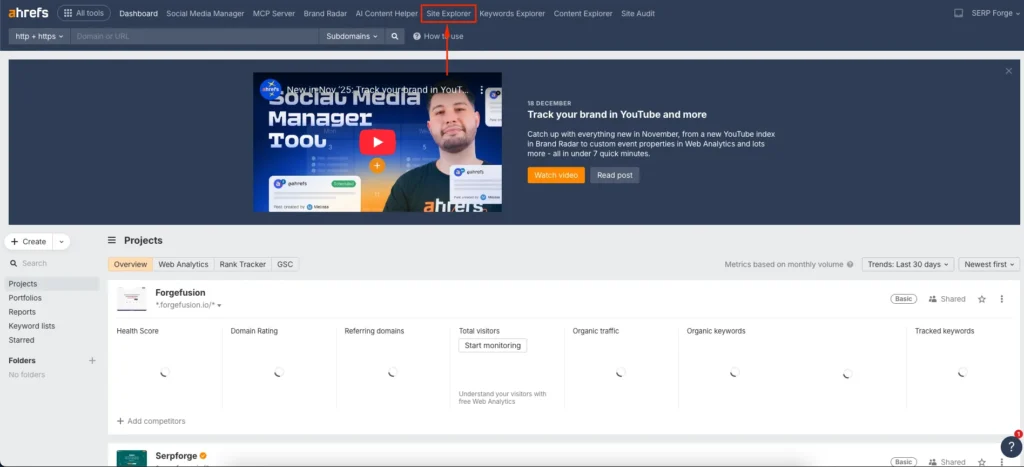
Start by Navigate to Site Explorer
Log in to Ahrefs and open Site Explorer. This tool provides access to organic rankings, page-level data, and SERP features for your website.
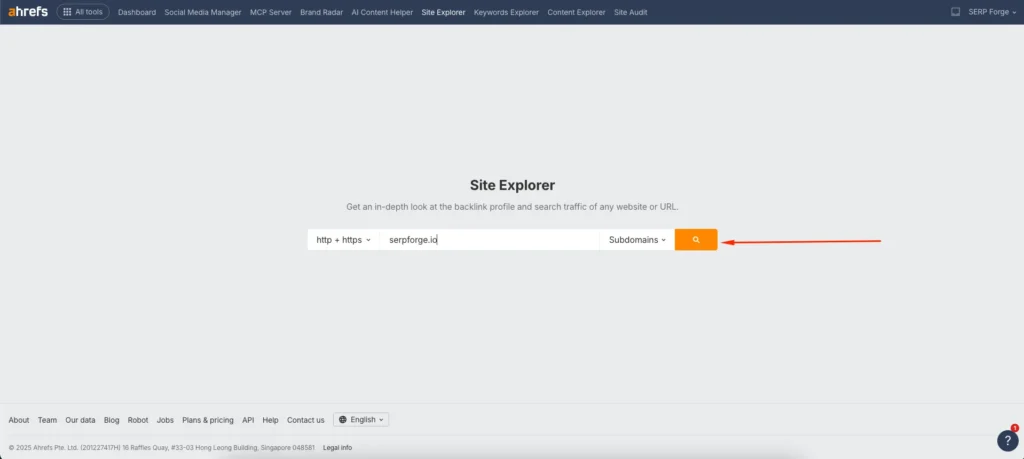
Enter your domain in the input field
Enter your domain into the input field and select the appropriate scope such as domain or subdomain. This ensures Ahrefs pulls complete organic visibility data for analysis.
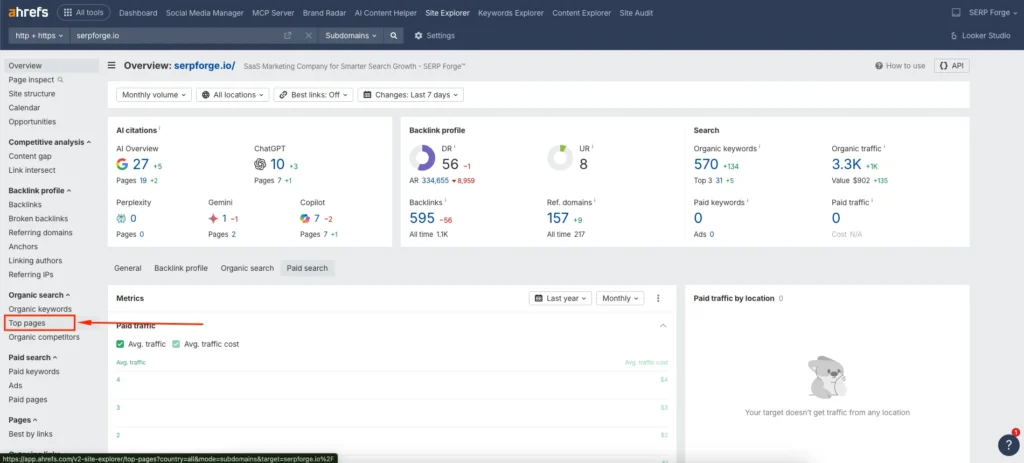
Choose to view Top Pages
From the left sidebar, click on Top Pages under the Organic Search section. This report shows pages that drive traffic along with keywords, positions, and estimated clicks.
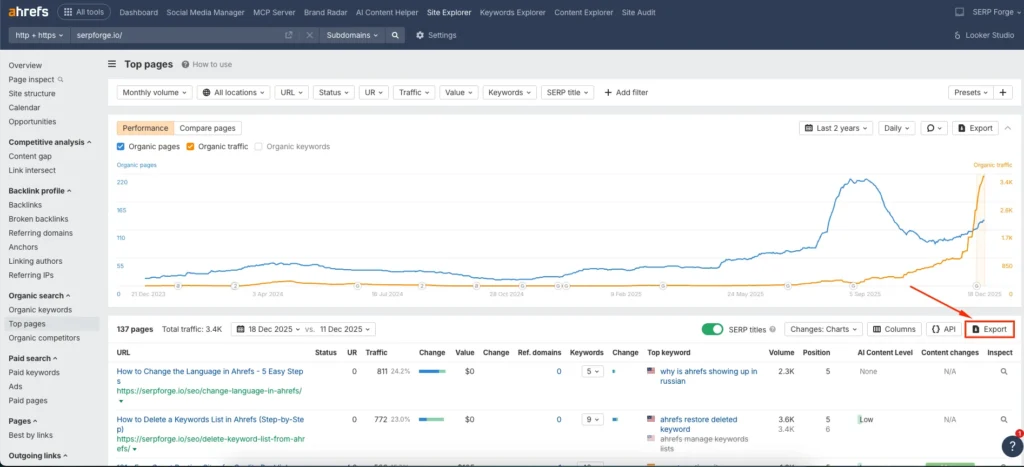
Toggle on SERP title
Enable the SERP title toggle in the report settings. Ahrefs now displays the actual titles shown in Google search results instead of just the HTML title tags. This step helps identify title rewrites and truncation issues.

Download report
Download the report to analyse SERP titles at scale. I often review this file to spot patterns such as missing keywords, rewritten titles, or mismatched intent across multiple pages.
Conclusion
Analyzing SERP titles gives you direct insight into how search engines present your content to users.
From my experience, this process helps uncover hidden CTR issues that rankings alone cannot explain. When SERP titles differ from your intended titles, it often signals relevance, length, or intent problems.
Ahrefs simplifies SERP title analysis by showing real search result titles in one place. This allows you to refine title tags, improve alignment with search intent, and increase organic clicks without changing rankings.
If you want better performance from existing content, SERP title analysis in Ahrefs should be part of your regular SEO review process.
Frequently Asked Questions
Why does Google change my page titles in SERPs?
Google rewrites titles when it finds them too long, keyword stuffed, unclear, or misaligned with page content and search intent.
How often should I review SERP titles?
You should review SERP titles during content audits, after ranking changes, or when pages receive impressions but low clicks.
Is SERP title different from title tag?
Yes, the title tag is what you set in HTML, while the SERP title is what Google chooses to display in search results.
Can improving SERP titles increase traffic?
Yes, clearer and intent matched SERP titles can significantly improve click through rate without changing rankings.
Does Ahrefs show historical SERP title changes?
Ahrefs shows current SERP titles but does not provide a full historical comparison of title changes over time.

