
Keyword research is the foundation of any effective SEO strategy. Choosing the right keywords has a direct impact on rankings, traffic quality, and long-term organic growth.
You can collect keyword ideas from many places, like Google Search suggestions, People Also Ask, free keyword tools, or even ChatGPT. Without metrics such as search volume, keyword difficulty, and CPC, it is risky to decide which keywords are worth your time and effort.
This is where Ahrefs becomes extremely useful. Ahrefs allows you to analyze keywords in bulk using its Keywords Explorer tool. You can check up to 10,000 keywords at once by pasting them directly or uploading a TXT or CSV file.
In this guide, I will walk you through how to do a bulk keyword search in Ahrefs step by step, using a simple process I personally follow for my projects.
Steps to Do Bulk Keyword Research in Ahrefs
1. Open Keywords Explorer in Ahrefs
After logging into your Ahrefs account, look at the top navigation bar and click on Keywords Explorer.
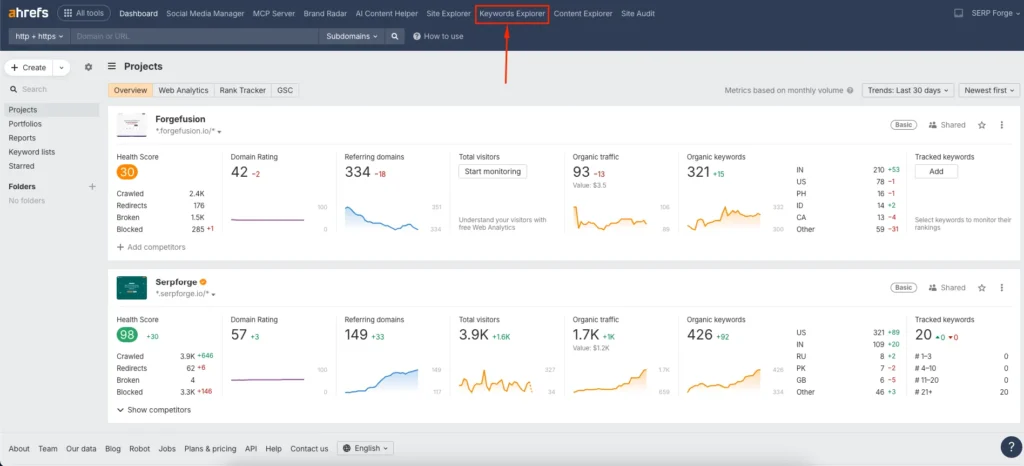
This is the main tool in Ahrefs used for researching and analyzing keywords across different search engines and locations.
2. Add Your Keyword List
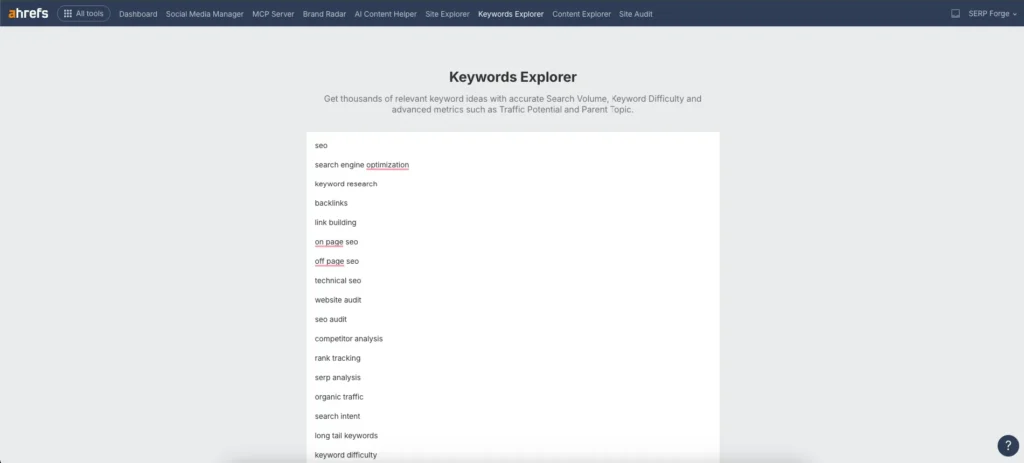
Once you are inside Keywords Explorer, you will see a large input field where you can add keywords. Ahrefs gives you two practical options here.
Option 1: Paste a keyword list
You can paste your keyword list directly into the field, making sure to add one keyword per line. Ahrefs allows you to analyze up to 10,000 keywords at once, which is more than enough for most large keyword batches.
Option 2: Upload a TXT or CSV file
If your keyword list is already saved, you can upload a TXT or CSV file. The file can contain up to 10,000 rows, with each row representing a single keyword. I usually prefer this option when working with large datasets generated from spreadsheets or scraping tools.
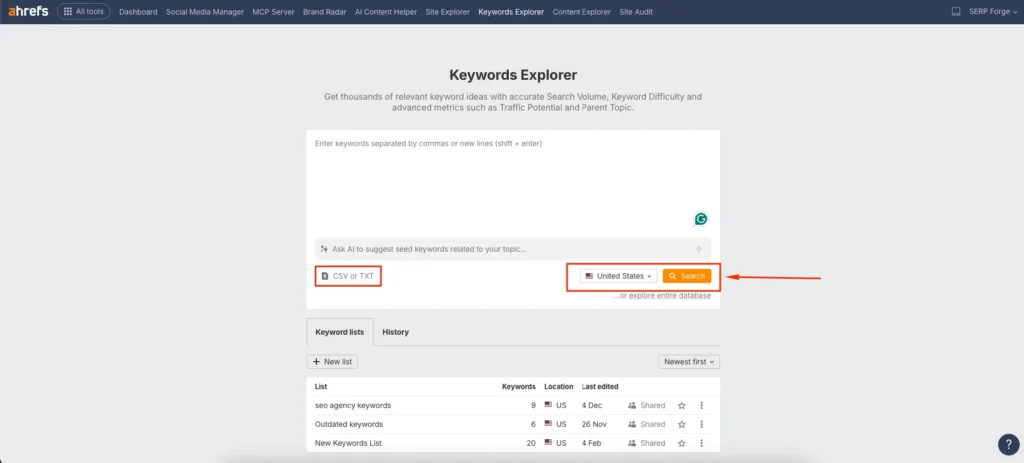
After adding the keywords, select your target country or location, then click the Search button.
3. Apply Filters Based on Your SEO Goal
Ahrefs will now display metrics for all the keywords in your list, such as search volume, keyword difficulty, CPC, and traffic potential. At this stage, filtering is critical.
You can refine the results by setting filters such as a specific keyword difficulty range, minimum or maximum search volume, or intent-based metrics.
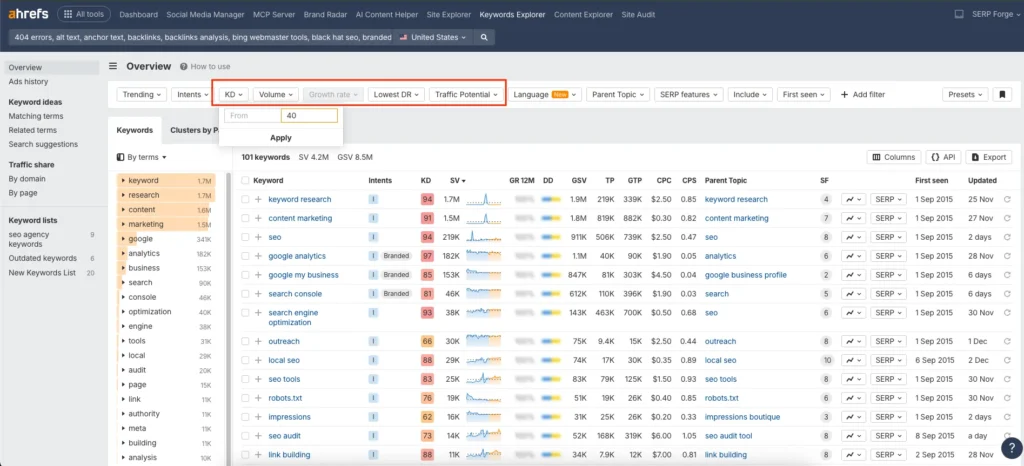
For example, when I am looking for easy-to-rank content ideas, I filter keywords with low difficulty and moderate search volume. Once your filters are set, click Show results to view the refined list.
4. Analyze and Export the Keyword Data
Now you will see a focused list of keywords that match your criteria. Spend time reviewing patterns such as similar search intent, keyword modifiers, or content opportunities. This step helps you identify which keywords are suitable for blog posts, landing pages, or supporting content.
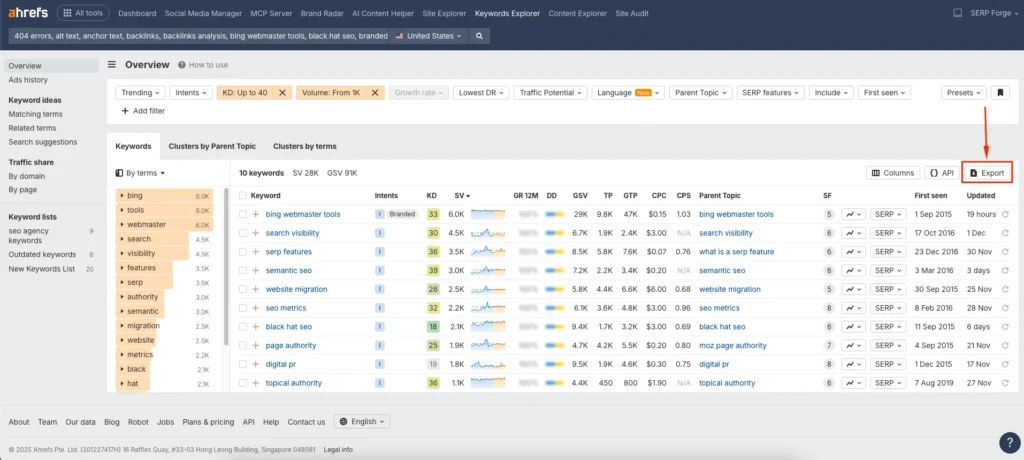
When you are ready, click the Export button. Ahrefs lets you download the data as a CSV file or export it directly to Google Sheets. I usually export to Google Sheets so I can cluster keywords and plan content more efficiently.
Conclusion
By opening Keywords Explorer, adding your keyword list, applying goal-focused filters, and exporting the refined results, you can quickly turn raw keyword ideas into actionable SEO opportunities using one streamlined workflow.
If you want to validate large keyword lists efficiently and make data-backed decisions, mastering bulk keyword research in Ahrefs is one of the most practical skills you can build for SEO growth.
FAQs
How many keywords can I analyze at once in Ahrefs Keywords Explorer?
You can analyze up to 10,000 keywords in a single bulk search using Keywords Explorer.
Does bulk keyword research work for different countries?
Yes, Ahrefs allows you to select different countries or regions, making it useful for local and international SEO research.
Can I use bulk keyword research for competitor analysis?
Yes, you can combine bulk keyword research with competitor data to compare metrics and identify keyword gaps.
Is bulk keyword research suitable for beginners?
Absolutely. While Ahrefs has advanced features, bulk keyword analysis is straightforward and beginner-friendly if you focus on core metrics.
What should I do after exporting keyword data from Ahrefs?
After exporting, you should group keywords by search intent, prioritize them based on difficulty and volume, and map them to relevant content ideas.

