



What Is Keyword Difficulty in SEO?
Choosing the right keyword isn’t just about search volume. A keyword may attract thousands of searches each month, but if the competition is too strong, ranking for it can take significant time and effort.
That’s why keyword difficulty is an essential part of keyword research. It estimates how challenging it may be to rank for a specific keyword by evaluating the strength of the pages already appearing in search results.
When combined with search intent and business goals, it helps you prioritize keywords that offer the best opportunity for organic growth.
Can your website compete for this keyword with the content, links and authority it has today?
How Is Keyword Difficulty Calculated?
Keyword difficulty is calculated differently by each SEO tool.
Some tools focus on backlinks. Others include domain authority, SERP features, search volume, content signals and the websites already ranking in the top results.
If you are asking how to calculate keyword difficulty, review the pages already ranking for the keyword:
How Many Backlinks Do the Top Pages Have?
Backlinks are one of the main inputs in keyword difficulty calculations.
If the top-ranking pages have many referring domains, the keyword usually gets a higher difficulty score. Your page may need backlinks before it can compete.
Check:
- Referring domains to top-ranking pages
- Quality of those linking sites
- Link growth over time
- Page-level backlinks
A keyword with low search volume can still be difficult if the top pages have many relevant backlinks.
What Kind of Domains Are Already Ranking?
Keyword difficulty also depends on the domains already holding top positions.
If the SERP is filled with major brands, government sites, large publishers or high-authority SaaS companies, ranking will take more effort.
Check the top 10 results for domain authority, topical authority, brand recognition, existing rankings and the number of large sites ranking.
Does Your Content Match the Search Intent?
Search intent can change the practical difficulty of a keyword.
A tool may show a keyword as achievable, but your page can still fail if it does not match what searchers want.
If Google shows product pages for a keyword, a blog guide may struggle. If Google shows tutorials, a product page may struggle.
Check whether the SERP is mainly informational, commercial, transactional, navigational or local.
Keyword difficulty in SEO becomes easier to judge when you combine KD with intent match.
How Good Is the Content Already Ranking?
The top results show what Google already trusts for the query.
Review the ranking pages before choosing a keyword. Look at depth, freshness, format, examples, visuals, author expertise and internal linking.
A keyword with medium KD can still be difficult if the existing results are detailed and well structured.
What Do Keyword Difficulty Score Ranges Mean?
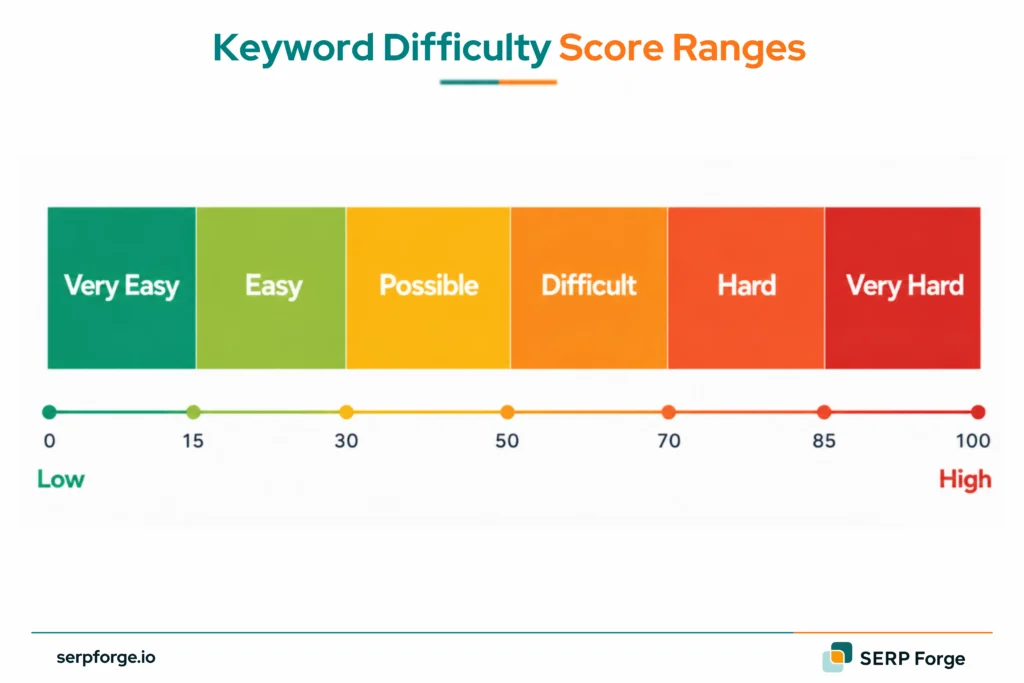
Keyword difficulty score ranges help you sort keyword lists faster.
The labels vary by tool, but this breakdown works for planning:
| KD Score | Difficulty Level | What It Usually Means |
|---|---|---|
| 0-14 | Very Easy | Low competition. New or smaller sites can target these first. |
| 15-29 | Easy | Some competition, but a focused page can compete. |
| 30-49 | Possible | Needs useful content, intent match and basic authority. |
| 50-69 | Difficult | Usually needs backlinks, topical authority and better content. |
| 70-84 | Hard | Top pages are often established and well-linked. |
| 85-100 | Very Hard | Usually dominated by large brands, publishers or high-authority domains. |
A KD 20 keyword can be poor if intent is wrong. A KD 60 keyword can be useful if it supports a key topic cluster or revenue page.
What Is the Difference Between Keyword Difficulty and Google Keyword Competition?
Keyword difficulty and Google keyword competition are different metrics.
Keyword difficulty measures organic SEO competition. It estimates how hard it may be to rank in unpaid search results.
Google Keyword Competition usually refers to paid search competition inside Google Ads. It shows how many advertisers are bidding on that keyword.
Use this table to separate SEO difficulty from paid search competition:
| Metric | Used For | What It Measures |
|---|---|---|
| Keyword Difficulty | SEO | How hard organic ranking may be |
| Google Keyword Competition | Paid Ads | How competitive ad bidding is |
| Search Volume | SEO and PPC | How often people search the term |
| CPC | Paid Ads | How much advertisers may pay per click |
A keyword can have low SEO difficulty and high paid competition. That usually means the keyword has business value, but fewer organic pages target it well.
How Do You Check Keyword Difficulty?
You can check keyword difficulty with paid tools, SEO suites or free keyword checkers:
Ahrefs
Ahrefs shows keyword difficulty inside Keywords Explorer.
Its KD score focuses heavily on backlinks to the top-ranking pages. This helps when you want to know how many links competing pages already have.
Use Ahrefs to check KD score, estimated backlinks, top-ranking pages, referring domains and SERP overview.
Semrush
Semrush shows KD% in Keyword Overview and Keyword Magic Tool.
It also includes Personal Keyword Difficulty in some reports. This compares the keyword against your own domain, which can be more useful than a general score.
Use Semrush to check KD%, Personal KD%, volume, SERP features, keyword variations and ranking domains.
Free Tools
You can use Google Keyword Planner for search volume and paid competition, but remember that Google Ads competition is not the same as organic keyword difficulty.
For the final check, review the live SERP manually. Look at the top-ranking pages, their content format, domain authority, backlinks and search intent before adding the keyword to your content plan.
How Do You Use Keyword Difficulty in Keyword Research?
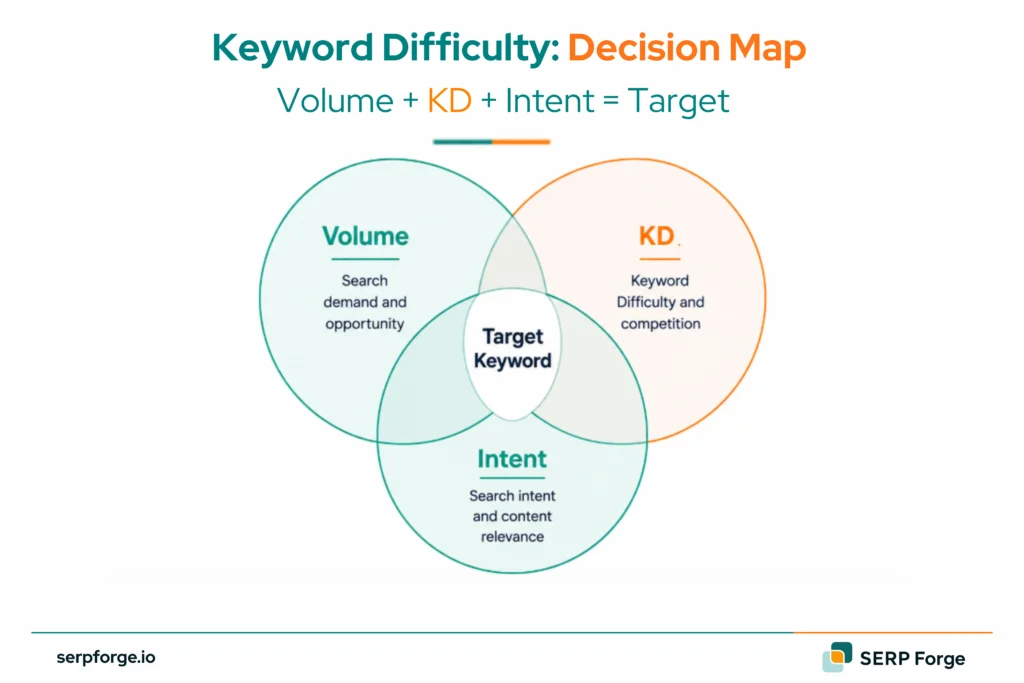
Keyword difficulty should help you choose better battles.
The score tells you which keywords may need more content depth, backlinks or authority. It does not tell you whether the keyword is worth targeting.
Use this process before adding a keyword to your content plan:
Use Your Existing Rankings as a Benchmark
Start with keywords your site already ranks for.
Check the KD scores of pages where you already rank in the top 10. This gives you a practical difficulty range for your domain.
For example, if your site ranks well for KD 20-35 keywords, start there before chasing KD 70 keywords.
This turns keyword difficulty into a site-specific benchmark.
Filter by Search Intent
Next, group keywords by intent.
Do not compare a blog keyword with a product keyword only by KD score. The page type has to match the SERP.
Use intent groups such as learn, compare, buy, find a tool or solve a problem.
A low-KD keyword with wrong intent can waste content effort. A medium-KD keyword with perfect intent can be a better target.
Find the Volume and Difficulty Sweet Spot
A good keyword target usually has enough search volume and a realistic difficulty score.
Do not chase volume alone. High-volume keywords often bring broad traffic and tougher competition.
Look for intent, achievable KD, relevant traffic potential and business value.
For newer sites, long-tail keywords often give cleaner opportunities because the searcher is usually more specific.
Check Difficulty by Topic Cluster
Keyword difficulty should also be reviewed across a topic cluster.
A single high-KD keyword may be difficult today. Supporting low-KD pages can build topical authority around it.
For example, a site may target:
- “keyword difficulty” as the main glossary page
- “how to check keyword difficulty” as a supporting guide
- “free keyword difficulty tools” as a comparison page
- “keyword difficulty vs competition” as a related explainer
This makes KD planning more useful than choosing isolated keywords.
What Is a Good Keyword Difficulty Score?
A good keyword difficulty score depends on your website.
For a new site, a good KD score may sit under 30. For an established site, keywords in the 40-60 range may be realistic. For a brand with topical authority and backlinks, higher KD keywords can be part of the plan.
Use these ranges as a starting point based on website stage:
| Website Stage | |
|---|---|
| New site | 0-29 |
| Growing site | 20-49 |
| Established site | 40-69 |
| High-authority site | 60+ |
The number only makes sense next to your domain strength, content quality and backlink profile.
A keyword is worth targeting when you can match search intent, create a useful page and support it with internal links or backlinks.
Keyword difficulty should guide the decision. It should not replace SERP review.
Conclusion
Keyword difficulty is less about the number and more about the price of competing. A KD 18 keyword may need one focused article. A KD 65 keyword may need a cluster, links, updates and patience.
Treat the score like an effort estimate. It should tell you whether a keyword belongs in this month’s calendar, next quarter’s roadmap or a later authority play. A SaaS SEO agency can help you prioritize keywords by difficulty and buyer intent.