

If you want to understand how your website performs inside Google’s AI Overview results, Ahrefs now gives you one of the simplest ways to monitor it.
The AI Overview feature inside Ahrefs shows which of your keywords trigger Google’s AI-generated summaries and whether your pages are cited in those summaries.
I started using this feature the week it launched, and it has quickly become one of my regular SEO checkpoints because it reveals opportunities that do not appear in traditional SERP ranking reports.
This blog explains exactly how to use Ahrefs to track your AI Overview keyword visibility. You will learn each step in clear detail, see where this data appears inside the interface, and understand what insights you can extract from it.
If you follow these steps, you will know precisely which keywords surface your site in Google’s AI-generated summaries and how your URLs perform for those queries.
Steps to Track Keywords Ranking in AIO Using Ahrefs
1. Enter Your Domain or URL and Search It
Start by entering your domain or a specific URL into the Ahrefs search bar. You can do this directly from the homepage or by navigating to Site Explorer. After entering the domain, click the search button to open the overview report.
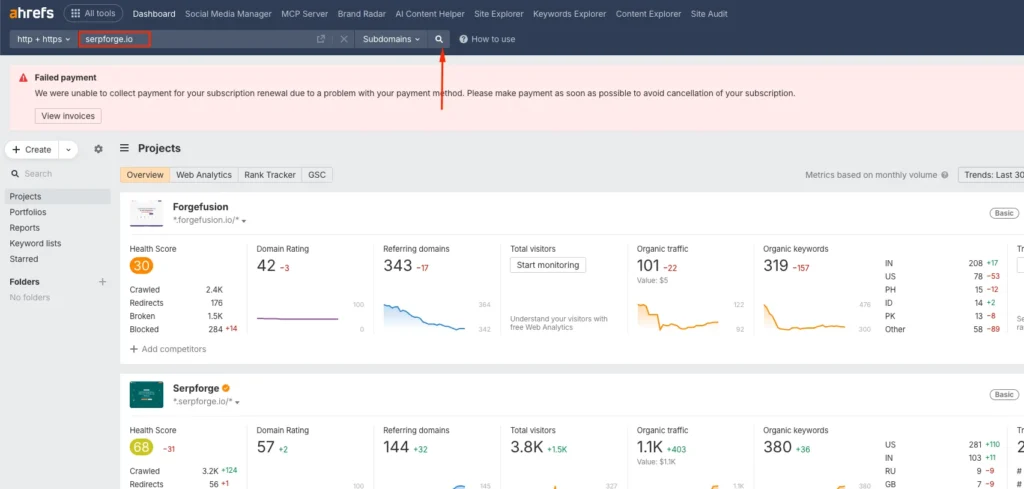
2. Navigate to Organic Keywords
Once the domain overview loads, look at the left-hand menu. Click the Organic Keywords section. This report shows all keywords your domain ranks for in Google Search.
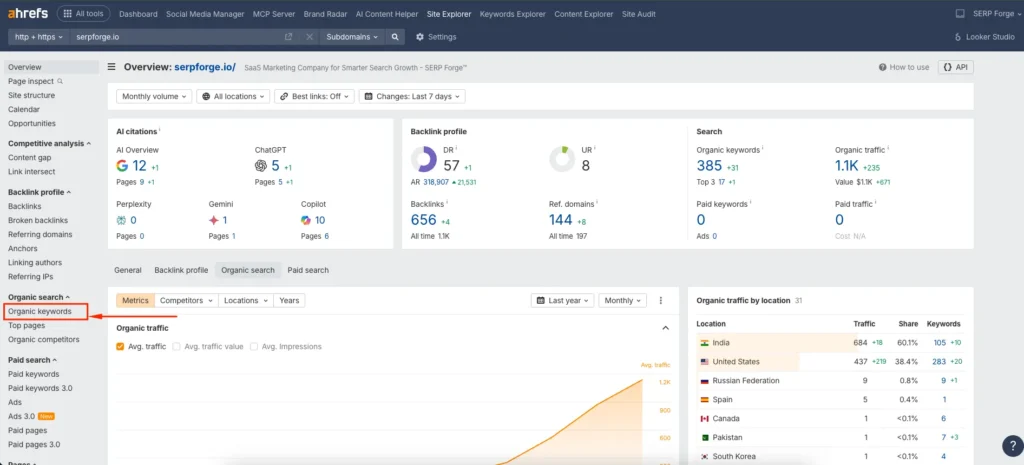
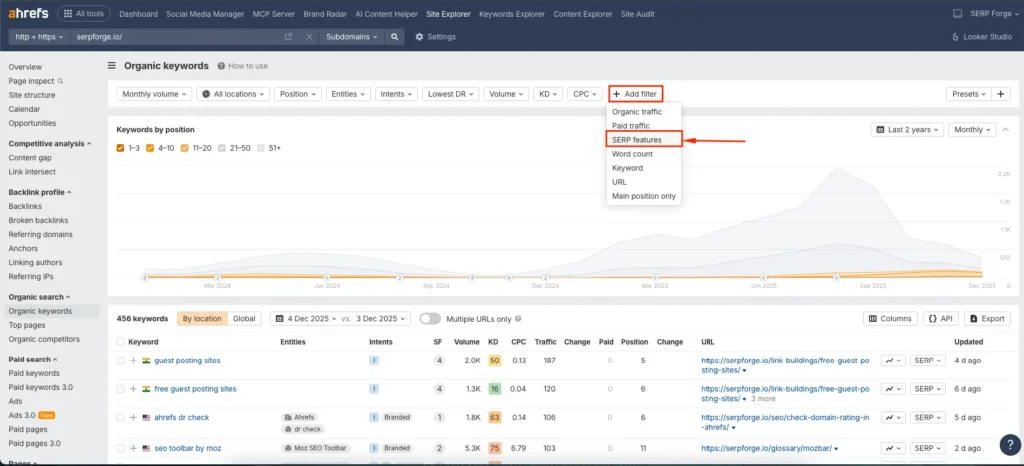
3. Look for the Add Filters Option
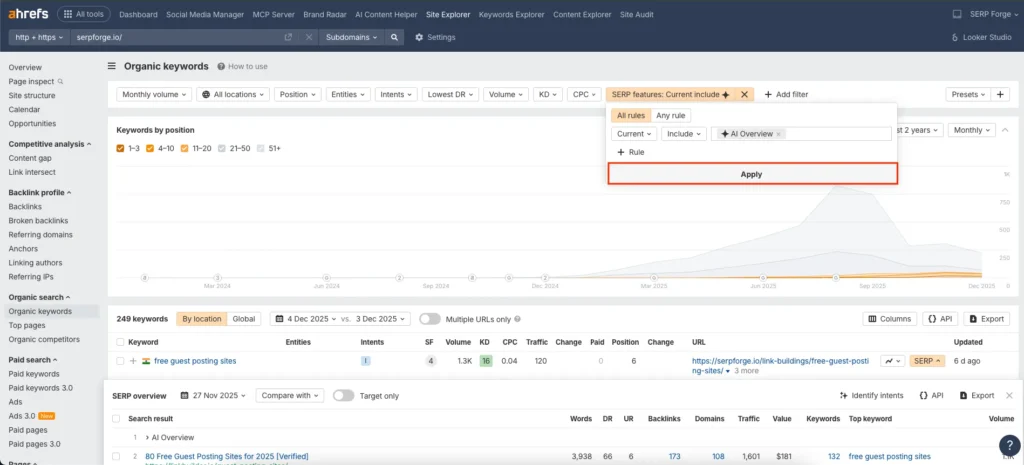
At the top of the Organic Keywords table, you will see the filter bar. Click the Add Filters and then click on SERP Features.
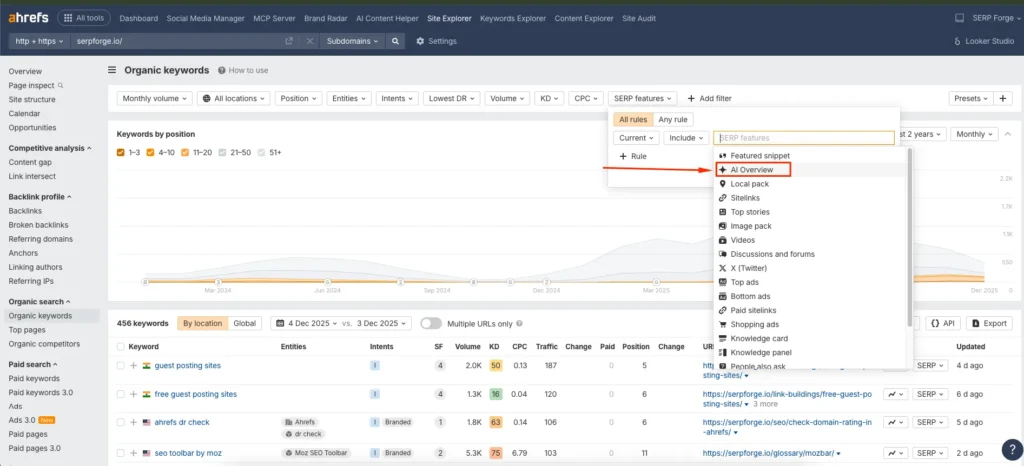
4. Click on AI Overview and Apply
Inside the expanded filter list, look for the AI Overview filter. Choose this option and then click Apply. This tells Ahrefs to show only the keywords that trigger Google’s AI Overview.
Do You Know?
AI Overviews appear for about 21% of all keywords, meaning roughly one in five search queries trigger an AIO summary.
5. Click on Apply
After applying the filter, click Apply. You will now see a refined keyword list that includes only queries where your pages appear in the AI Overview section.
6. Analyze Keywords and URLs
In this report, you can analyze several important data points. Ahrefs shows whether your URL is cited in the AI Overview, the page that appears, and the estimated traffic potential.
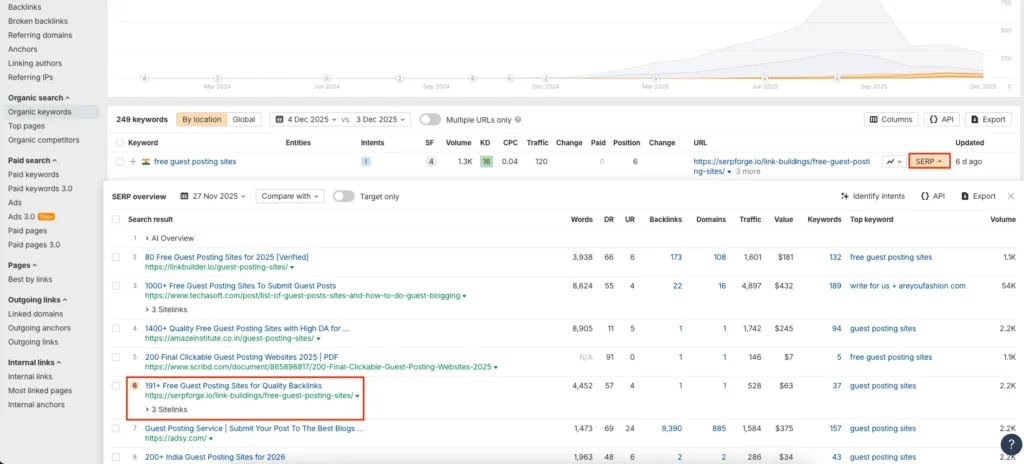
You can also view SERP details to understand how the AI Overview appears for each keyword.
This helps you evaluate which pages Google considers helpful enough to feature and where you may need improvements.
7. Export the Report
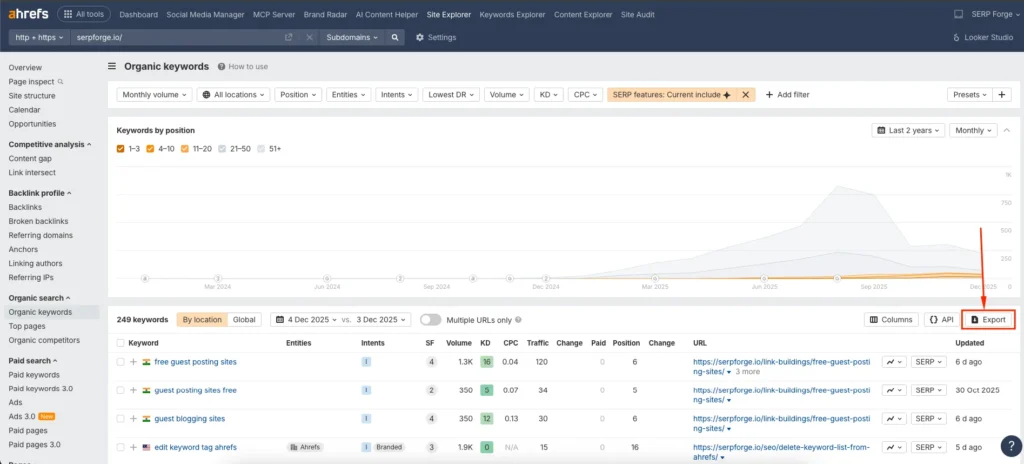
If you want to analyze the data further or share it with your team, export the keyword list from the top-right corner. You can download it as a CSV or export it directly to Google Sheets based on your workflow.
Conclusion
Using Ahrefs to track your AI overview visibility is straightforward once you understand the right navigation path.
Enter a domain, open organic keywords, apply the AI Overview filter, review the results, analyze the cited URLs, and export the list.
This complete process tells you exactly how to track keyword ranking in the AI overview using Ahrefs.
Frequently Asked Questions
Does Ahrefs show whether my page is cited in the AI Overview?
Yes. The AI Overview filter shows if your URL appears as a cited source in Google’s AI-generated summary for that keyword.
Can I track AI Overview keywords for a single page instead of the entire domain?
Yes. You can enter an individual URL into Site Explorer and use the same AI Overview filter to see results specific to that page.
How often does Ahrefs update AI Overview data?
Ahrefs updates its keyword datasets regularly, but AI Overview tracking depends on Google’s SERP behavior. Ahrefs reflects changes whenever new SERP data is fetched.
Does appearing in AI Overview guarantee more traffic?
Not always. AI Overview visibility helps users discover your content, but traffic depends on whether searchers click through the sources that Google cites.
Can I monitor AI Overview rankings for competitors?
Yes. Enter any competitor’s domain in Site Explorer and repeat the same steps to see their AI Overview keyword visibility.


