


Ahrefs Rank, often known as AR, is a metric that shows the strength of a website’s backlink profile compared to all other sites in the Ahrefs database.
Ahrefs calculates this score by evaluating the quality and quantity of backlinks pointing to your domain. A lower AR number indicates a stronger authority, which means your website has a more competitive link profile.
I use this metric often when auditing my websites because it gives me a quick sense of where my domain stands in terms of link authority. It also helps me understand how my backlink efforts are improving over time.
If you care about search visibility, link-building performance, and domain authority, you should regularly monitor your Ahrefs Rank and validate it using a moz authority metric to cross-check link strength.
In this blog, we will learn how to check the Ahrefs Rank of your website in simple and clear steps.
Steps to Check Ahrefs Rank of a Domain
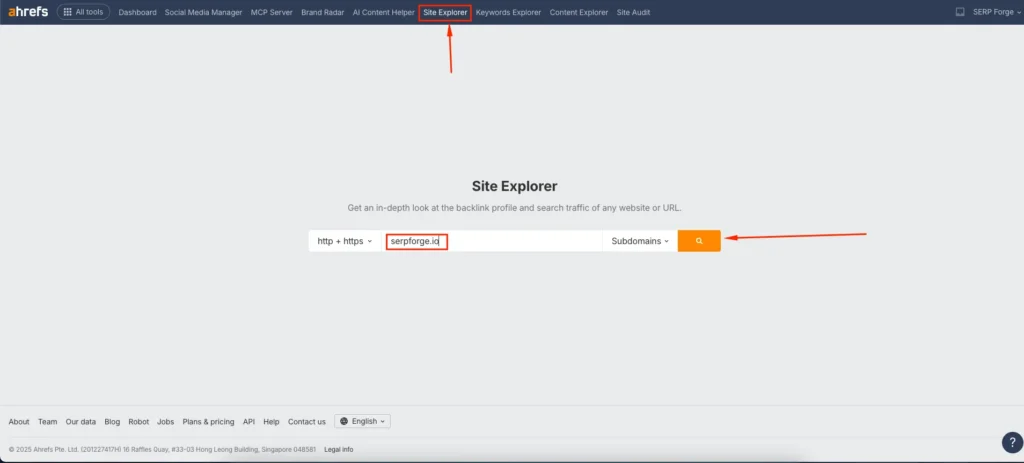
1. Go to Site Explorer and search your website domain
Open Ahrefs and go to the Site Explorer tool. Enter your website’s domain in the search bar and click on the search button. I usually start here because it gives a complete snapshot of a website’s backlink profile.
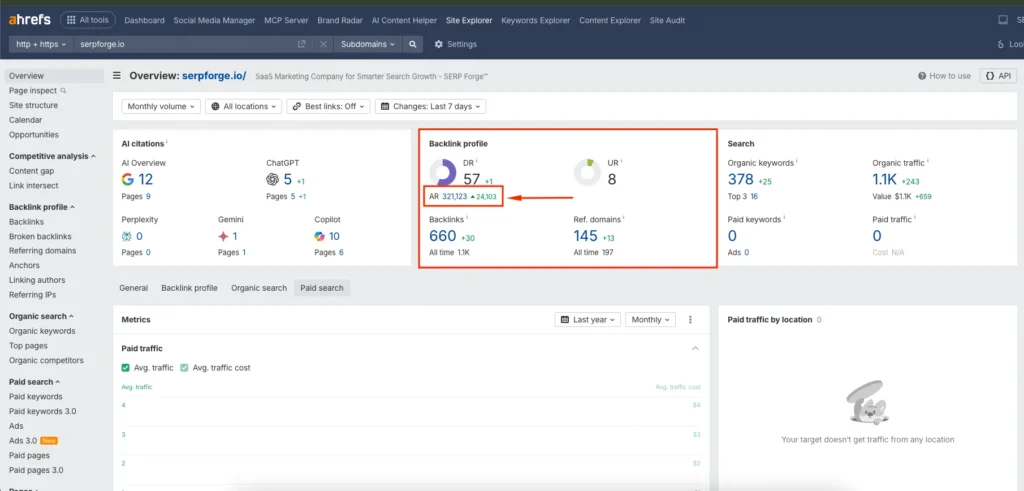
2. Look in the Overview section
After the results load, check the Overview panel. You will see key metrics such as Domain Rating (DR) and URL Rating (UR). Right below the Domain Rating, you will find your Ahrefs Rank (AR). This number represents how your website compares to others based on link authority.
3. Check using the Ahrefs Rank tool
If you prefer to search directly in the dedicated Ahrefs Rank tool, go to the All Tools section from the main navigation.
Then follow these steps:
- Click on Ahrefs Rank
- Use the Add filter option
- Select Domain name
- Enter your domain and apply the filter
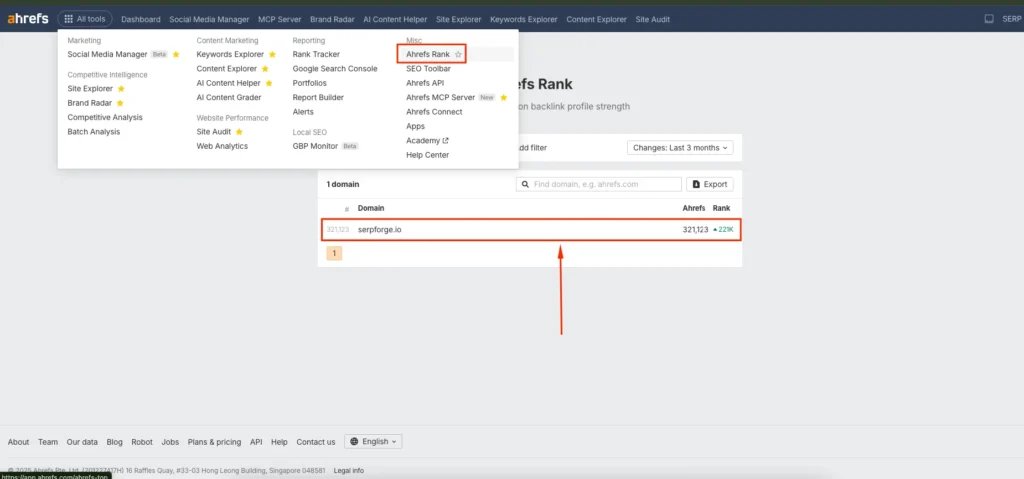
Your domain’s Ahrefs Rank will appear instantly. I use this method when I want to check multiple domains quickly.
Conclusion
You now know how to check your website’s Ahrefs Rank using Site Explorer, the Overview section, and the dedicated Ahrefs Rank tool.
These steps help you monitor your backlink strength and understand your domain’s authority in the search landscape.
Stay consistent with your analysis so you can track improvements over time with confidence.
Frequently Asked Questions
How often does Ahrefs update its Ahrefs Rank data?
Ahrefs updates its backlink index daily, so your Ahrefs Rank can change frequently depending on newly discovered links.
Is Ahrefs Rank the same as Domain Rating (DR)?
No, Ahrefs Rank compares your domain to others globally, while DR measures the overall strength of your website’s backlink profile on a scale from 0 to 100.
Can Ahrefs Rank affect my Google rankings?
Ahrefs Rank does not directly influence Google rankings, but it reflects the strength of your backlink profile, which is an important ranking factor.
Why does my Ahrefs Rank fluctuate?
Fluctuations happen when new backlinks are found, old links disappear, or other competing websites strengthen their backlink profiles.
Can I check Ahrefs Rank without an Ahrefs subscription?
You can view limited data using free tools like Ahrefs Webmaster Tools (AWT), but full Ahrefs Rank access usually requires a paid plan.


