



Homepage links play a fundamental role in SEO because they influence how link equity, authority signals, and trust flow throughout a website.
Unlike links that benefit a single page, they can strengthen the overall domain, support internal pages through internal linking, and improve a site’s ability to earn and maintain organic rankings.
However, not all homepage backlinks deliver the same value. Their impact depends on factors such as referring domain quality, topical relevance, anchor text diversity, link placement, and the natural growth of your backlink profile.
Understanding these factors helps you build homepage links that improve long-term search performance while avoiding over-optimization and unnecessary ranking risks.
What Are the Types of Homepage Links?
Homepage links appear in two distinct forms across internal navigation and external link profiles. Both pass link equity but work differently for users, crawlers, and anchor text signals.
Implicit Homepage Links
Implicit homepage links are embedded in clickable logos and brand marks rather than labelled text. Most CMS platforms implement this by default, wrapping the site logo in a link pointing to the root domain.
These links pass equity but carry no anchor text signal because the link wraps an image rather than readable text. Descriptive alt text on the logo image is both an accessibility requirement and a technical SEO signal for this link type.
Note: Relying solely on a logo as your homepage link creates a navigation gap for users who do not recognise that logos are clickable.
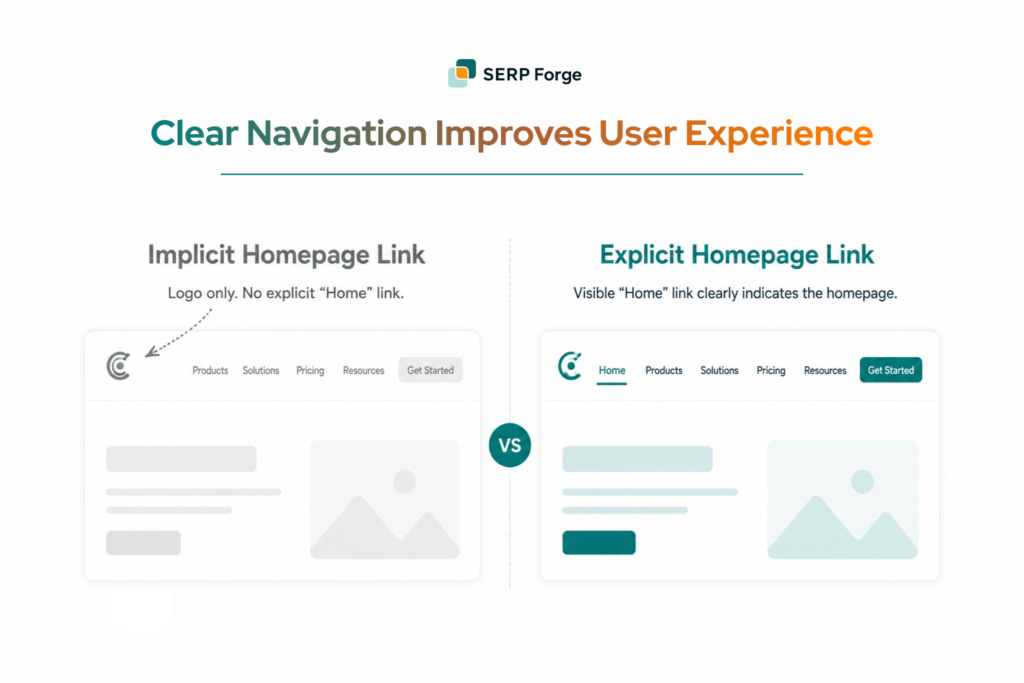
Explicit Homepage Links
Explicit homepage links are clearly labelled navigational elements. The most common forms are:
- A “Home” label in the primary navigation menu
- The first node in a breadcrumb trail
- A branded anchor text homepage link in a footer or sidebar (the most common form of external homepage link building outreach)
They remove ambiguity about where the link leads and are important on complex sites where users regularly land levels below the homepage. Explicit homepage links on every page reinforce the homepage as the highest-authority page in the site architecture.
How Do Homepage Links Affect SEO?
Homepage links influence the following three technical areas that matter directly to organic performance:
Crawlability
A homepage link in the global navigation ensures crawlers can return to the root domain and redistribute crawl budget across the site. Sites without a consistent homepage link create crawl dead-ends that reduce indexed page coverage over time.
Google’s internal linking guidance confirms that consistent navigation links is a primary way crawlers discover and revisit pages across a domain.
Link Equity Distribution
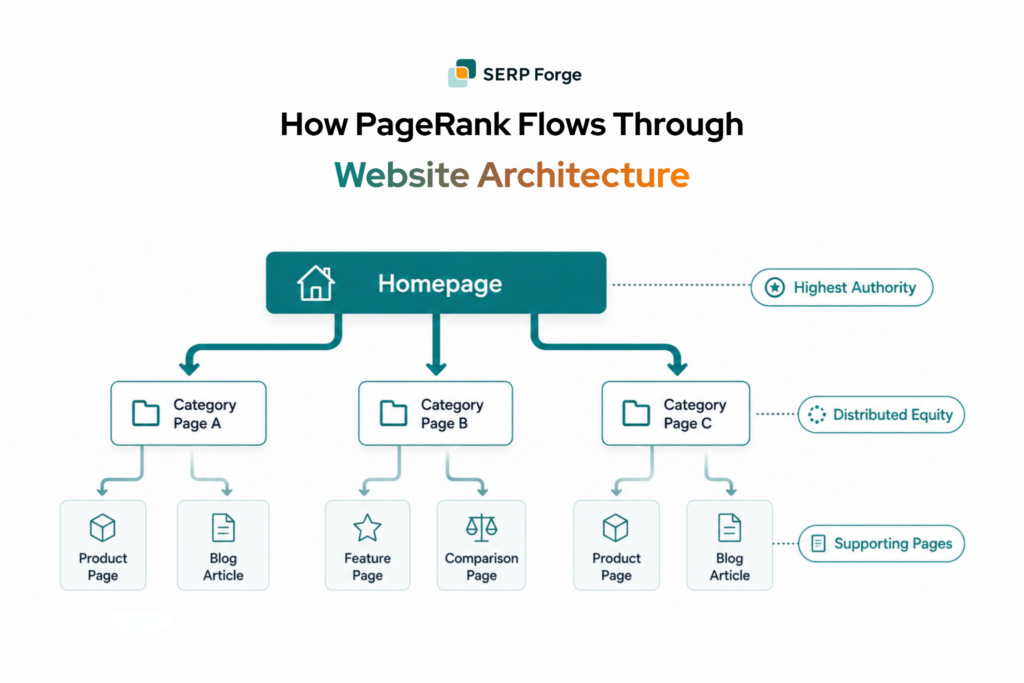
The homepage typically accumulates the most external link equity of any page on a domain. Internal links flowing from the homepage to category and product pages distribute that PageRank down the site architecture. This directly improves the ranking potential of deeper pages.
Site Hierarchy Signals
Search engines use internal link patterns to infer which pages matter most on a domain. Broken or inconsistent homepage links flatten the perceived site architecture and reduce the clarity of hierarchy signals for crawlers.
Note: An external link profile where homepage backlinks point to the root rather than inner pages signals thin content deeper in the site. A natural profile mixes homepage backlinks with deep links to specific content, case studies, and resources.
What Are the Best Practices for Homepage Links?
Follow these best practices to ensure your homepage links support user experience and homepage link SEO:
1. Logo Placement and Design
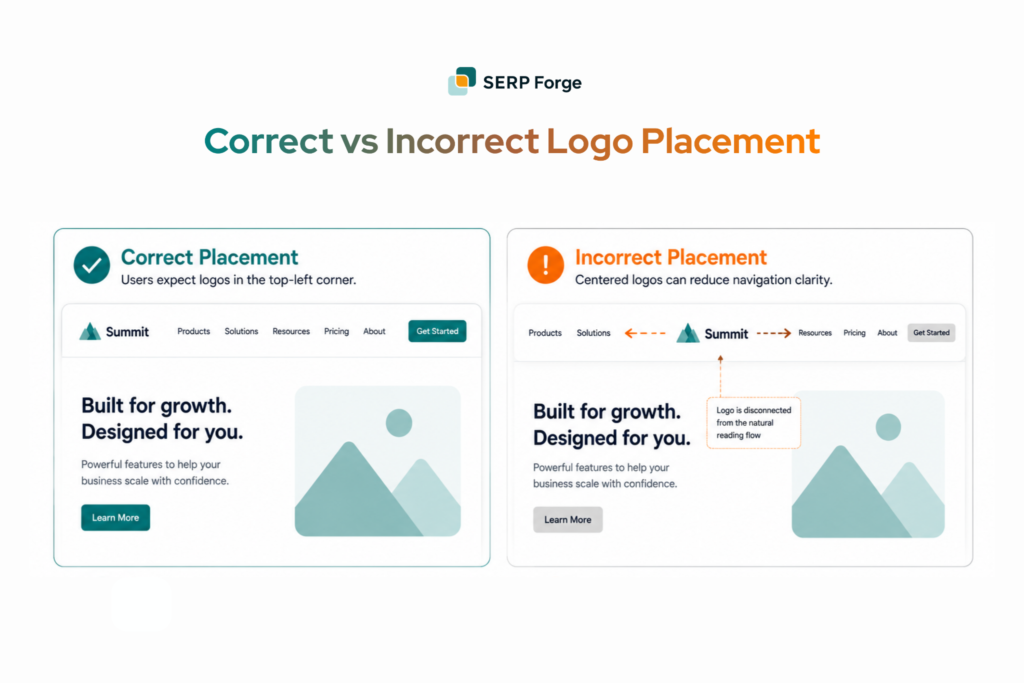
The logo is the most instinctive homepage link on any site, but only when users can find it and recognise it as clickable. Place it in the top-left corner of every page and wrap it in a link pointing to the root domain. Use descriptive alt text on the logo image so the link carries a readable signal for both screen readers and search engine crawlers.
Note: Non-standard logo placements such as centre or right alignment reduce the likelihood users recognise it as a clickable homepage link.
2. Visibility and Accessibility of Explicit Links
Users who land on interior pages through search need a labelled route back to the homepage. That route should not rely on them recognising logo conventions. So, place explicit Home links in the primary navigation and make them visible without scrolling.
Key rules to follow:
- Do not repeat the Home link in multiple navigation areas on the same page
- Ensure homepage links meet WCAG contrast requirements
- Make links reachable through keyboard navigation
- Avoid burying the Home label inside dropdown menus on mobile
3. Breadcrumb Navigation
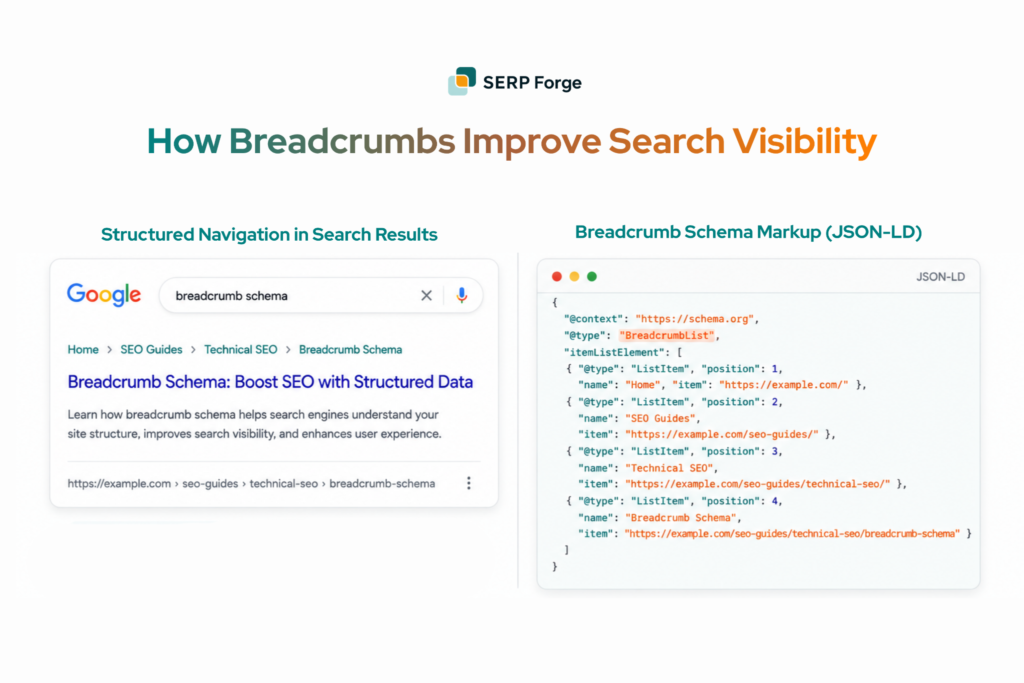
Breadcrumbs do two things simultaneously. They show users where they are in the site structure and give crawlers a consistent internal link path back to the root.
Start every breadcrumb trail with a Home link pointing to the root URL and mark up breadcrumbs with BreadcrumbList schema. This will make the hierarchy appear directly in search results alongside DefinedTerm markup for the glossary entry itself.
Note: Breadcrumb schema reliably produces visible enhancements in Google search results. This consistently improves click-through rate by making site structure visible to searchers before they click.
Avoid Active Home Links on the Homepage
A Home link that points back to the page a user is already on passes no equity and signals poor attention to implementation detail during audits. The homepage itself should not contain an active clickable Home link in its own navigation.
Style the Home element differently on the homepage or mark it with aria-current=”page” for accessibility compliance.
Note: This applies to breadcrumbs too. The Home node on the homepage breadcrumb should be plain text.
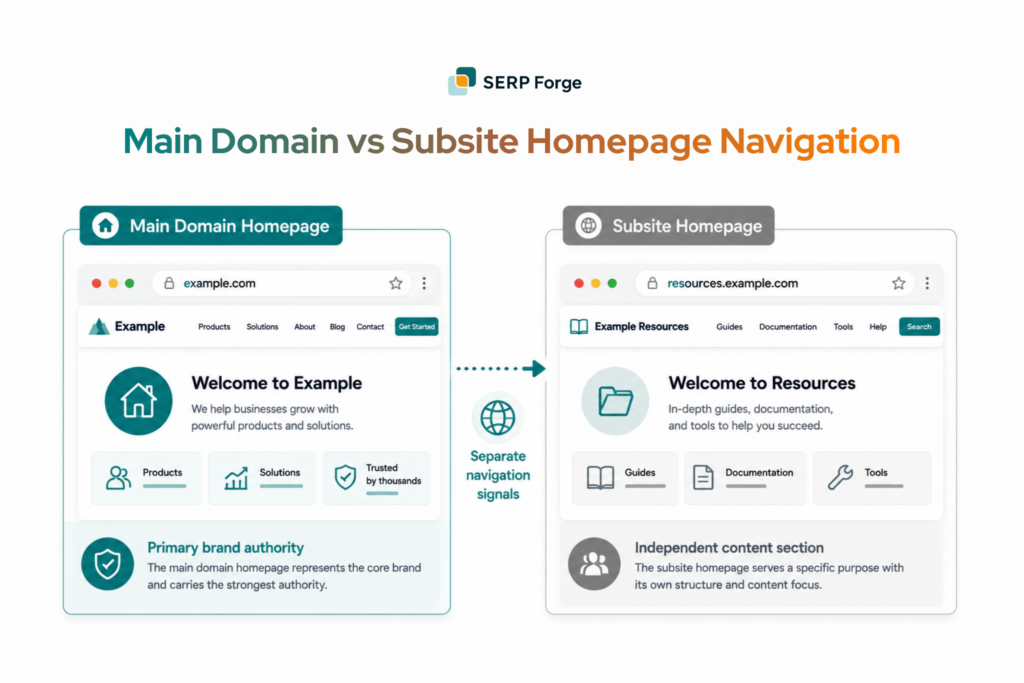
Differentiating Subsite Home Links
When a user clicks Home on a subsite and lands on the wrong root, trust in the navigation breaks immediately. Large sites with multiple subsites or regional domains need to clearly distinguish between links pointing to the main domain homepage and to subsite roots. Use distinct labels rather than relying on users to infer the destination.
Common mistakes on multi-domain properties include:
- Using “Home” as the label for both the main domain root and subsite roots simultaneously
- Linking to the wrong root in shared navigation components across subsites
- Passing equity from high-authority subsites to low-authority roots through mislabelled homepage links
Ambiguous homepage links on multi-domain properties are a frequent source of crawl confusion and diluted domain authority signals.
Conclusion
Multi-domain sites make homepage link mistakes harder to catch and more expensive to fix. One wrong root label in a shared navigation sends link equity to the wrong place across every subsite connected to it. That adds up fast. Check your root labels before you start building and review each subsite on its own. The links only work the way you want them to when every domain root is set up correctly.