


Best SaaS Content Management Systems help software companies manage and deliver content across websites, product interfaces, help centres, and customer communications.
As SaaS products grow, teams must manage content for landing pages, onboarding flows, documentation, and marketing campaigns.
Many companies struggle with slow content updates, heavy developer dependency, fragmented tools, and difficulty scaling content across the internet.
The Best SaaS Content Management Systems solve these problems by enabling faster publishing, structured content management, and seamless integrations across the SaaS technology stack.
This guide compares the 10 best SaaS content management systems, including their key features and use cases, to help you choose the right platform for scaling your SaaS content operations.
What Is SaaS Content Management?
SaaS content management refers to the systems, workflows, and tools that help software companies create, manage, update, and deliver content across multiple touchpoints, including websites, product interfaces, help centers, documentation, onboarding flows, and customer communications.
Did you know?
According to research, SaaS companies invest heavily in content because it directly impacts acquisition, retention, and expansion.
On average, SaaS companies spend between $342,000 and $1,090,000 per year on content marketing, and 75% of SaaS companies plan to increase their content marketing budgets, showing strong long-term confidence in content as a growth channel.
Unlike traditional businesses, SaaS companies don’t manage content just for marketing. They manage content across the entire customer lifecycle management process:
- Acquisition (blogs, landing pages, SEO pages)
- Activation (onboarding emails, in-app messages)
- Retention (knowledge bases, feature updates, tutorials)
- Expansion (case studies, comparison pages, product documentation)
In SaaS, content is not just branding; it becomes part of the product experience architecture.
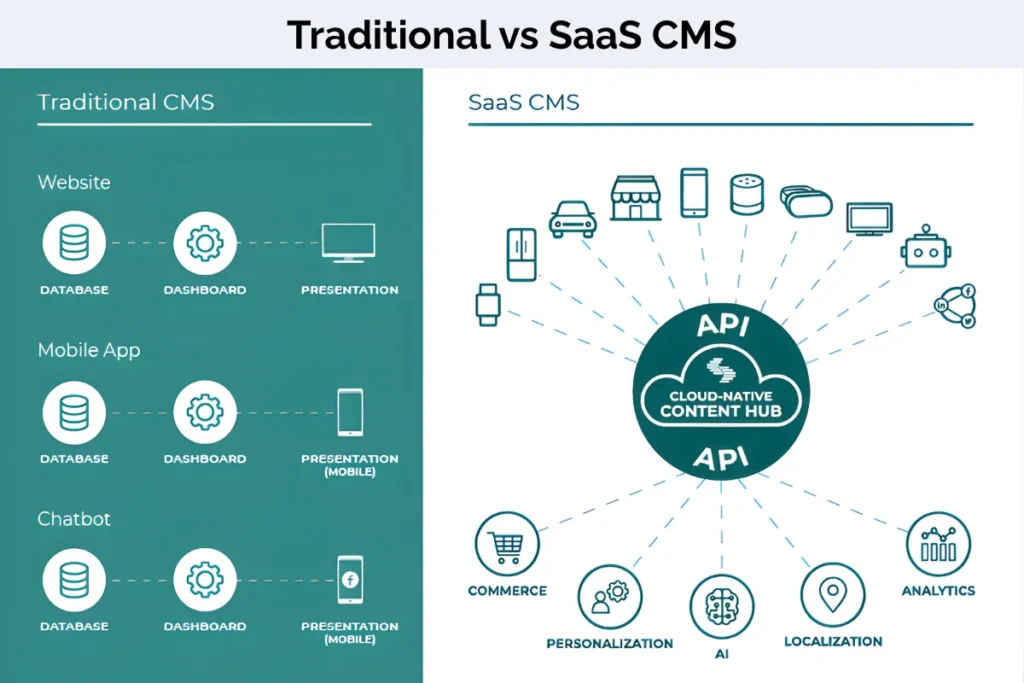
Key Features to Look for in a SaaS CMS
When you’re choosing a CMS for a SaaS company, the goal isn’t just publishing content; it’s removing bottlenecks and supporting scalable content infrastructure.
Here are the five most important features to prioritize:
1. API-First / Headless Architecture
A modern CMS should follow an API-first architecture so content can be delivered across websites, web apps, mobile apps, and help centers.
Headless systems separate content from design, enabling:
- Faster product updates
- Consistent messaging across channels
- Easier expansion into new platforms
- True omnichannel content delivery
This approach supports modern frontend frameworks and dynamic applications.
According to research published on ResearchGate, integrating headless CMS architecture with modern serverless infrastructure significantly improves web application performance and scalability. Testing results showed:
-Average response times reduced to 88–782 milliseconds
-Error rates under 2% under heavy load
-CPU utilization below 56%
-RAM utilization below 39%
2. Structured Content Modelling
SaaS teams need structured content models, not just blog posts.
- Feature descriptions
- Pricing plans
- Integration listings
- Documentation
- In-app messages
Structured modeling supports content reuse, component-based publishing, and scalable documentation systems.
3. Reduced Developer Dependency
One of the biggest operational challenges in SaaS teams is relying on developers for small content changes.
Your CMS should allow marketing and product teams to:
- Update landing pages
- Edit feature descriptions
- Publish documentation
- Manage content safely with previews
It shows that workflow inefficiencies are among the top challenges for B2B teams. Reducing developer dependency directly improves release speed.
4. Visual Editing & Workflow
A strong SaaS CMS should support efficient collaboration between marketing, content, and product teams.
Look for:
- Intuitive visual editing interface
- Drag-and-drop or modular content blocks
- Real-time collaboration
- Role-based access controls
- Approval workflows
- Content version history
A structured workflow reduces publishing delays, maintains brand consistency, and prevents bottlenecks between developers and marketers.
For scaling SaaS teams, streamlined workflows directly impact publishing velocity and campaign execution speed.
5. Multi-Channel & Integration Capabilities
Your CMS should integrate with:
- CRM tools
- Marketing automation platforms
- Analytics systems
- Support software
Strong integration enables data-driven content strategy, unified dashboards, and better customer engagement tracking.
Multi-channel delivery also ensures consistent experiences across web, product, and support touchpoints.
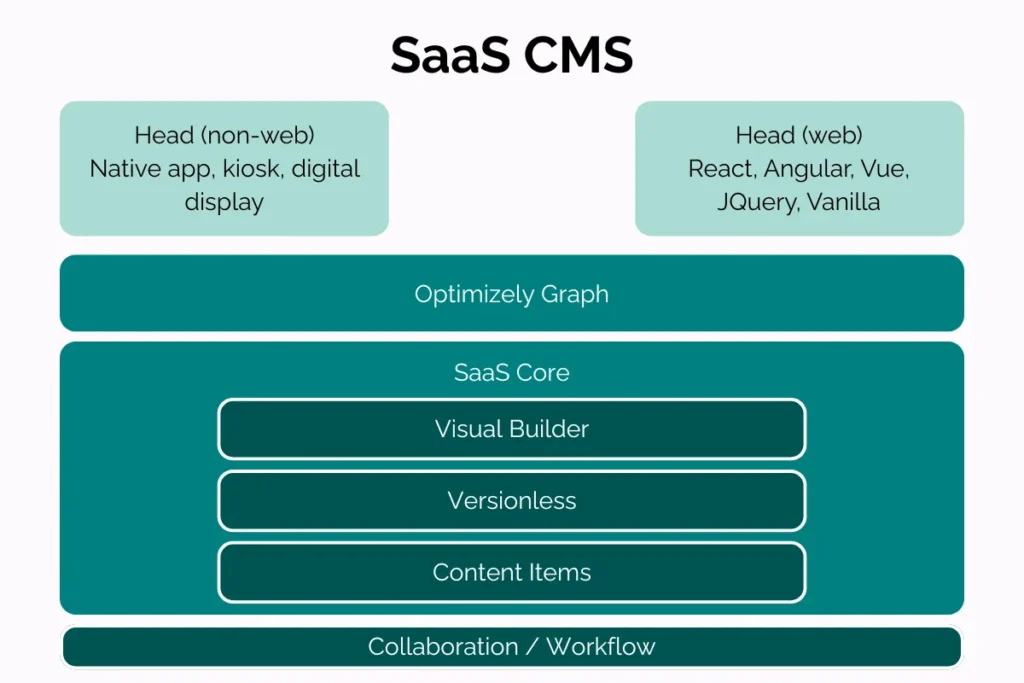
Types of SaaS Content Management Approaches
Not all CMS platforms are built the same. The right choice depends on your SaaS growth stage, technical resources, and how complex your content ecosystem has become.
Here are the three main approaches SaaS companies use today:
Traditional CMS
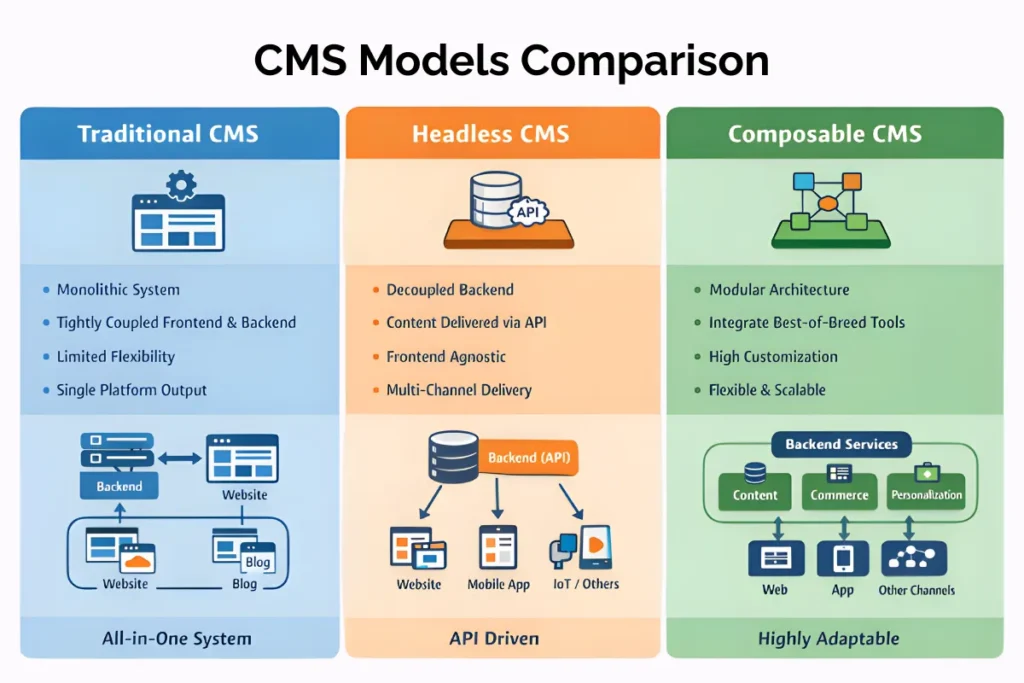
A traditional CMS combines the content management backend and the front-end presentation layer into one system.
Popular examples include:
- WordPress
- Drupal
This is often referred to as a monolithic CMS architecture, where backend and frontend are tightly connected.
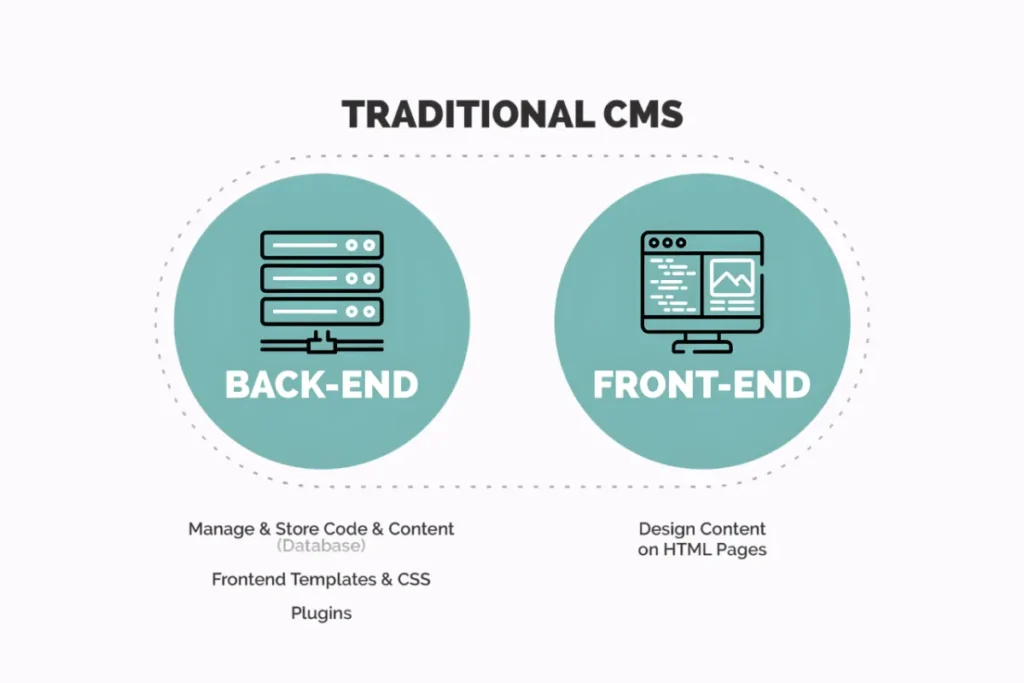
How it works:
Content is created and published within the same platform that controls how it looks on the website.
Best for:
- Early-stage SaaS companies
- Marketing-focused websites
- Teams with limited technical complexity
Advantages:
- Easy to set up
- Large plugin ecosystem
- Lower upfront costs
- Beginner-friendly
Limitations:
- Limited flexibility for multi-channel delivery
- Harder to integrate deeply with product interfaces
- It can become difficult to scale as product complexity increases
However, it lacks flexibility for API-based content distribution.
For simple marketing websites, a traditional CMS works well. But as SaaS companies expand into apps, mobile, and global markets, their limitations start to show.
Headless CMS
A headless CMS separates content management (backend) from presentation (frontend). Content is delivered via APIs and can be displayed anywhere.
Popular examples include:
- Contentful
- Strapi
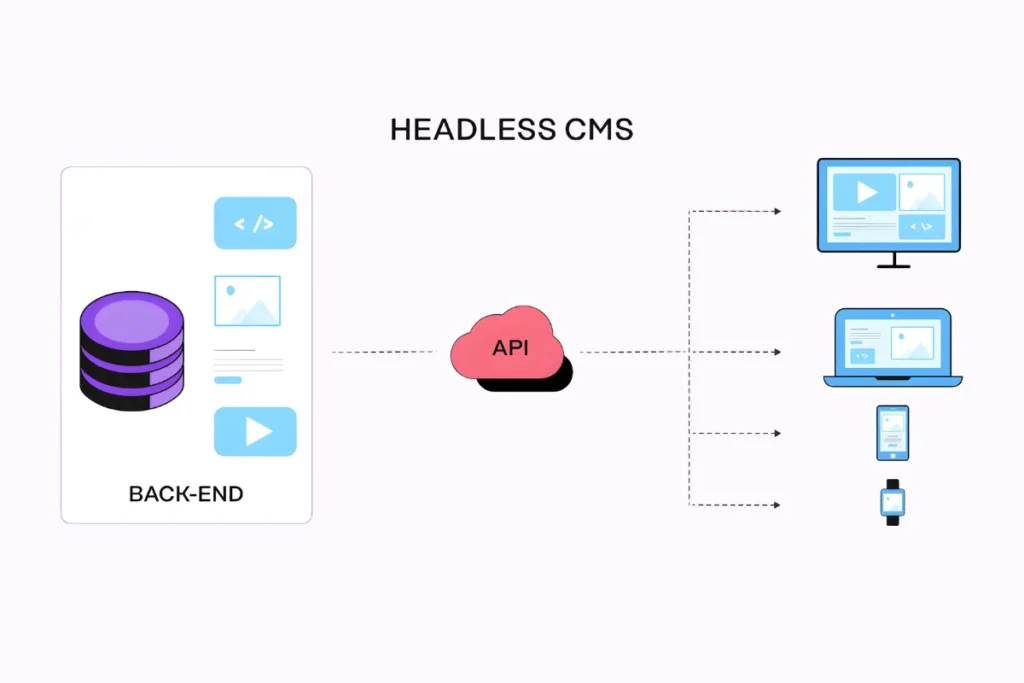
How it works:
The CMS stores content centrally. Developers use APIs to pull that content into websites, apps, or other platforms.
Best for:
- Product-led SaaS
- Multi-platform businesses
- Teams needing flexibility
Advantages:
- Omnichannel content delivery
- Greater scalability
- Faster performance
- Better developer control
Limitations:
- Requires developer resources
- More technical setup
- Can increase complexity for non-technical teams
For scaling SaaS companies, headless architecture often becomes the preferred choice because it supports structured content, in-product messaging, and onboarding systems that are critical for executing a strong product-led growth strategy.
Composable / DXP Approach
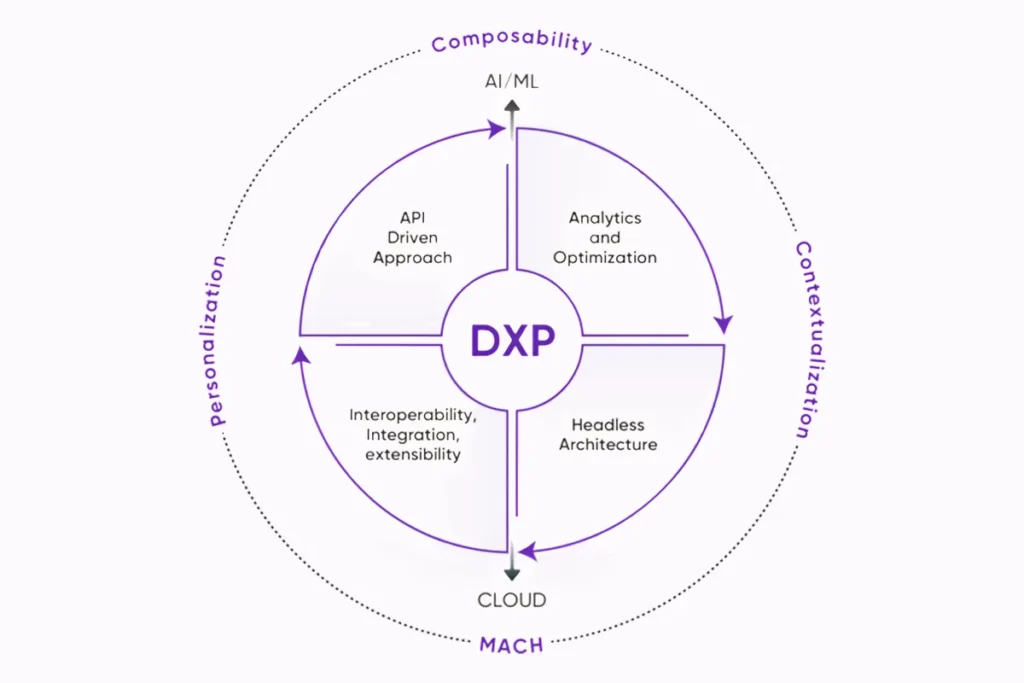
A composable approach (often part of a Digital Experience Platform or DXP) allows companies to build a customized content ecosystem using multiple specialised tools connected via APIs.
Examples include platforms like:
- Adobe Experience Manager
- Sitecore
How it works:
Instead of relying on one monolithic system, companies combine:
- CMS
- Personalization tools
- Analytics
- Commerce systems
- Marketing automation
All connected through APIs.
Best for:
- Enterprise SaaS companies
- Global operations
- Complex product ecosystems
Advantages:
- Maximum flexibility
- Deep personalization
- Enterprise scalability
- Advanced integrations
Limitations:
- Higher cost
- Longer implementation time
- Requires strong technical governance
Composable architecture gives large SaaS companies full control over digital experiences, but it’s usually unnecessary for early-stage teams.
Which Approach Is Right for You?
- Early-stage SaaS – Traditional CMS may be enough
- Growth-stage SaaS – Headless CMS offers scalability
- Enterprise SaaS – Composable/DXP approach supports complexity
The right choice depends on how your content interacts with your product, not just how many blog posts you publish.
How to Choose the Right SaaS CMS
Choosing a SaaS CMS shouldn’t be based on trends or brand popularity. It should be based on your growth stage, product complexity, and operational needs.
Here’s a practical, step-by-step way to evaluate the right CMS for your SaaS company.
1. Evaluate Your Goals & Requirements
Start with clarity. Ask:
- Are you primarily focused on marketing growth or product-led growth?
- Do you need content inside your app or only on your website?
- Are you expanding into multiple regions?
- How often does your product messaging change?
If you’re an early-stage SaaS with a simple marketing site, you may not need a complex headless system.
If you’re scaling rapidly, launching features frequently, and managing documentation, onboarding flows, and localization, you’ll need a more structured solution.
Pro Tip: List your must-have requirements first. Don’t start with features. Start with business goals.
2. Check Compatibility with Your SaaS Stack
Your CMS must fit into your existing tech stack.
Review:
- Front-end framework (React, Next.js, etc.)
- CRM system
- Marketing automation tools
- Analytics platforms
- Product analytics tools
- Help desk software
If your CMS doesn’t integrate smoothly, you’ll create content fragmentation across teams and systems.
For example, if marketing content and product documentation sit in separate systems with no integration, updates become inconsistent and slow.
Make sure APIs, webhooks, and integration options are strong and well-documented.
3. Assess Features & Flexibility
Now evaluate features, but with context.
Check for:
- Structured content modeling
- Role-based permissions
- Workflow approvals
- Preview environments
- Multi-language support
- API performance
- Content version control
Also assess flexibility:
- Can you customise content types?
- Can you scale into new channels later?
- Can non-technical teams work independently?
A strong structure here also supports better keyword targeting and topic clustering. Creating a clear framework using a detailed SEO content brief helps align your CMS capabilities with measurable search goals.
4. Analyze Total Cost of Ownership
Don’t just look at monthly subscription pricing.
Calculate:
- Developer hours required for setup
- Ongoing maintenance costs
- API usage limits
- Hosting fees (if applicable)
- Scaling costs as traffic increases
- Training time for your team
Sometimes a low-cost CMS becomes expensive due to heavy developer involvement.
On the other hand, a higher upfront investment may reduce long-term operational friction.
Look at the cost over 2–3 years, not just month one.
5. Review Scalability and Future Readiness
Think beyond your current stage.
Ask:
- Will this CMS handle 10x more content?
- Can it support multiple products?
- Does it handle localization at scale?
- Can it support personalization in the future?
- Is the vendor continuously evolving the platform?
SaaS companies grow quickly. Switching CMS mid-growth can be disruptive and expensive.
Choose a system that supports where you are going, not just where you are today.
10 SaaS Content Management Systems
Below are 10 CMS platforms widely used by SaaS teams, covering pricing, usability, scalability, and ideal fit.
| Platform | Architecture | Best For | Scalability Level |
|---|---|---|---|
| Contentful | Headless | Growth SaaS | High |
| Strapi | Headless (Open-source) | Dev-heavy teams | High |
| Sanity | Headless | Collaborative teams | High |
| Prismic | Headless | Marketing-led SaaS | High |
| Contentstack | Headless (Enterprise) | Mid-large SaaS | Very High |
| Hygraph | Headless (GraphQL) | Modern JS stacks | Very High |
| Webflow | Visual CMS | Early-stage SaaS | Moderate |
| Drupal | Traditional | Complex builds | High |
| Adobe Experience Manager | Composable / DXP | Enterprise SaaS | Enterprise |
| Sitecore | Composable / DXP | Enterprise marketing ops | Enterprise |
1. Contentful
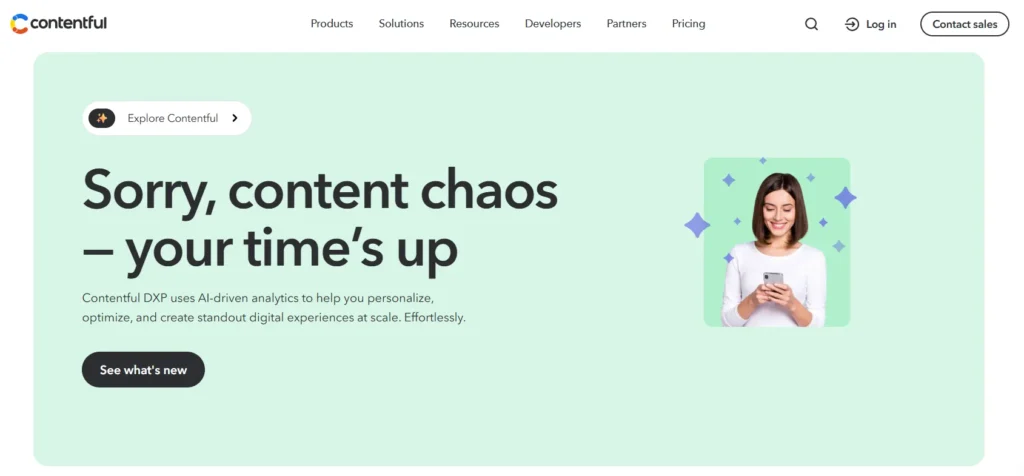
Contentful is an API-first headless CMS that helps SaaS teams manage structured content across websites, apps, and digital products, making omnichannel publishing and scalable content operations easier.
Key Features
- API-first headless CMS
- Structured content modeling
- Omnichannel content delivery
- Role-based permissions
- Multi-language and localization support
Pros
- Strong API-first architecture
- Enterprise-grade scalability
- Great for multi-product SaaS
Cons
- Requires developer setup
- Can become expensive at scale
Pricing: Free tier available; paid plans scale based on usage and API calls.
Best-Fit: Growth-stage or enterprise SaaS needing multi-channel content delivery.
2. Strapi
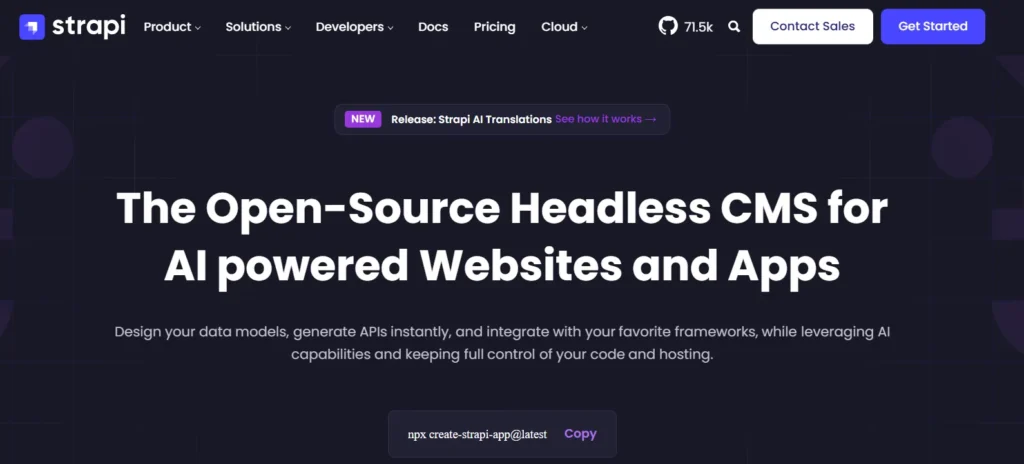
Strapi is an open-source headless CMS that gives SaaS teams full control over content models and APIs, ideal for companies wanting flexibility, customization, and ownership over their content infrastructure.
Key Features
- Open-source headless CMS
- Fully customizable content schemas
- REST and GraphQL APIs
- Self-hosted or cloud options
- Plugin ecosystem
Pros
- Full control over content structure
- Open-source flexibility
- No vendor lock-in
Cons
- Developer-heavy setup
- Requires maintenance and hosting management
Pricing: Free open-source version; Growth plan starts at $45/month; Enterprise pricing available.
Best-Fit: SaaS companies with strong in-house development teams wanting full infrastructure control.
3. Sanity
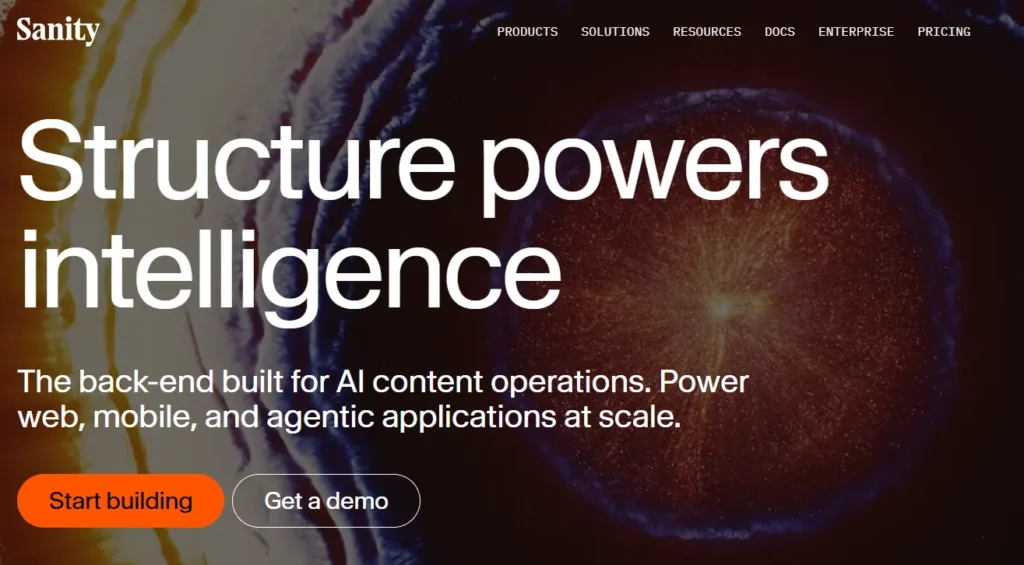
Sanity offers real-time collaborative editing with fully customizable content schemas, enabling SaaS teams to manage structured, dynamic content while maintaining flexibility across websites, apps, and internal tools.
Key Features
- Real-time collaborative editing
- Customizable content schemas
- Structured content architecture
- API-first delivery
- Workflow management tools
Pros
- Excellent collaboration capabilities
- Flexible and developer-friendly
- Strong structured content model
Cons
- Requires technical setup
- Pricing increases with team size
Pricing: Free plan available; Growth plan starts at $15 per seat per month.
Best-Fit: SaaS teams managing dynamic content across multiple platforms
4. Prismic
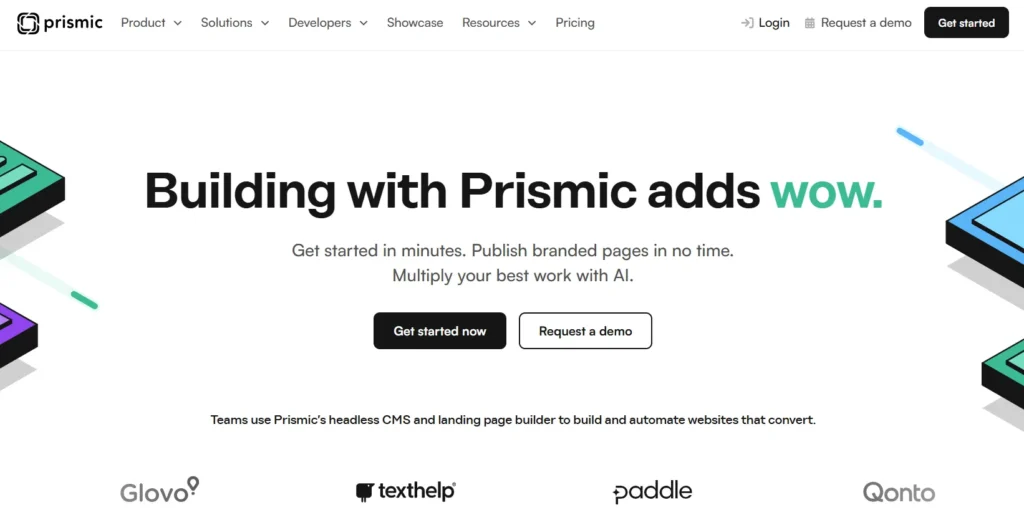
Prismic is a headless CMS designed for flexibility and speed, offering reusable content slices and visual editing tools that help SaaS marketing and product teams publish structured content efficiently.
Key Features
- Headless CMS with visual editor
- Reusable content slices
- API-based content delivery
- Page builder capabilities
- Localization support
Pros
- Marketer-friendly interface
- Modular content components
- Faster content publishing
Cons
- Limited flexibility compared to fully open-source tools
- Advanced customization may require developers
Pricing: Free plan available; Starter at $10/month; Small at $25/month; Medium at $150/month.
Best-Fit: SaaS companies balancing marketing and product content workflows.
5. Contentstack
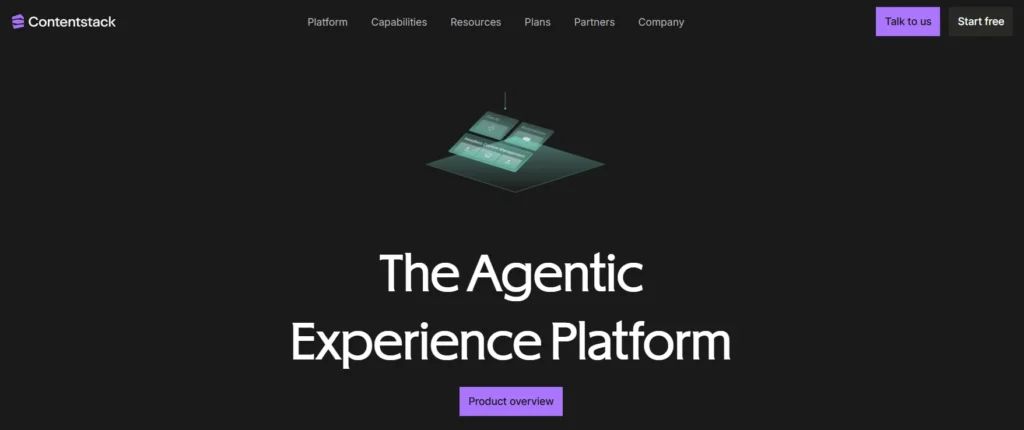
Contentstack is an enterprise-grade headless CMS that supports structured content, complex workflows, and multi-region publishing, helping scaling SaaS organizations manage global content operations efficiently.
Key Features
- Enterprise-grade headless CMS
- Structured content modeling
- Advanced workflow and governance controls
- Multi-region and multi-site publishing
- Role-based permissions and approvals
Pros
- Strong content governance
- Built for global SaaS operations
- Enterprise-ready scalability
Cons
- Enterprise pricing only
- Requires structured implementation
Pricing: Custom enterprise pricing.
Best-Fit: Mid-to-large SaaS companies managing global content operations.
6. Hygraph
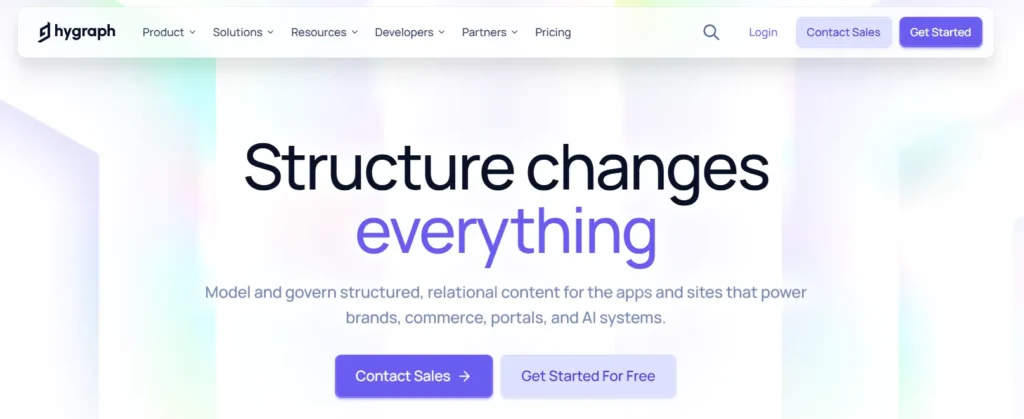
Hygraph is a GraphQL-native headless CMS built for modern SaaS stacks, enabling teams to manage highly structured content and distribute it efficiently across applications and digital experiences.
Key Features
- GraphQL-native headless CMS
- Highly structured content modeling
- API-first content delivery
- Flexible content federation
- Localization support
Pros
- Native GraphQL API
- Ideal for modern tech stacks
- Highly flexible schema design
Cons
- Developer-focused setup
- Higher pricing for growth plans
Pricing” Hobby plan free; Growth starts at $199/month; Enterprise custom pricing.
Best-Fit: SaaS companies using modern JavaScript frameworks and API-driven architectures.
7. Webflow
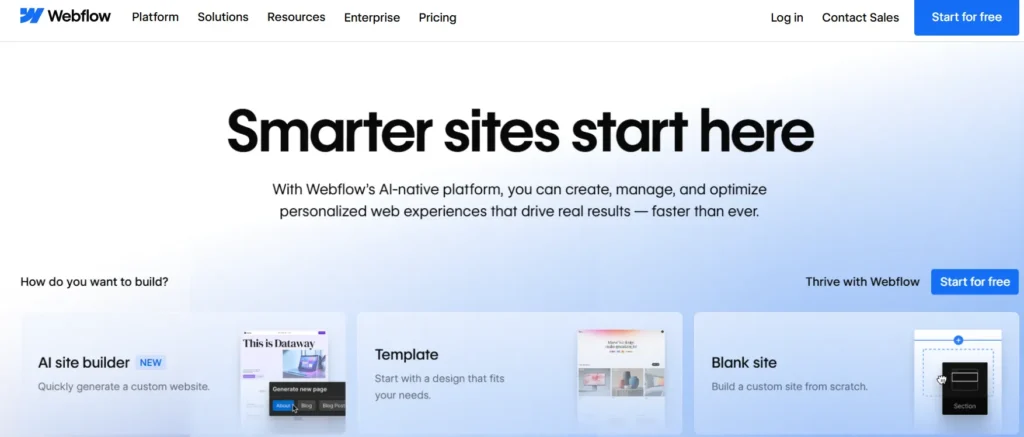
Webflow combines visual design and CMS functionality, allowing SaaS marketing teams to build and manage websites without heavy developer involvement while maintaining structured content capabilities.
Key Features
- Visual website builder with CMS
- Drag-and-drop design editor
- Built-in hosting
- Structured collections
- SEO control settings
Pros
- Very easy to use
- No heavy developer dependency
- Strong design flexibility
Cons
- Limited backend customization
- Not ideal for complex product content systems
Pricing: Starter free; Basic $14/month; CMS $23/month; Business $39/month.
Best-Fit: Early-stage or marketing-led SaaS teams focused on website growth.
8. Drupal
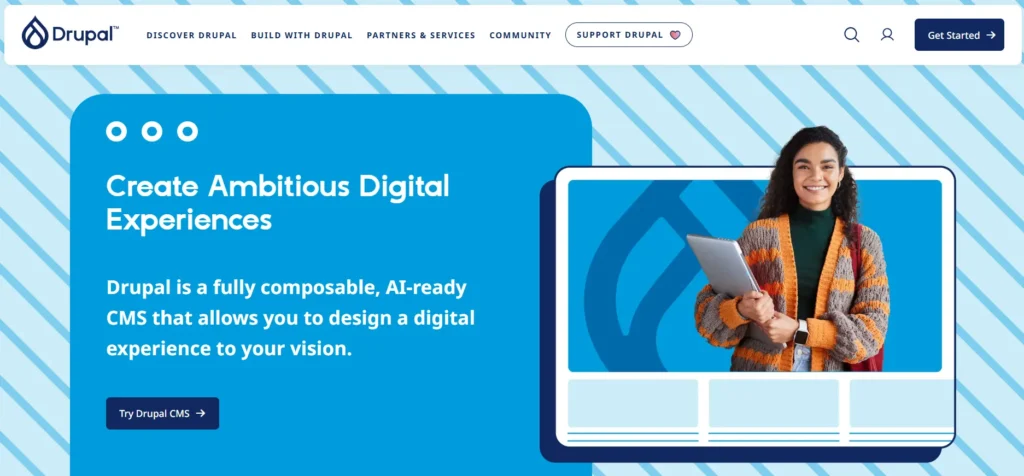
Drupal is a flexible, open-source CMS with strong security and customization capabilities, suitable for SaaS companies needing advanced content control and integration options.
Key Features
- Open-source CMS
- Advanced content structuring
- Strong security framework
- Extensive module ecosystem
- High customization capability
Pros
- Highly customizable
- Strong security standards
- Large developer community
Cons
- Steeper learning curve
- Requires ongoing maintenance
Pricing: Free core; hosting and development costs apply.
Best-Fit: SaaS companies requiring complex content structures and deep customization.
9. Adobe Experience Manager
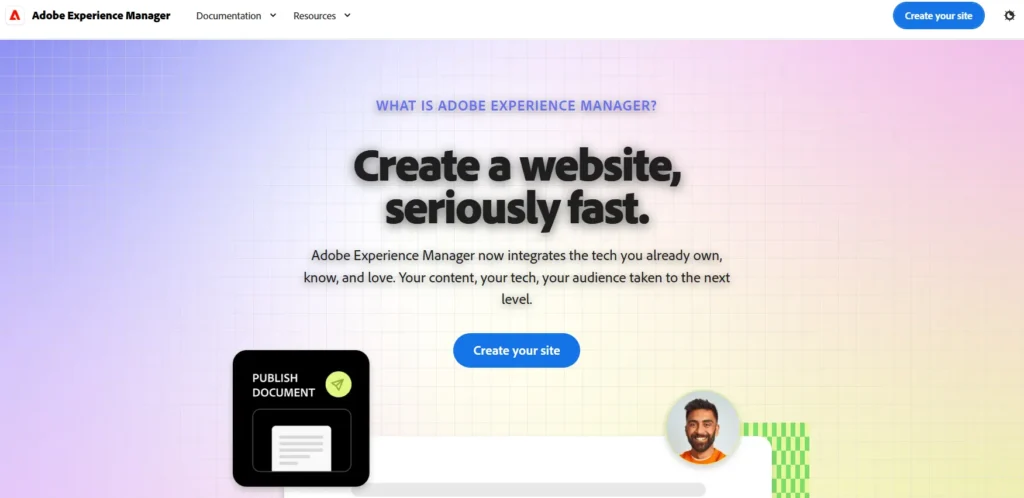
Adobe Experience Manager is an enterprise digital experience platform combining CMS, personalization, and asset management tools for large SaaS companies managing global, multi-channel digital ecosystems.
Key Features
- Enterprise CMS and digital experience platform
- Personalization engine
- Digital asset management
- Multi-site and multi-language support
- Advanced analytics integration
Pros
- Powerful personalization capabilities
- Integrated marketing ecosystem
- Enterprise-level governance
Cons
- Very high cost
- Complex implementation process
Pricing: Enterprise-level custom pricing.
Best-Fit: Global enterprise SaaS managing multi-channel digital ecosystems.
10. Sitecore
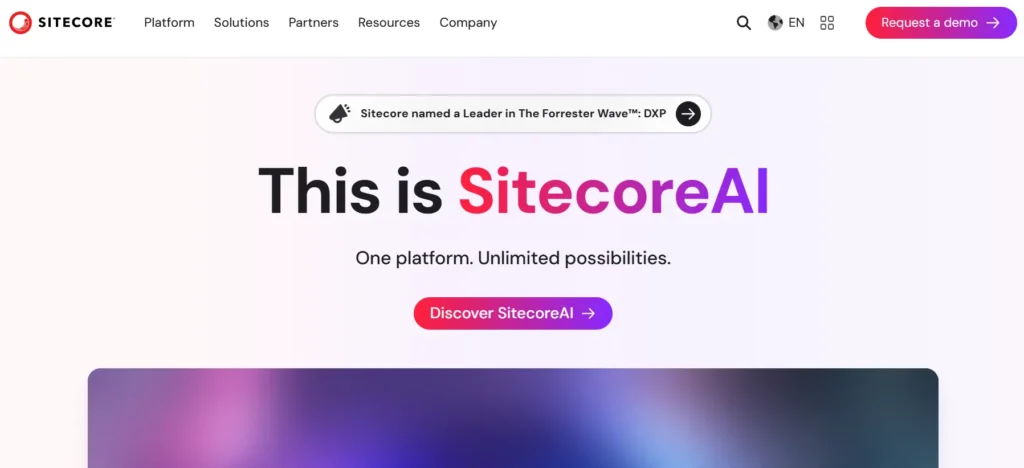
Sitecore is a composable digital experience platform offering content management, analytics, and personalization capabilities for enterprise SaaS teams needing advanced customer experience management.
Key Features
- Composable digital experience platform
- Advanced personalization
- Integrated analytics
- Multi-site management
- Customer journey orchestration
Pros
- Strong personalization tools
- Enterprise-grade scalability
- Advanced marketing integration
Cons
- Requires implementation partner
- High cost and complexity
Pricing: Enterprise custom pricing.
Best-Fit: Large SaaS companies with advanced marketing and customer experience operations.
Benefits of SaaS Content Management
A well-structured SaaS content management system does more than store content. It improves speed, consistency, and operational efficiency across marketing and product teams.
Here are the key benefits.
Faster Content and Product Releases
When content is structured and easy to update, teams don’t have to wait for developers to make small changes.
Marketing can update landing pages quickly. Product teams can revise feature descriptions or in-app messages without long release cycles. Documentation updates become faster.
This reduces delays and helps you launch campaigns, features, and updates on time.
Omnichannel Content Delivery
SaaS users interact across websites, apps, emails, and help centers. A strong CMS allows the same content to be reused across all these channels.
Insight: Why Omnichannel Consistency Matters
According to industry data on customer experience performance:
-Companies with strong omnichannel strategies see customer satisfaction (CSAT) rise to 67%, compared to just 28% for multichannel approaches.
-Customers who experience seamless journeys are 3.6x more likely to repurchase.
-However, 56% of customers report having to repeat issues due to poor context sharing between channels.
-Only 13% of companies fully enable contextual continuity across touchpoints.
Instead of duplicating content, teams can manage it centrally and distribute it through APIs. This keeps messaging consistent and reduces manual work.
As search continues to evolve beyond traditional rankings, structured and centralized content also improves AI search visibility, helping your SaaS brand stay discoverable across modern search experiences.
It also ensures users see the same information wherever they interact with your product.
Better Cross-Team Collaboration
SaaS content is not owned by marketing alone. Product, customer success, and support teams all contribute.
A structured CMS with clear roles and workflows allows:
- Defined permissions
- Draft and approval processes
- Version tracking
This reduces errors and miscommunication. Everyone works in a single system instead of using separate tools.
Improved Scalability
As your SaaS grows, so does your content volume.
A scalable CMS handles:
- More pages and documentation
- Multiple products or features
- New markets and languages
- Higher traffic
Instead of rebuilding your system later, a scalable CMS supports growth from the start.
Reduced Technical Debt
When content is hard-coded or spread across multiple systems, updates become complicated and risky.
A proper SaaS CMS centralises content and removes unnecessary dependencies. This reduces manual fixes and repeated development work.
Over time, this lowers maintenance effort and keeps your system clean and manageable.
A structured SaaS content management approach supports faster growth, clearer communication, and smoother operations without adding complexity.
Conclusion
For SaaS companies, content is not just marketing material; it is a core part of the digital product ecosystem.
If your CMS slows updates, creates operational gaps, or limits scalability, it begins to restrict growth instead of supporting it.
Choosing a CMS is a strategic investment in your content infrastructure strategy and long-term growth enablement.
When your foundation is strong, content moves faster, teams collaborate better, and growth becomes smoother.
Get the structure right, and your CMS becomes a growth driver, not an operational constraint. Contact us to discuss your current setup and explore the right CMS strategy for your SaaS business.
SaaS Content Management FAQs
A SaaS CMS reduces developer dependency by allowing non-technical teams to edit and publish content through structured editors and role-based permissions. Features like visual previews, workflow approvals, and reusable content blocks enable marketing and product teams to make updates without touching code.
Teams can prevent content fragmentation and cross-team misalignment by using a centralized CMS where all departments manage content in one system. Structured content models, shared workflows, and API integrations ensure updates made in one place are reflected consistently across websites, apps, and help centers.
The best approach is to use a CMS with built-in multi-language support, translation workflows, and region-based content variations. This allows teams to manage global content centrally while adapting messaging for different markets without duplicating work.
A SaaS CMS improves consistency by storing structured content in one place and distributing it through APIs across multiple channels. This ensures the same messaging, feature descriptions, and documentation appear consistently on websites, apps, and support platforms.
A CMS is no longer scalable when updates require heavy developer involvement, performance slows under higher traffic, localization becomes difficult, or managing multiple products and channels becomes complex. These are signs that the system cannot support growth efficiently.


