


To find content topics with Ahrefs Content Explorer, search for a keyword or niche topic to discover popular content that is generating traffic, backlinks, and social engagement.
Ahrefs helps you identify trending topics, uncover content gaps, and validate content ideas, making it easier to create articles that align with audience interest and SEO opportunities.
In this blog, I will show you how to find content topics with Ahrefs Content Explorer using a practical, step-by-step process.
You will learn how to discover proven content ideas, analyze what already performs well, and select topics with real organic traffic potential. This is the same workflow I personally use when planning blog content for my own websites and client projects.
Steps to Find Content Ideas With Ahrefs Content Explorer
1. Go to Content Explorer
After logging into your Ahrefs account, click on Content Explorer from the top navigation menu. This tool is designed to help you discover popular content across the web based on organic traffic, backlinks, and engagement.
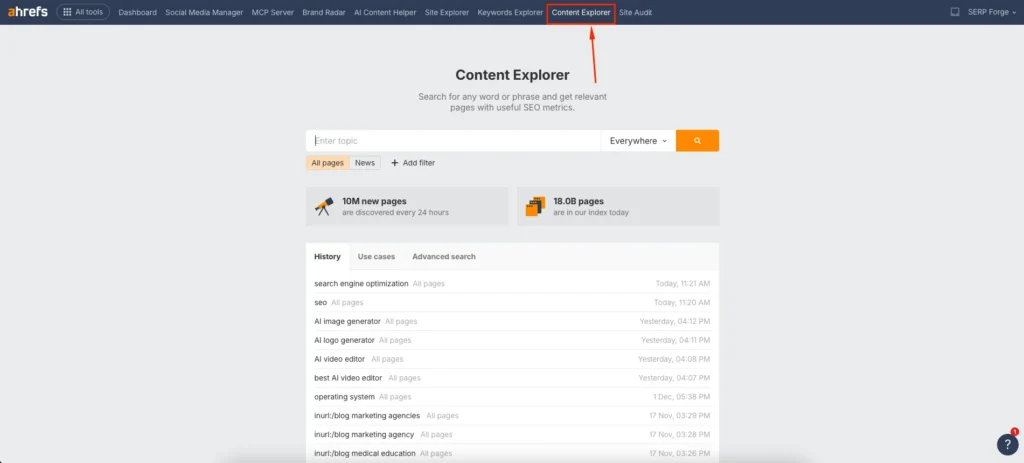
I use Content Explorer whenever I want to validate content ideas instead of relying on assumptions. It shows what people are already searching for and reading.
2. Enter the Topic or Idea and Choose Search Type
In the search bar, enter a broad topic or keyword related to your niche. After that, choose where you want Ahrefs to look for your keyword. You can select options like Title, Everywhere, In content, or In URL.
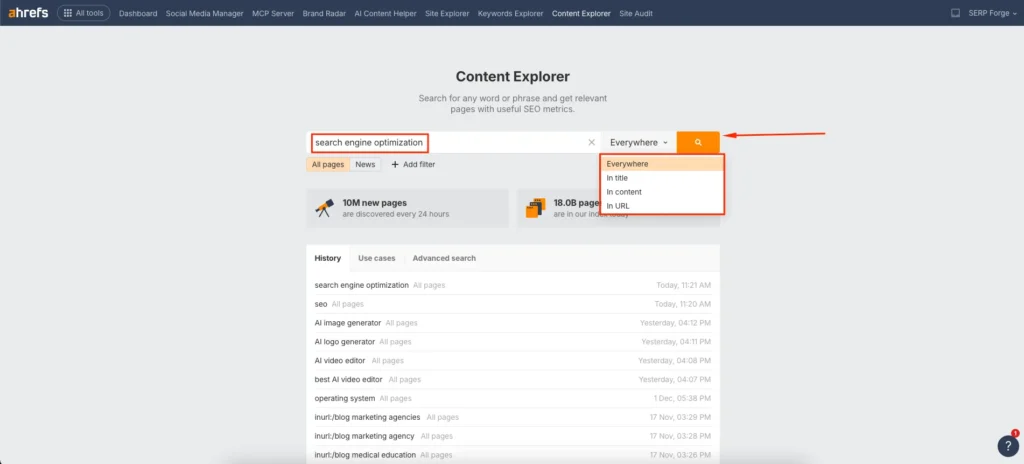
When I want highly focused blog topics, I usually select Title because it shows content where the main topic is clearly defined. If I am exploring ideas more broadly, I choose Everywhere to uncover hidden opportunities.
This step helps you control how relevant and specific the content ideas will be.
3. Apply Filters to Refine Content Ideas
Filters are where Content Explorer becomes extremely powerful. Apply filters based on your content goals:
- Platform to focus on blogs or specific content types
- Language to target your audience region
- Publish date to find fresh or evergreen topics
- Page traffic to identify content with proven organic performance
- Domain Rating to analyze competition level
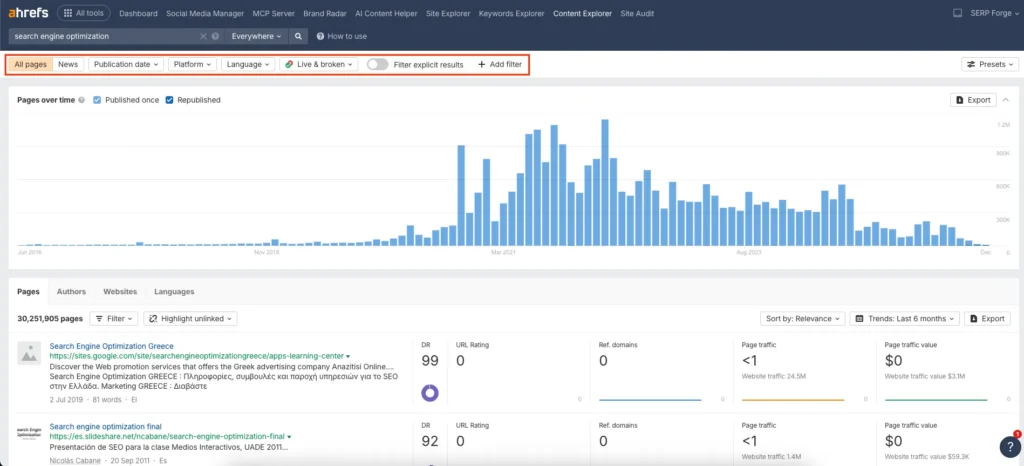
I often set a minimum organic traffic filter to ensure the topics already have search demand. This helps me avoid writing content that no one searches for.
4. Explore and Analyze the Report
Once your filters are applied, explore the report carefully. Look at article headlines, organic traffic numbers, referring domains, and publishing trends.
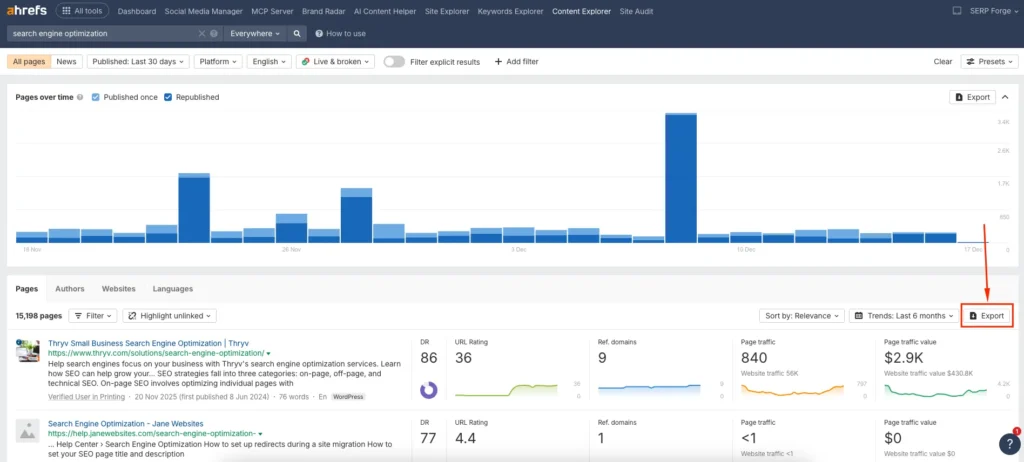
I scan this data to identify patterns such as repeated subtopics, content formats, or angles that consistently perform well. These insights help me decide whether to create a similar topic, improve existing content, or approach the subject from a unique perspective.
Conclusion
Using Ahrefs Content Explorer to find content topics allows you to build a data-driven content strategy instead of relying on guesswork, and by applying the right filters and analysis, you can consistently discover topic ideas that have real traffic potential and long-term SEO value.
When you regularly find content topics with Ahrefs Content Explorer, you gain clarity on search demand, competition, and content relevance, which makes it easier to create articles that rank and attract organic traffic.
Frequently Asked Questions
Can beginners use Ahrefs Content Explorer for content research?
Yes, Content Explorer is beginner-friendly and works well for anyone who wants to find content ideas based on real performance data.
How is Content Explorer different from keyword research in Ahrefs?
Content Explorer focuses on existing content performance, while keyword research focuses on search terms. Both tools work best when used together.
Can I find low-competition content topics using Content Explorer?
Yes, by filtering for lower domain ratings and moderate traffic, you can identify content topics that are easier to compete for.
Is Ahrefs Content Explorer useful for updating old content?
Yes, it helps you find outdated but high-performing content that can be refreshed with updated information and better optimization.
How often should I use Content Explorer for content planning?
I recommend using it whenever you plan new content or update your editorial calendar to ensure your topics are backed by real data.

