


When I started working on backlink analysis in Ahrefs, the “Best by Links” report quickly became one of the tools I relied on the most.
It highlights the pages on your website that attract the highest number of backlinks, which gives you a clear idea of what type of content earns trust, authority, and external references.
This report helps you understand link equity distribution, find linkable assets, identify broken link opportunities, and improve your internal linking strategy.
In this blog, I will walk you through how to access and use the Best by Links report in Ahrefs. I will also show you the exact steps I personally follow when analyzing link performance for my own sites or client projects.
How to Access the Best by Links Report in Ahrefs
1. Enter your website URL and start the scan
Begin by logging into your Ahrefs account. Go to Site Explorer, which is the core tool for analyzing any domain.
Enter your website URL in the search bar and click the search icon. Ahrefs will fetch all available backlinks and organic data for your domain.
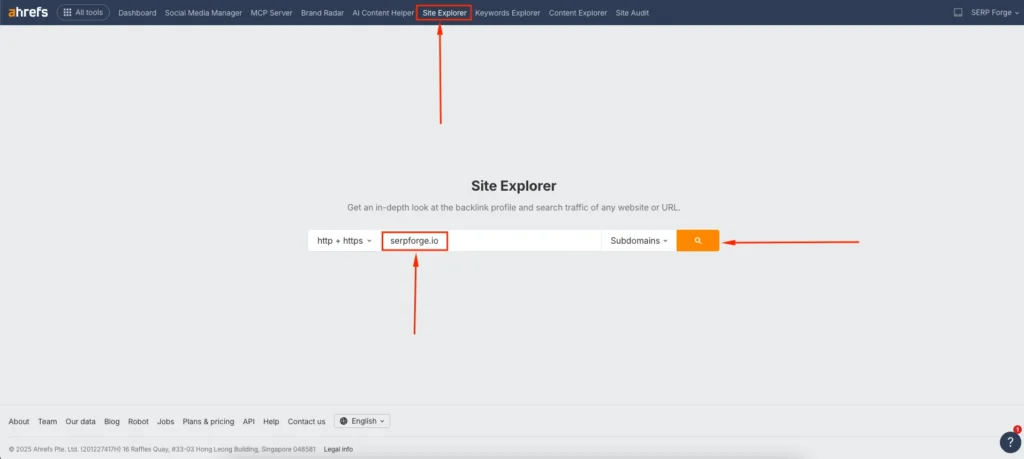
I usually run both the full domain and specific subfolders when I want a deeper breakdown because it helps me understand how different sections of the site perform.
2. Open the “Best by Links” report from the sidebar
Once the scan completes, look at the left sidebar. Under the Pages section, click Best by Links.
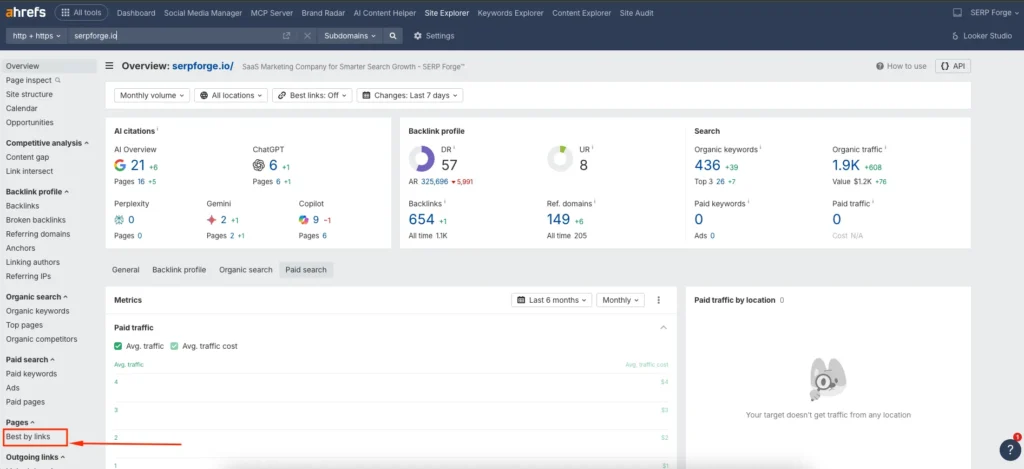
This is where Ahrefs organizes your pages based on the number of backlinks they have earned.
The report shows:
- Total referring domains
- Total backlinks
- DoFollow vs NoFollow Links
- HTTP code status
- Page URLs
This becomes one of the most insightful areas when I want to identify high-value content.
3. Apply filters to refine the data
Ahrefs provides several filtering options that help you customize the report. You can filter by:
- HTTP status (200, 301, 404)
- Link type (DoFollow, NoFollow)
- Platform type
- DR (Domain Rating) of referring domains
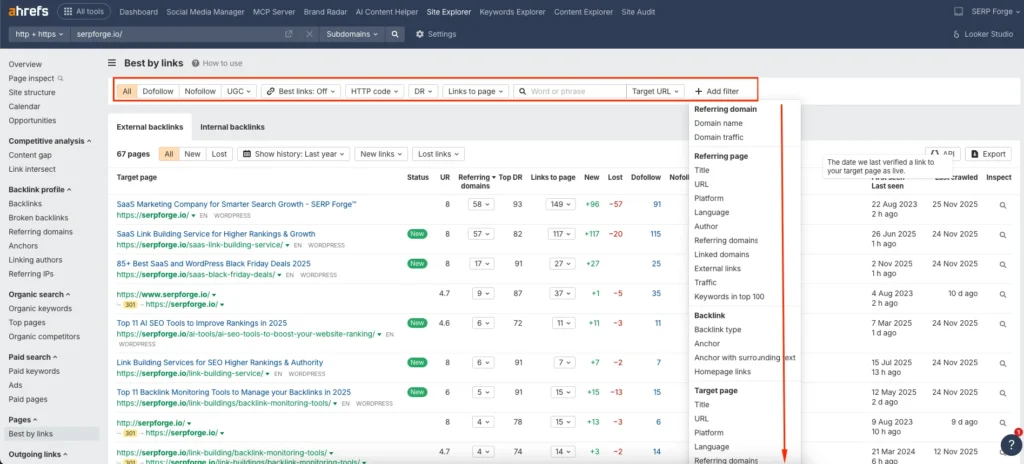
I often filter by 404 pages to find broken link opportunities, which is an effective way to recover lost link equity. You can also filter by DoFollow backlinks if you want to analyze pages with the strongest authority signals.
4. Review and interpret your top link-earning pages
Scroll through the list and examine the pages that attract the most backlinks. These insights help you understand what works well on your website.
You can identify:
- Your strongest linkable assets
- Pages that attract backlinks naturally
- Content formats that perform better
- Topics with high referencing potential
When I see a page with strong backlinks but low traffic, I often update or expand the content because it already has authority but needs better optimization.
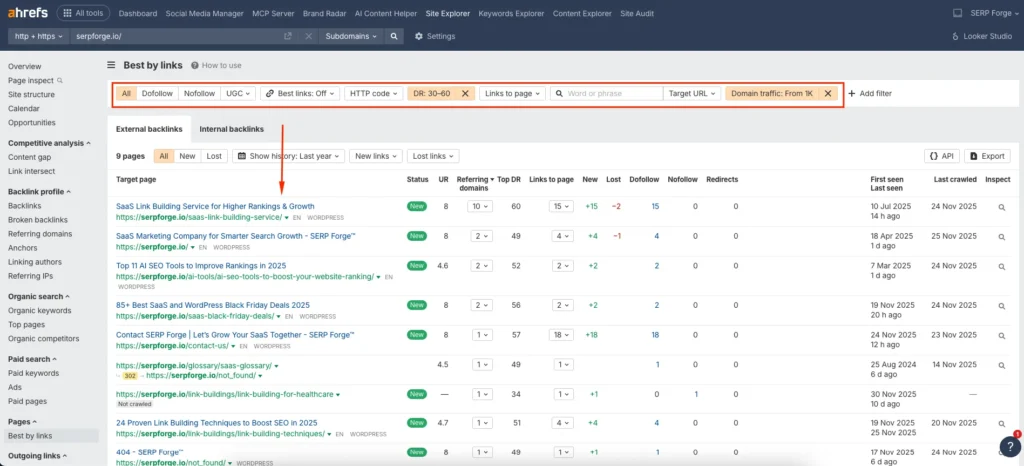
You can also identify underperforming pages that deserve more internal links to pass authority to targeted URLs.
5. Export the report for deeper analysis
If you want to work with the data outside Ahrefs, use the Export button on the top right corner. You can download the report in CSV or Excel format.
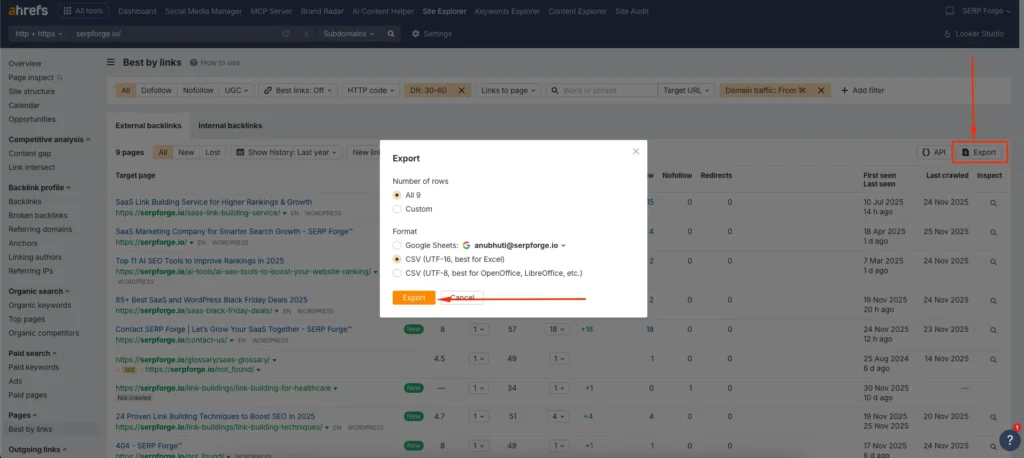
I frequently export the data to compare historical changes, build content strategies, or share insights with clients. Having a downloaded version also helps in mapping internal links and planning content updates more accurately.
Conclusion
Once you understand how to use the Best by Links report in Ahrefs, you gain a clear view of which pages hold the strongest link authority on your website.
This report helps you make smarter decisions about content updates, link building, internal linking, and recovering lost backlinks.
I rely on it in almost every SEO audit because it reveals real user interest and authority signals that no guesswork can replace.
Frequently Asked Questions
What is the Best by Links report used for in Ahrefs?
It helps you identify the pages on your website that attract the most backlinks so you can understand content performance and link equity distribution.
Can I use the Best by Links report to find broken links?
Yes. Filtering pages by 404 status helps you spot broken URLs that still have backlinks, which gives you opportunities to recover lost authority.
Does Ahrefs show both DoFollow and NoFollow links in this report?
Yes. You can view totals for both and apply filters to focus on specific link types.
Can I compare link performance over time?
Yes. Exporting the report lets you track link growth and compare link data with past reporting periods.
Is the Best by Links report available on all Ahrefs plans?
Most paid plans include full access. Free accounts may see limited metrics depending on feature restrictions.

