


To check inbound and outbound links of a website using Ahrefs, enter the domain into Site Explorer and review the Backlinks and Outgoing Links reports. These reports show which websites are linking to the domain, which pages receive the most backlinks, and where the site links externally.
This helps you analyze link authority, identify link-building opportunities, and audit a website’s linking strategy.
In this guide, I will show you how to check inbound and outbound links using Ahrefs in a practical way I personally use during website audits.
Steps to See Inbound and Outbound Links of a Website Using Ahrefs
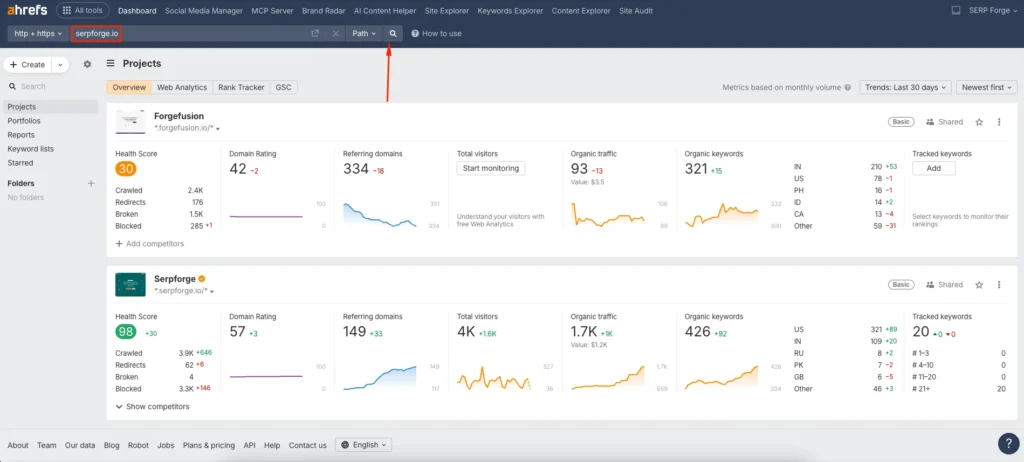
1. Enter Your Domain or URL and Click Search
Log in to your Ahrefs account and go to the main dashboard. In the search bar, enter your website domain or a specific URL you want to analyze. After entering the domain or URL, click on the search icon to access the site overview.
2. Click on Backlinks to See Inbound Links
From the left navigation menu, click on Backlinks. This section shows all inbound links pointing to your website from other domains and pages.
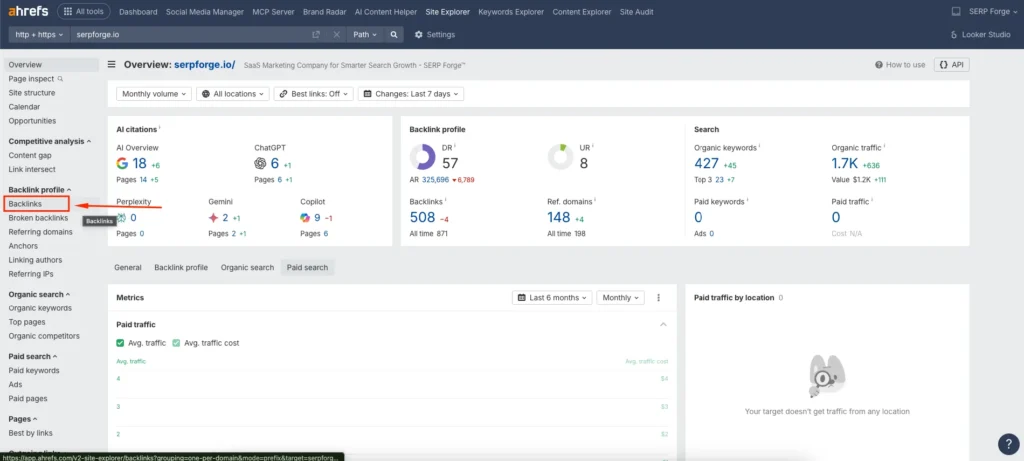
Here, you can see useful data such as referring domains, anchor text, link type, and link strength. I often use this view to assess backlink quality and identify spammy or irrelevant links.
3. Export the Inbound Link Report
To download the backlink data, click on the Export option in the top right corner. You can export the inbound links in formats like CSV or Excel.
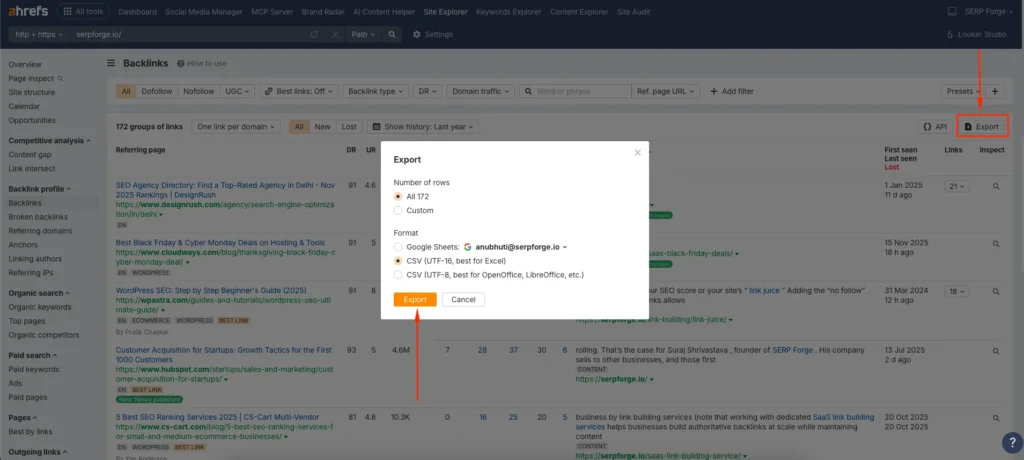
Exporting the report helps when auditing links or sharing data with clients or team members.
4. Navigate to Outgoing Links to See Outbound Links
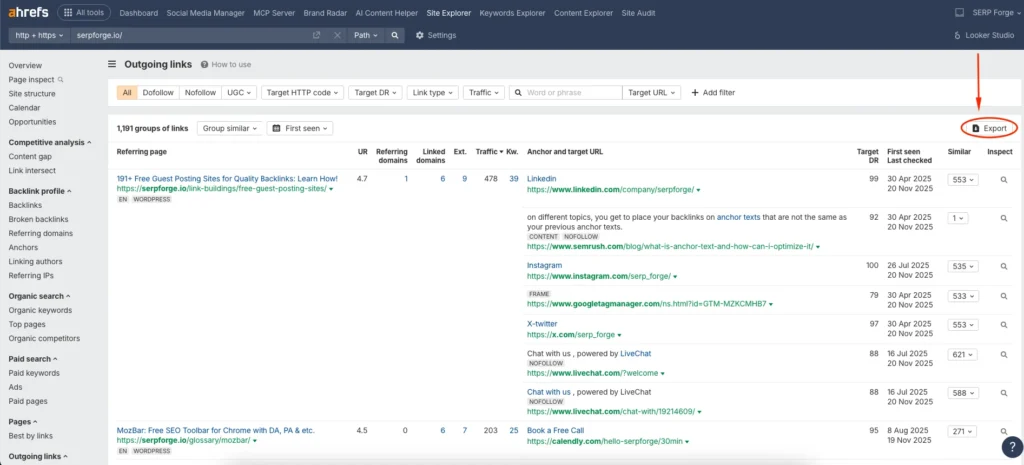
Next, use the same left navigation menu and click on Outgoing links. This section shows all external links placed on your website that lead to other domains.
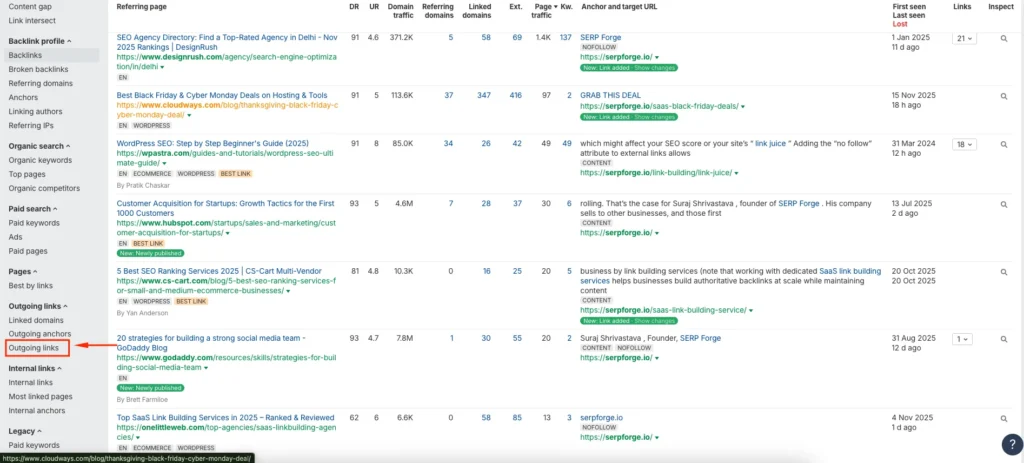
Reviewing outbound links helps ensure that you link only to relevant and trustworthy sources. I often find outdated or broken outbound links during this step, especially on older content.
5. Export the Outbound Link Report
Click the Export button in the top right corner to download the outbound link report. This file is useful for checking link relevance, updating old references, and maintaining clean link profiles.
Conclusion
By entering your domain, reviewing backlinks, analyzing outgoing links, and exporting reports, you can gain a clear understanding of your site’s link profile in just a few minutes.
If you regularly audit your links, you will avoid SEO issues and maintain better link hygiene. Knowing how to see inbound and outbound link in Ahrefs helps you make stronger SEO decisions based on real data rather than assumptions.
FAQs
What is the difference between inbound and outbound links?
Inbound links point to your website from other websites, while outbound links point from your website to external websites.
Can I check inbound and outbound links for competitor websites?
Yes, Ahrefs allows you to analyze the link profiles of competitor domains using the same process.
Why should I monitor outbound links regularly?
Monitoring outbound links helps ensure you link only to trusted sources and avoid broken or harmful external links.
Does Ahrefs show nofollow and dofollow links?
Yes, Ahrefs clearly labels link attributes such as nofollow, dofollow, sponsored, and UGC.
How often should I audit inbound and outbound links?
For active websites, a monthly or quarterly link audit is usually enough to maintain a healthy link profile.

