
Search volume alone does not guarantee SEO success. What truly determines performance is search intent, the reason behind a user’s query.
If your content does not match that intent, even high rankings will not deliver results. This is why learning how to filter keywords based on search intent in Ahrefs is critical for building content that ranks and converts.
Ahrefs makes it easier to identify whether a keyword is informational, commercial, navigational, or transactional, so you can align your content with what users actually want.
In this blog, I will show you a practical, step-by-step method I personally use to find and separate keywords by intent using Ahrefs.
By the end, you will know exactly how to identify intent-driven keywords and use them to create focused, high-performing SEO content.
Steps to Filter Keywords Based on Search Intent in Ahrefs
1. Start by clicking on Keyword Explorer
After logging into your Ahrefs account, navigate to the Keyword Explorer tool from the top navigation menu. This is where all keyword research begins in Ahrefs.
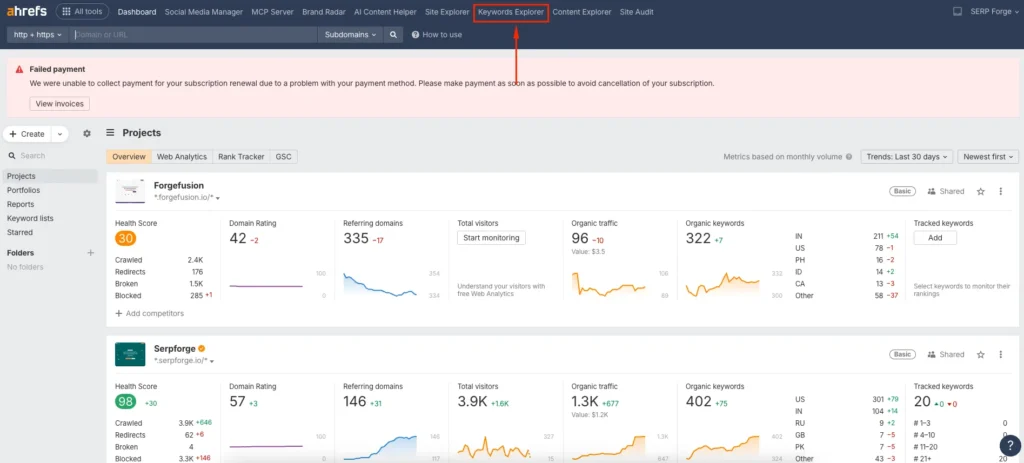
Keyword Explorer allows you to analyze a seed keyword, see search metrics, and explore variations grouped by relevance and intent.
2. Enter the main keyword and start the search
Now, enter your seed keyword that represents your core topic. This should be the primary keyword you want to build content around.
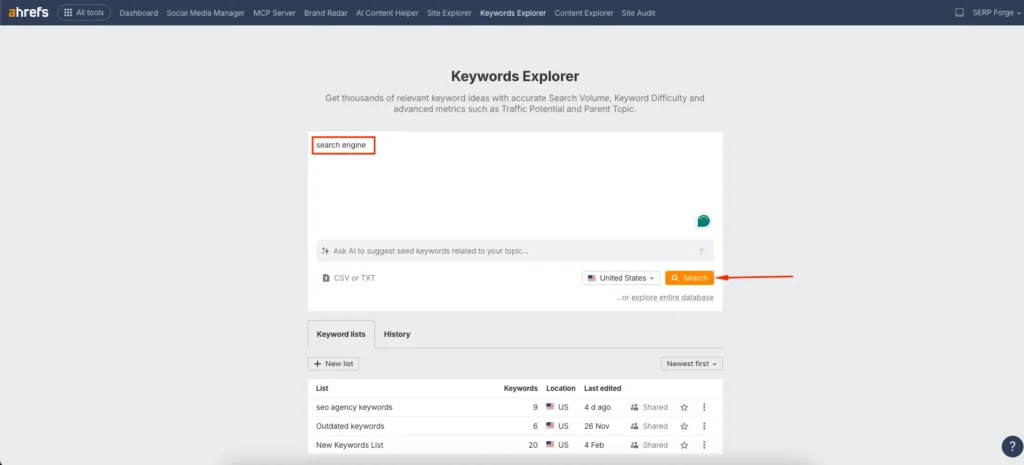
For example, if I am researching keywords for an SEO blog, I might start with a term like keyword research tools or SEO audit checklist. Click on Search to continue.
3. Visit the “Matching Terms” section
Once Ahrefs loads the keyword overview, move to the Matching Terms tab from the left-hand menu.
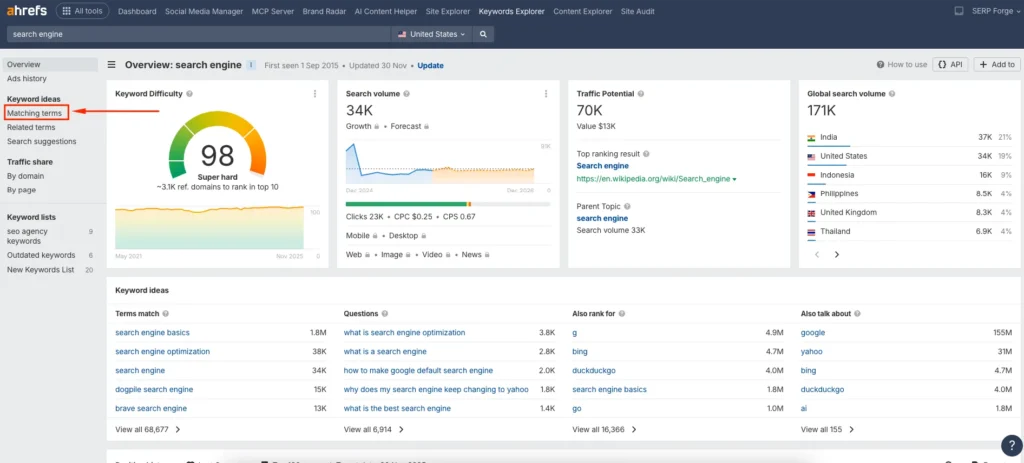
This section shows a wide list of related keywords that include your seed keyword or are closely connected semantically. This is where intent-based filtering becomes powerful.
4. Choose the “Intents” filter from the top bar
At the top of the keyword list, locate the Intents filter. Click on it to open the intent options available in Ahrefs.
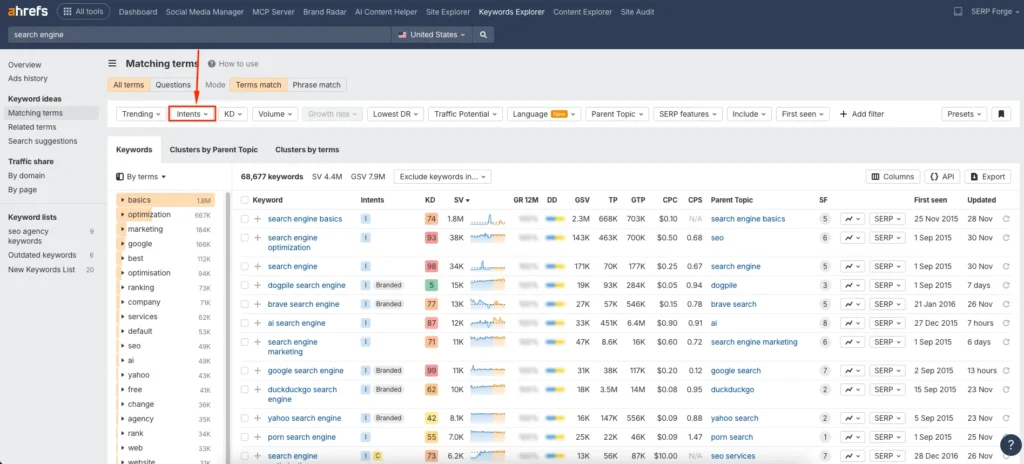
Ahrefs automatically classifies keywords based on how users typically search and what type of content ranks for them.
5. Select intent types one by one
Now, select the intent you want to target. Ahrefs usually categorizes keywords into:
- Informational
- Commercial
- Navigational
- Transactional
If you want a deeper understanding of how these map to user behaviour, see our full breakdown of keyword intent. I strongly recommend selecting one intent at a time.
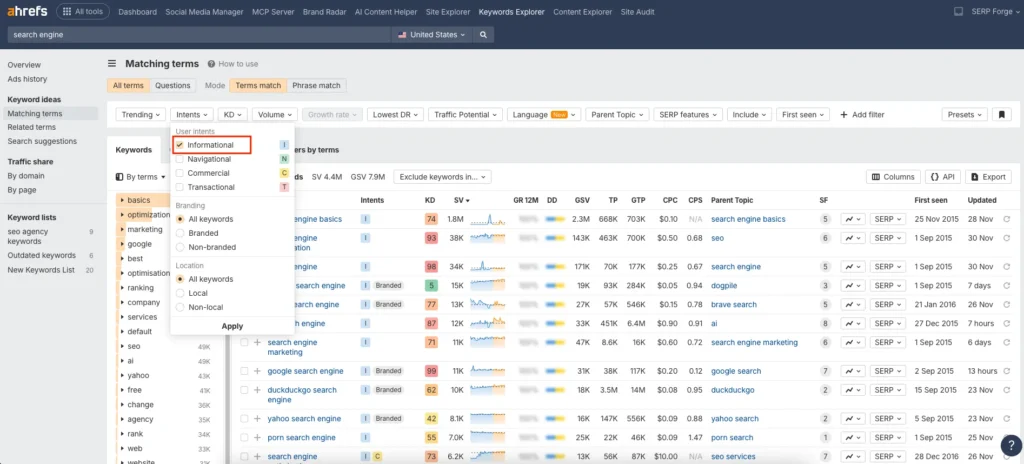
For example, start with informational intent. Apply the filter, review the keyword list, and save or export the data. Then uncheck informational, select commercial intent, and repeat the process. This helps you clearly separate content ideas by intent and avoid mixing blog topics with money pages.
6. Click “Apply” after selecting the intent
Once you choose your desired intent, click on Apply to set the filter.
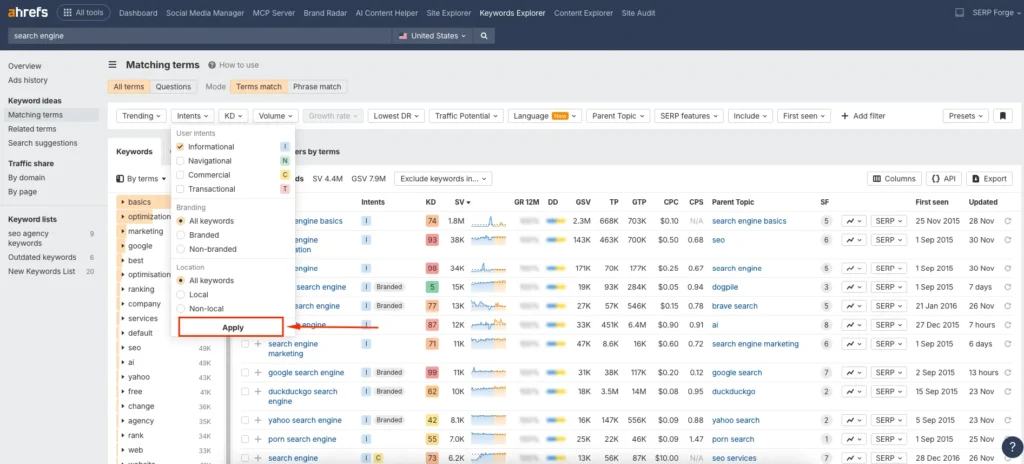
This step ensures that Ahrefs updates the keyword list based on your selected intent preference.
7. Click “Show results” to view filtered keywords
After applying the filter, click on Show results.
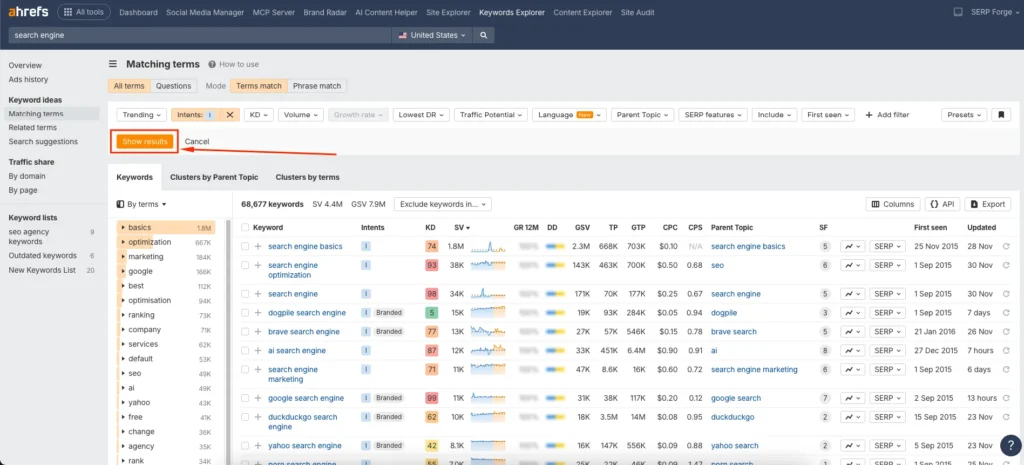
Now you will see only those keywords that fall under the selected search intent. At this stage, I usually analyze metrics like keyword difficulty, traffic potential, and parent topics to decide which keywords are worth targeting.
8. Export the keyword data for analysis
Finally, click on the Export button in the top-right corner.
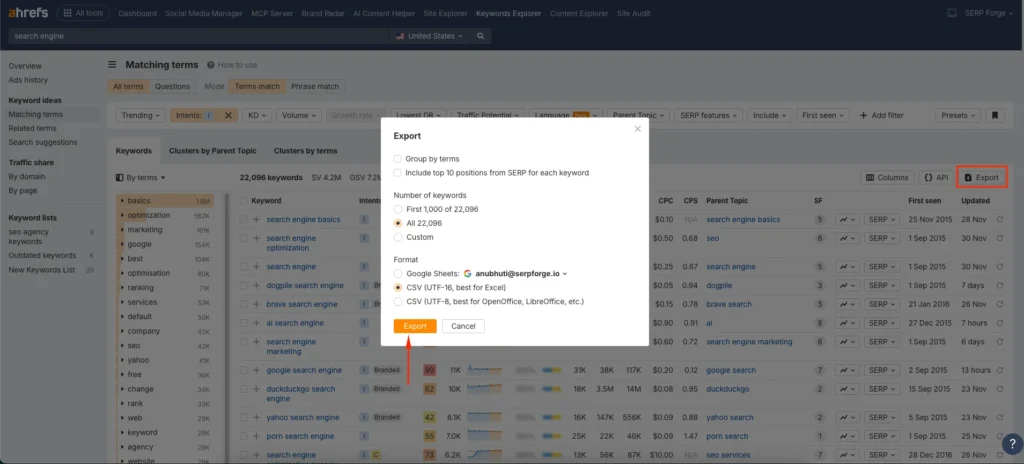
You can download the data in Excel or Google Sheets format. I personally prefer exporting it so I can further organize keywords, map them to content types, and plan articles or landing pages more effectively.
Conclusion
Understanding search intent completely changes how you approach keyword research. Instead of chasing volume, you start prioritizing relevance and user expectations.
When you filter keywords based on search intent in Ahrefs, you gain clarity on what type of content Google wants to rank and what users actually want to find.
I have tested this approach across multiple niches, and it consistently improves rankings, engagement, and conversions. By separating keywords based on intent, you create focused content that serves the right purpose at the right stage of the user journey.
If you want a cleaner keyword list, better content alignment, and stronger SEO results, mastering intent-based filtering in Ahrefs is no longer optional. It is essential.
Frequently Asked Questions
Why is search intent important for keyword research?
Search intent helps you understand what users expect when they search a keyword. Targeting the correct intent improves relevance, rankings, and user satisfaction.
Does Ahrefs automatically classify keyword intent?
Yes, Ahrefs uses SERP analysis and machine learning to group keywords into intent categories such as informational, commercial, navigational, and transactional.
Can one keyword have multiple search intents?
Some keywords can show mixed intent, but Ahrefs usually assigns the dominant intent based on ranking pages. You should still review SERPs manually for accuracy.
Which intent should I target for blog posts?
Blog posts usually perform best with informational intent keywords, especially for educational or problem-solving content.
Is filtering by intent better than filtering by keyword difficulty?
They serve different purposes. Keyword difficulty helps assess competition, while intent ensures relevance. The best strategy combines both for smarter keyword selection.

