
For a long time, I focused only on high-volume keywords and struggled to get consistent rankings. Things changed when I started targeting long tail keywords.
These keywords usually have lower search volume, but they attract highly targeted traffic and convert better because they match specific search intent.
From my experience, long tail keywords helped me rank faster, bring steady organic traffic, and reduce competition pressure.
Ahrefs makes this process much easier by showing keyword variations, search intent signals, and filtering options in one place.
In this guide, I will walk you through how I personally find long tail keywords using Ahrefs, step by step, in a practical and repeatable way.
Steps to Find Long Tail Keywords Using Ahrefs
1. Open the Keywords Explorer Tool
Log in to your Ahrefs account and click on the Keywords Explorer tab from the top navigation menu.
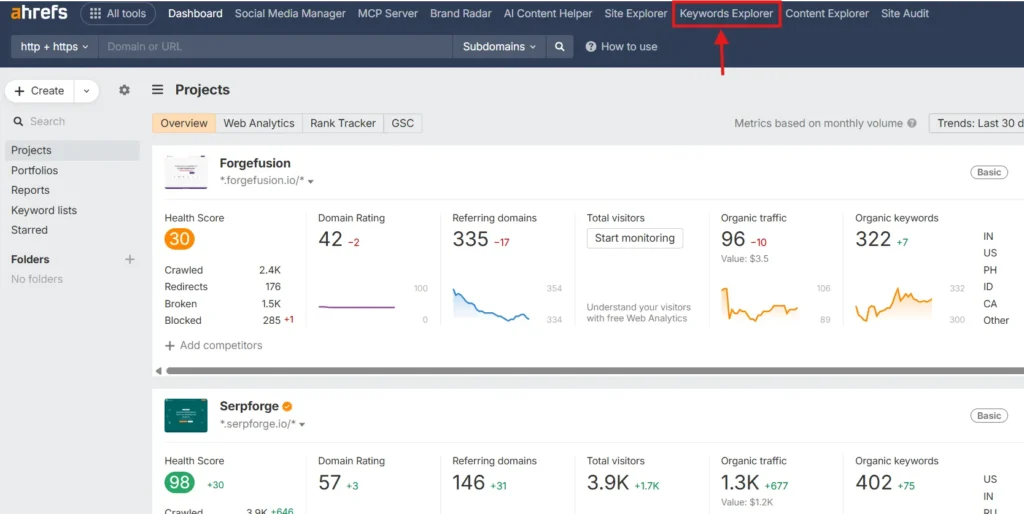
This is where Ahrefs pulls keyword data from multiple search engines and presents search volume, keyword difficulty, and related terms in one dashboard.
2. Add Your Primary Seed Keyword
Enter your main seed keyword into the search field and select the target country or location you want to analyze.
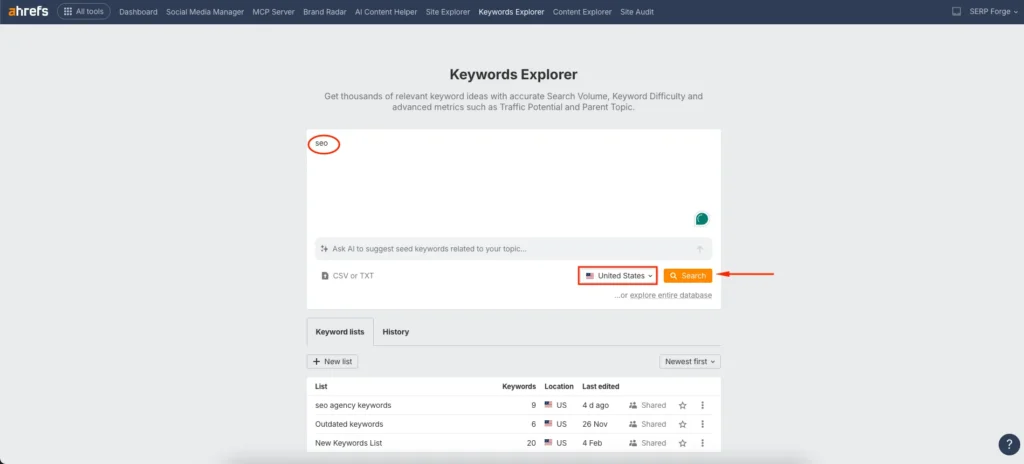
I always start with a broad keyword that represents the core topic, because it unlocks hundreds of related long tail opportunities.
3. Access the Matching Terms Report
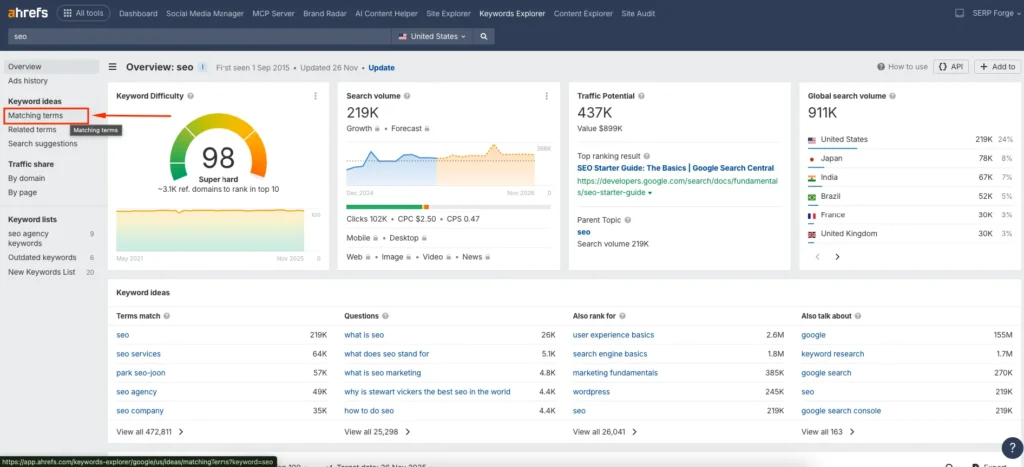
After the keyword overview loads, click on Matching terms. This report shows keywords that include your seed term and closely related variations, which is where most long tail keywords naturally appear.
4. Explore Keyword Ideas Based on Questions
From the filter bar, select Questions instead of all terms. This view highlights question-based long tail keywords that clearly show user intent, such as informational or problem-solving searches.
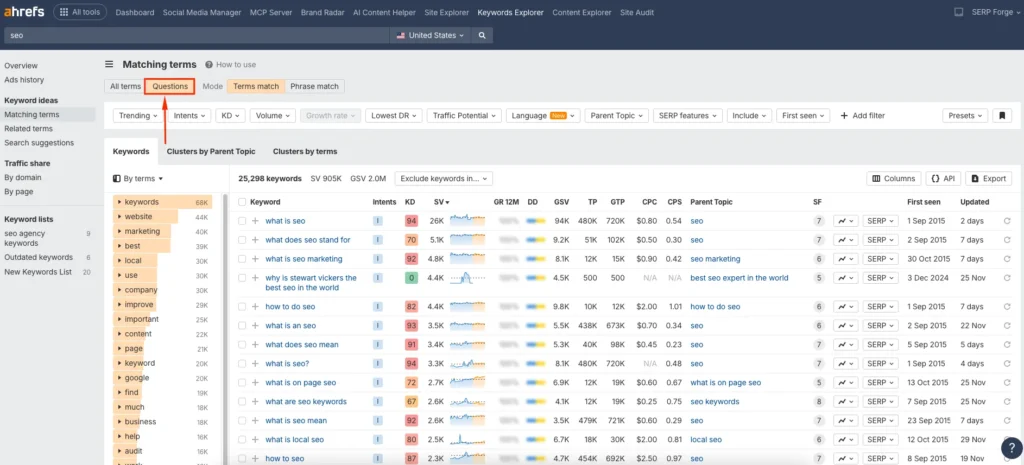
I often prioritize these because they work well for blog content and featured snippets.
5. View Broader Keyword Variations
To find broader long tail keyword ideas, switch back to All terms and then click on More filters.
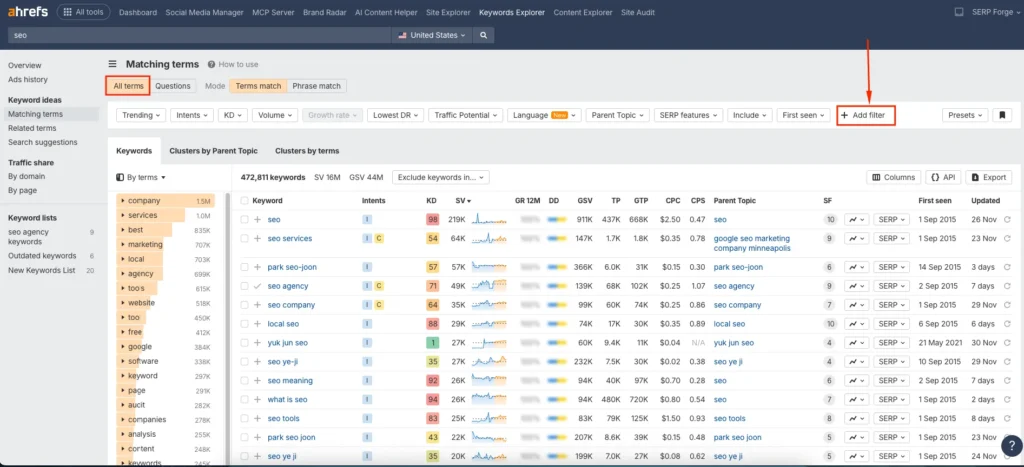
This allows you to refine results beyond exact-match phrases and discover keyword variations you might not think of manually.
6. Set a Custom Word Count Filter
Click on Word count and set a minimum of four to six words.
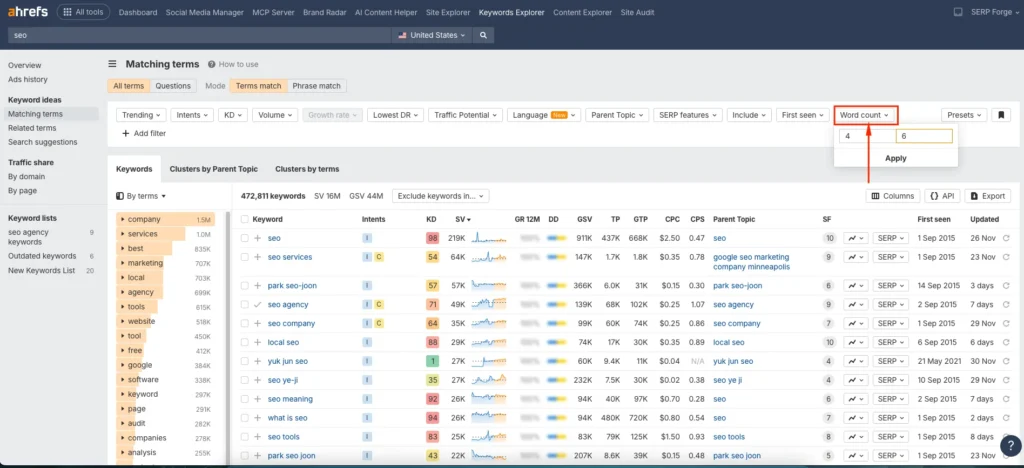
In my testing, this range consistently surfaces true long tail keywords that are easier to rank for and closely aligned with specific search intent.
7. Apply the Selected Filters
Apply the selected filters to generate a refined list of long tail queries related to your seed keyword.
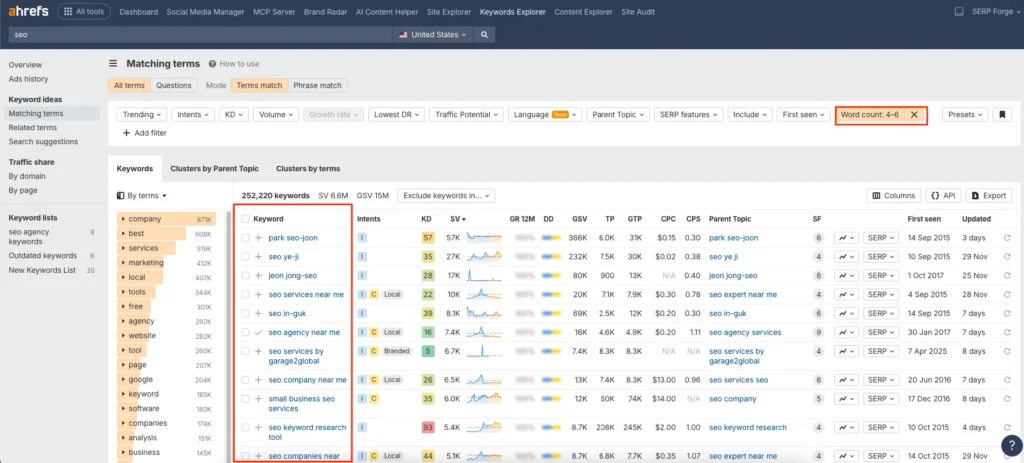
At this stage, I review search volume, keyword difficulty, and relevance before choosing keywords for content creation.
Conclusion
Finding long tail keywords using Ahrefs becomes straightforward when you start with a strong seed keyword, explore matching and question-based terms, apply smart filters like word count, and analyze intent before selecting keywords that can realistically drive targeted organic traffic.
When you consistently use Ahrefs to analyze matching terms, questions, and word count filters, you start uncovering keywords that align perfectly with real user problems.
Frequently Asked Questions
What is the ideal keyword difficulty for long tail keywords in Ahrefs?
A keyword difficulty score below 20 is often a good starting point, especially for newer websites.
Can long tail keywords generate consistent traffic over time?
Yes, long tail keywords tend to bring stable and recurring traffic because they match specific user intent.
Should I use multiple seed keywords in Ahrefs?
Yes, using multiple relevant seed keywords helps uncover a wider range of long tail keyword opportunities.
Are long tail keywords better for new websites?
They are ideal for new sites because they face less competition and allow you to rank faster.
How do I choose between similar long tail keywords?
Compare search volume, keyword difficulty, and intent, then select the keyword that best matches your content goal.

