




Not every page on your website gets crawled equally. If Googlebot spends time on duplicate URLs, redirects, or low-value pages, your most important content may take longer to be discovered and indexed.
That’s where crawl budget becomes important. It determines how much time Googlebot spends crawling your website and which pages it prioritizes. While smaller websites rarely face crawl budget issues, large or frequently updated sites can lose valuable crawl activity to unnecessary URLs.
In this, you’ll discover what crawl budget is, what affects it, when it becomes a concern, and how to optimize it so Google focuses on the pages that matter most.
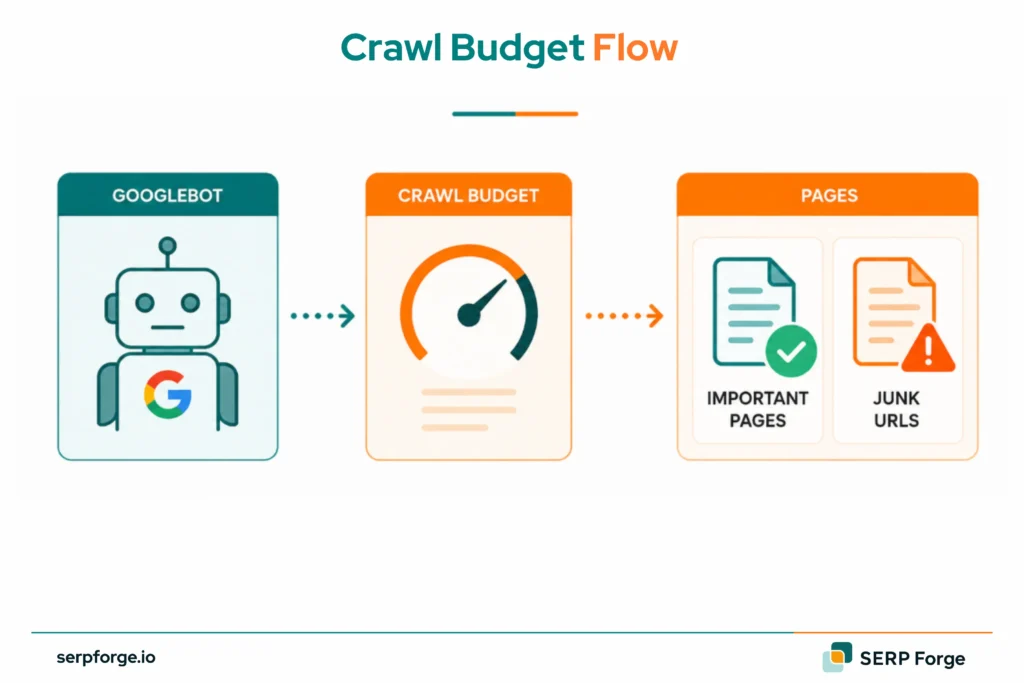
What Controls Your Crawl Budget?
Google crawl budget depends on two factors: crawl capacity limit and crawl demand.
Capacity means how much crawling your server can handle. Demand means how often Google wants to revisit your pages.
For crawl budget in SEO, the main question is priority. Googlebot should reach priority URLs before duplicate, broken or filtered URLs take up crawl time.
Crawl Capacity Limit
Crawl capacity limit is the maximum crawling your server can handle while staying stable.
If your server responds fast, Googlebot can crawl more URLs in the same visit. If the server becomes unstable, times out or returns 5xx errors, Google may reduce crawling.
A crawl budget limit can tighten when the server returns slow responses, timeouts or 5xx errors.
Check for these issues:
- Slow server response
- 5xx errors
- DNS or connectivity issues
- Heavy pages
- Timeout problems
Crawl Demand
Crawl demand is Google’s interest in crawling your pages.
Fresh, popular or frequently updated pages usually create higher crawl demand. Pages with backlinks, traffic and regular changes may be crawled more often than old static pages.
Crawl demand also depends on page quality. If a site has many duplicate, thin or confusing URLs, Google may spend crawl activity in the wrong places.
When Does Crawl Budget Become Important?
Crawl budget becomes important when crawl waste can delay discovery or indexing.
Check crawl budget on:
- Large ecommerce websites
- Marketplaces
- News publishers
- Programmatic SEO sites
- Sites with faceted navigation
- Sites with frequent content updates
- Sites with many “Discovered – currently not indexed” URLs
A large site may have 50,000 URLs, but only 5,000 deserve regular crawling. The rest may be filters, archive pages, duplicate paths, parameter URLs or old landing pages.
The better audit question is this: which URLs should Googlebot stop visiting?
Which Pages Waste Crawl Budget?
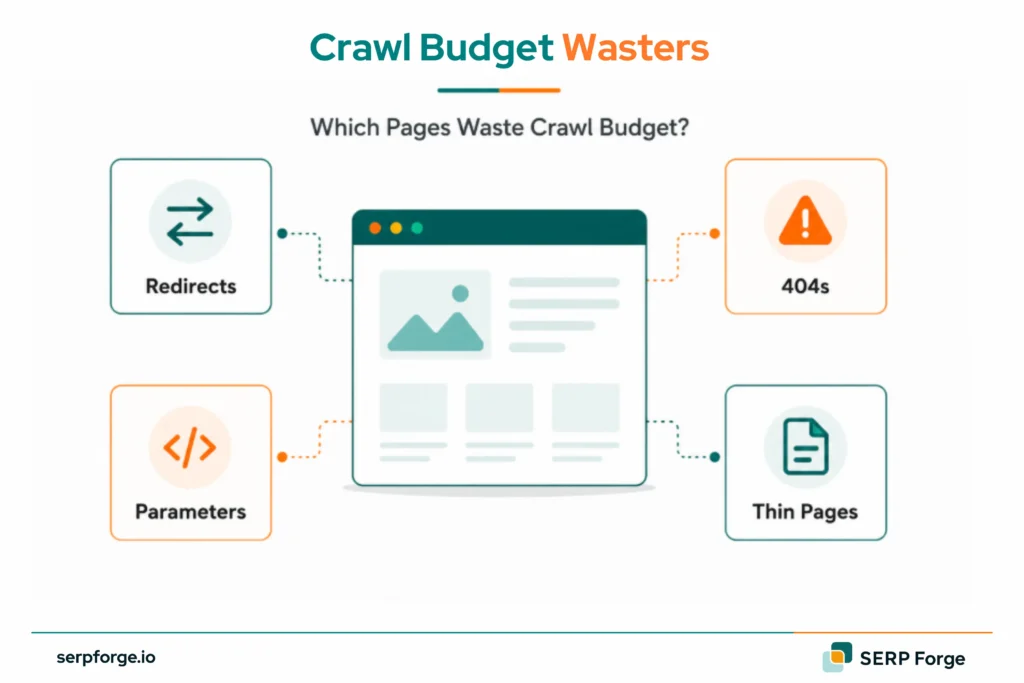
Pages waste crawl budget when they are crawlable but do not need to rank or be indexed.
They may exist for users, tracking, filters or old site structure. The problem starts when Googlebot spends too much time on them.
Common crawl budget wasters include:
- Duplicate pages
- URL parameters
- Internal search result pages
- Faceted navigation pages
- Thin tag pages
- Broken internal links
- Redirect chains
- Old campaign URLs
- Staging or test URLs
- Non-indexable pages inside sitemaps
Begin by classifying URLs based on their search value.
Keep crawl access open for pages that support search visibility. Clean up or control URLs that keep Googlebot away from priority pages.
Priority pages usually include:
- Product pages
- Category pages
- Service pages
- Updated guides
- Core landing pages
- Revenue pages
How Do You Optimize Crawl Budget?
Crawl budget optimization means removing crawl friction from the site.
If you are asking how to optimize crawl budget, start with URLs Googlebot should stop visiting. Then improve the routes into your priority pages.
Block Junk Pages With Robots.txt
Use robots.txt to block crawl paths that Googlebot does not need.
This can include internal search pages, cart URLs, admin paths and parameter-heavy filter pages.
Example:
Disallow: /search/
Disallow: /*?sort=
Robots.txt controls crawling. Use it to reduce unnecessary crawling, especially on large sites.
Fix Broken Links and Redirects
Broken links send crawlers to dead pages.
Start with internal links that return 404 errors. Update them to a live page, or remove the link if the page has no relevant replacement.
Redirect chains create another crawl drain.
A chain looks like this:
Old URL → Redirect 1 → Redirect 2 → Final URL
Replace internal links so they point directly to the final URL. This gives users and crawlers a shorter route.
Sort Out Your Canonical Tags
Canonical tags tell Google which version of a page should be treated as the main one.
They are useful when several URLs show similar content because of filters, tracking tags or duplicate templates.
The canonical tag should point to the preferred version.
Check that canonical tags are:
- Self-referencing on main pages
- Pointing to indexable URLs
- Consistent across duplicate versions
- Free from redirects
- Aligned with your sitemap
A poor canonical setup can leave Google crawling several versions of the same page.
Clean Up Your XML Sitemap
Your XML sitemap should list pages you want crawled and indexed.
Keep these in the sitemap:
- Canonical pages
- Indexable pages
- Main category pages
- Service pages
- Recently updated pages
Remove these:
- 404 URLs
- Redirected URLs
- Parameter URLs
- Noindex URLs
- Thin archive pages
For large websites, split sitemaps by page type.
Use separate sitemaps for products, categories, blogs and landing pages. This makes crawl issues easier to spot inside Google Search Console.
Speed Up Your Server
Server performance affects crawl capacity.
If Googlebot gets fast responses, it can move through more URLs without stressing the site. If the server slows down or returns errors, crawling can drop.
The practical answer to how to increase crawl budget is to improve crawl capacity and reduce wasted crawl paths.
Improve server response by:
- Using reliable hosting
- Compressing images
- Reducing heavy scripts
- Using a CDN
- Fixing 5xx errors
- Removing page bloat
Fix server issues before changing sitemaps, canonicals or internal links.
Add More Internal Links
Internal links guide Googlebot through the site.
Pages buried deep in the structure may be crawled less often. Orphan pages can be missed because no internal link points to them.
Add internal links from high-value pages to URLs that need crawl attention.
Useful sources include:
- Homepage blocks
- Category pages
- Related blog posts
- Resource hubs
- Navigation sections
- Footer links for key pages
Use descriptive anchor text so Google can understand the page relationship faster.
Internal links also help Google read page hierarchy and topical connections.
How Do You Check Crawl Budget in Google Search Console?
You can check crawl activity in Google Search Console through the Crawl Stats report.
Go to:
Google Search Console → Settings → Crawl stats → Open report
This report shows Googlebot activity over the last 90 days.
Review these metrics:
- Total crawl requests
- Total download size
- Average response time
- Host status
- Crawl response codes
- Crawl purpose
- Googlebot type
The Crawl Stats report is the best starting point for anyone asking how to check crawl budget.
Begin with crawl trend. A sudden drop can point to server issues, robots.txt changes, site migration problems or reduced crawl demand.
Then check response codes. Too many 404, 5xx or redirected URLs can signal crawl waste.
Next, check average response time. If response time rises, Googlebot may crawl more slowly to avoid stressing the site.
You will not see one exact crawl budget number. You will see crawl behaviour, server health and crawl problems.
How Does Crawl Budget Affect Indexation?
Crawling and indexing are connected, but they are separate steps.
Crawling means Googlebot visits a URL. Indexing means Google stores the page and can show it in search results.
A page usually needs to be crawled before it can be indexed.
Crawl budget affects indexation when priority URLs are delayed by redirects, duplicate URLs or weak internal links.
That can happen when Googlebot spends too much time on:
- Duplicate URLs
- Broken links
- Redirect chains
- Parameter pages
- Thin pages
- Non-indexable URLs
For large websites, crawl waste can delay priority pages from entering the index.
Check these reports in Google Search Console:
- Discovered – currently not indexed
- Crawled – currently not indexed
- Duplicate without user-selected canonical
- Alternate page with proper canonical tag
Each status means something different.
“Discovered – currently not indexed” means Google knows the URL exists but has not crawled it yet.
“Crawled – currently not indexed” means Google crawled the page and chose to keep it out of the index.
That distinction helps you decide whether the issue is discovery, content quality or technical structure.
Crawl budget optimization helps with discovery. Indexation still depends on page quality, canonical clarity and internal linking.
Conclusion
Crawl budget is worth fixing when Googlebot keeps reaching pages that should sit lower in your crawl priority.
For large or fast-changing sites, that usually means filters, parameters, old URLs and weak sitemap entries are using crawl activity that should go to priority pages.
Use the Crawl Stats report to spot the pattern first. Then reduce unnecessary crawling and strengthen internal links to the pages Google should revisit more often.