


Tracking brand mentions has always been part of my SEO and reputation monitoring workflow, but doing it manually or through scattered tools never gave a complete picture.
When Ahrefs introduced Brand Radar, I tested it on my own brand and competitors to see how accurately it captures brand visibility across search results. The tool focuses on brand mentions, search presence, and competitive comparison, all within the Ahrefs ecosystem.
Ahrefs Brand Radar helps you understand where and how often your brand appears in search results, how it compares with competitors, and how brand visibility changes over time.
In this blog, I will explain what Brand Radar is, how to use it step by step, and how you can apply it in real-world brand monitoring, based on hands-on usage rather than theory.
Steps to Use Brand Radar in Ahrefs
1. Start by Navigating to Brand Radar
Log in to your Ahrefs account and open the main dashboard. From the top navigation menu, click on the Brand Radar option.
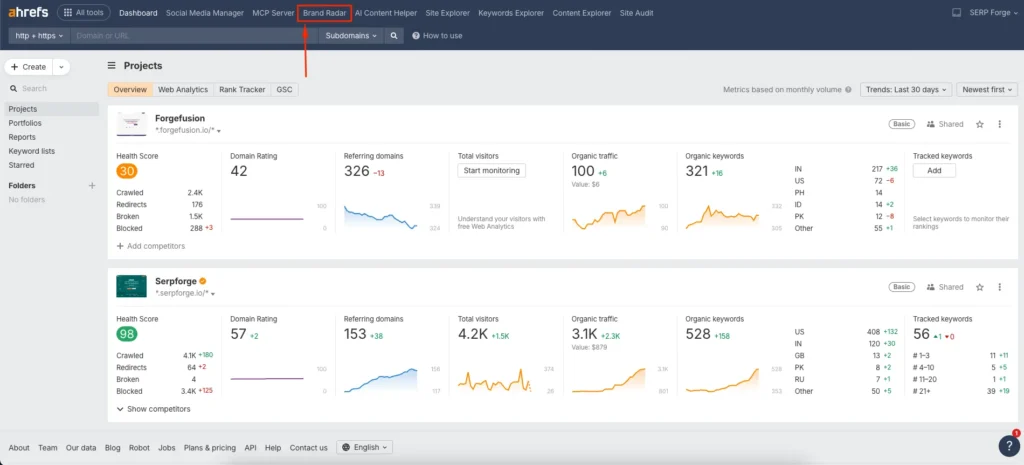
This section opens a dedicated workspace designed specifically for tracking brand mentions and visibility trends across search results.
2. Enter Your Brand Name
In the brand input field, enter your brand name.
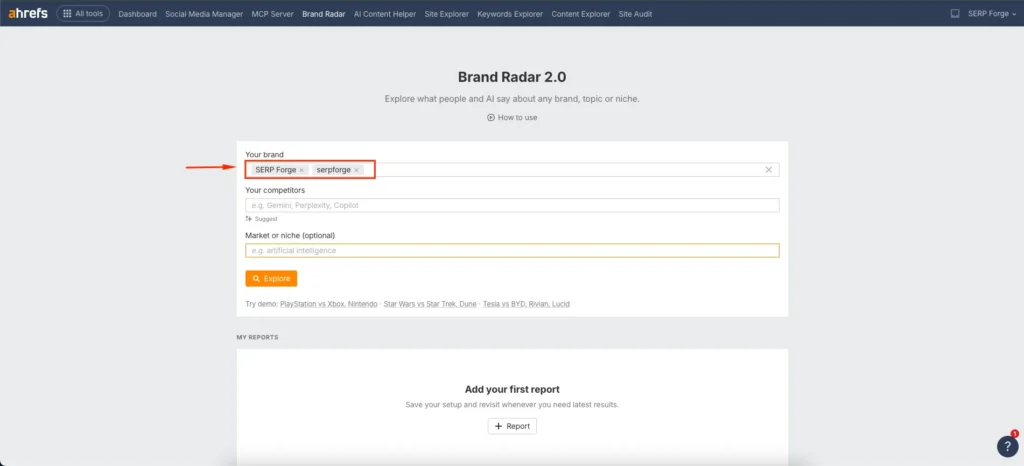
I recommend adding multiple variations of your brand name to capture all possible mentions. For example, if the brand is SERP Forge, it should include variations such as SERP Forge and serpforge. This approach helps detect mentions that appear with different casing or formatting.
3. Enter Your Competitor’s Name
Next, add your competitors one by one in the competitor fields.
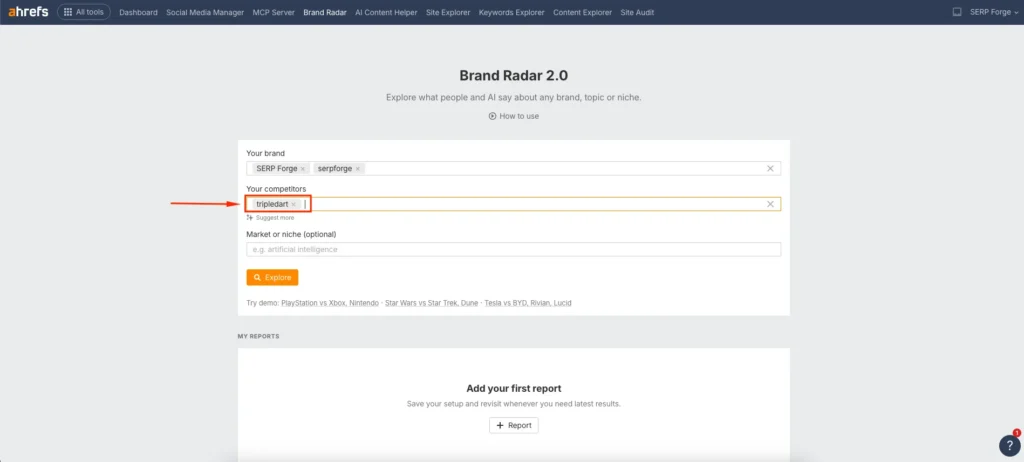
Including competitor brand names allows you to compare visibility trends, measure relative brand presence, and identify gaps where competitors may be getting more exposure. I often add at least three close competitors to get a realistic benchmark.
4. Enter Market or Niche
Add your industry, market, or niche in the market field.
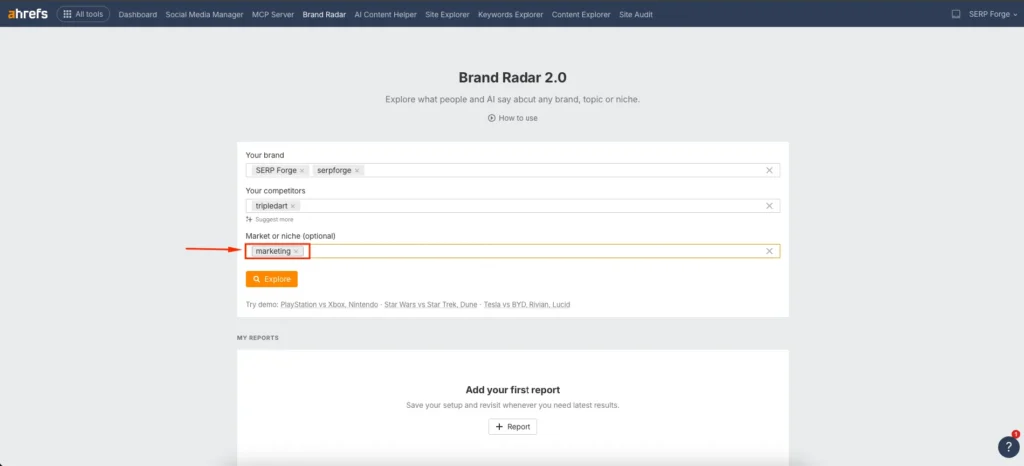
This step helps Brand Radar filter mentions within a relevant context. For example, adding a niche like SEO tools, SaaS marketing, or digital analytics ensures that brand mentions align with your actual audience and search intent.
5. Click on Explore
Once all details are added, click on the Explore button.
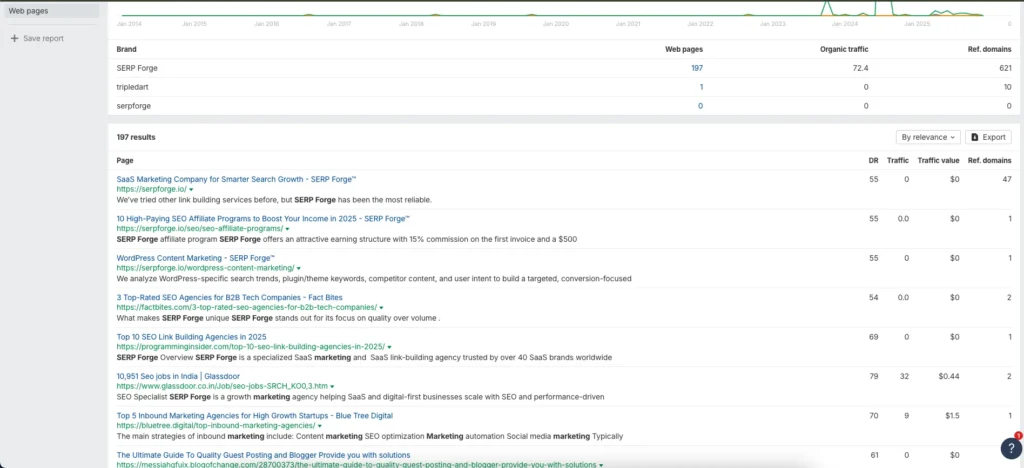
Ahrefs then generates a detailed Brand Radar report showing brand mentions, visibility trends, and comparative performance. This is where insights start becoming actionable.
Conclusion
Ahrefs Brand Radar is a practical and data-driven way to monitor branded mentions, measure brand visibility, and compare performance against competitors within your market.
From personal use, it simplifies brand tracking by centralizing insights that would otherwise require multiple tools and manual checks.
If brand awareness, reputation monitoring, and competitive visibility matter to your SEO strategy, Brand Radar offers a focused and reliable solution.
Frequently Asked Questions
What type of brand mentions does Ahrefs Brand Radar track?
Brand Radar tracks brand mentions within search results, helping you understand visibility rather than social media or PR mentions.
Can Brand Radar track unlinked brand mentions?
Brand Radar focuses on brand presence in search results, not backlink attribution, so it complements but does not replace link monitoring tools.
How often does Brand Radar update data?
Data updates regularly based on Ahrefs crawling and keyword datasets, allowing you to monitor trends over time rather than one-off snapshots.
Is Brand Radar useful for small brands or startups?
Yes, even small brands benefit because it helps identify early visibility trends and competitive gaps before scaling marketing efforts.
Can I use Brand Radar for international markets?
Yes, you can analyze brand mentions across different markets by adjusting niche inputs and geographic settings within Ahrefs.


