


Low competitive keywords are search terms that have clear demand but relatively weak competition in Google search results. Targeting these keywords allows you to rank faster, attract consistent organic traffic, and build topical authority without relying heavily on backlinks.
According to SEO studies, nearly 96.55% of all web pages receive no organic traffic from Google, primarily because they target keywords that are too competitive.
Pages that rank on the first page often focus on long-tail, low difficulty keywords with precise search intent. This makes low competition keyword research a core part of any sustainable SEO strategy.
In this guide, I will show you a practical, step-by-step process to find low-competitive keywords using Ahrefs. This is the exact workflow I use to identify ranking opportunities, validate content ideas, and build SEO-driven content that performs reliably in search results.
Steps to Find Low Competitive Keywords Using Ahrefs
1. Go to Keyword Explorer
Log in to your Ahrefs account and open the Keyword Explorer tool from the main dashboard. This tool is designed specifically for keyword research and provides metrics such as keyword difficulty, search volume, traffic potential, and SERP analysis.
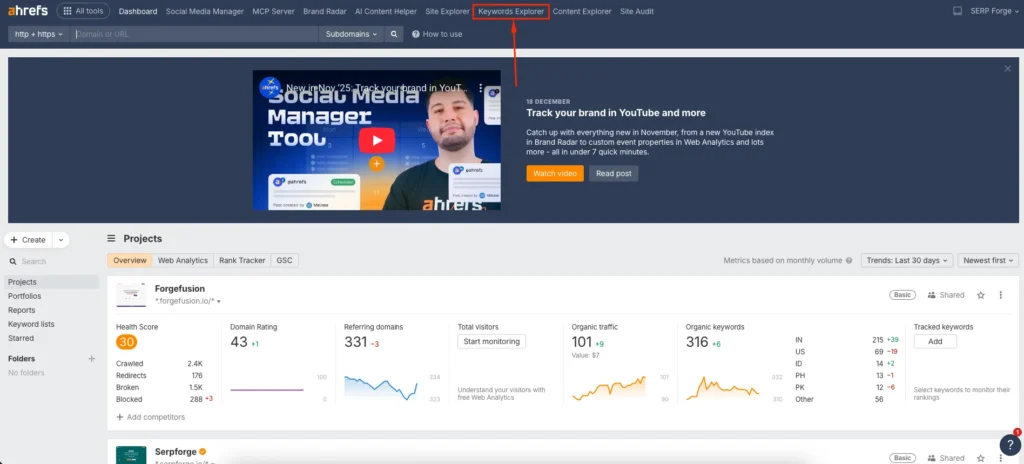
From my experience, Keyword Explorer is the most reliable starting point because it combines keyword data with real ranking difficulty signals, rather than relying on volume alone.
2. Enter Your Seed Keyword
Enter a seed keyword related to your niche or topic. A seed keyword is a broad term that represents what your content is about. For example, if your website is about SEO, your seed keyword could be “keyword research”, “on-page SEO”, or “SEO tools”.
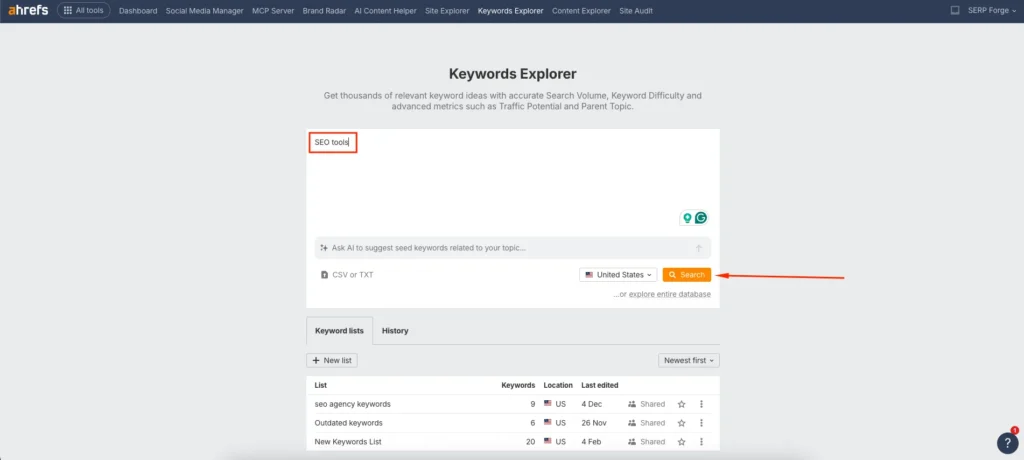
After entering the keyword, select your target country and click search.
3. Navigate to Matching Terms
Once Ahrefs shows the overview, go to the Matching Terms section. This is where the real keyword opportunities appear.
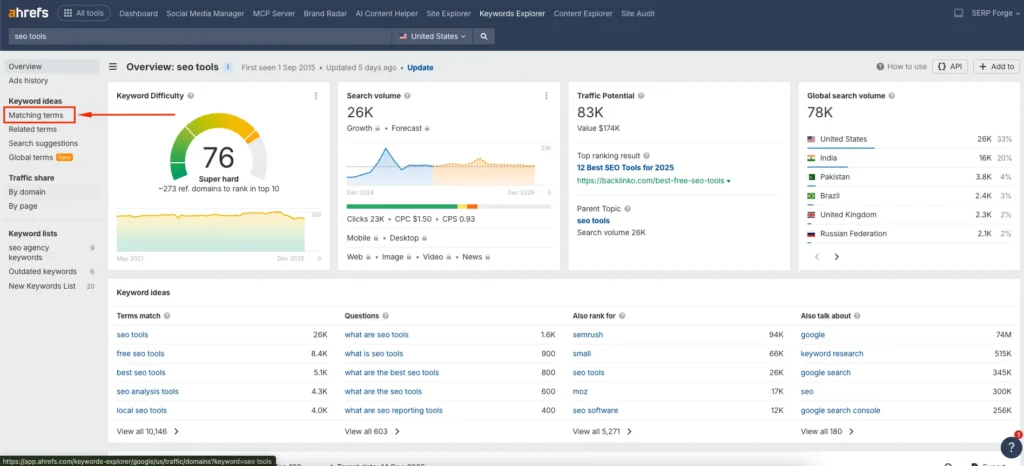
Matching Terms includes keyword variations, long-tail keywords, and semantically related phrases. These often have lower competition than the main seed keyword and reflect how users phrase real search queries.
4. Use Keyword Difficulty (KD) Filters
Apply the Keyword Difficulty filter to narrow down low competition keywords. For most new or medium-authority websites, I recommend setting KD between 0 and 10. If your site is very new, you can even focus on KD 0 to 5.
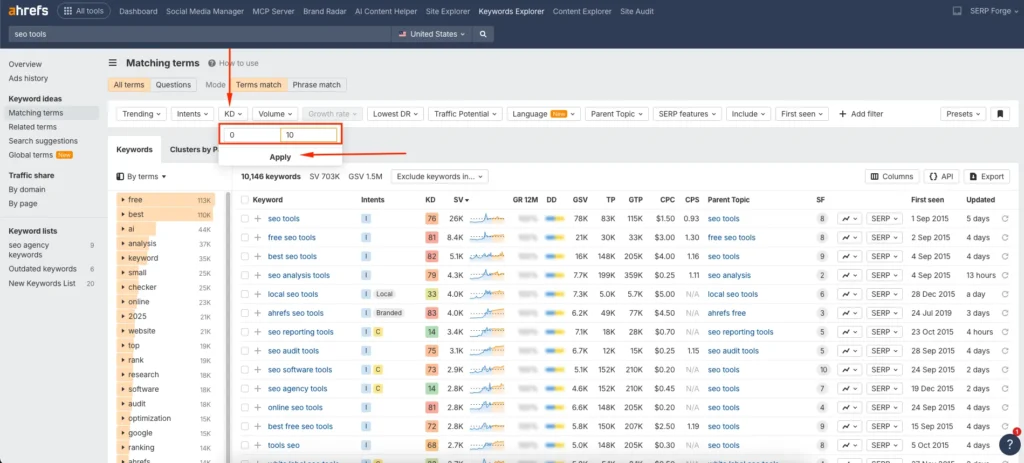
Do not rely on KD alone. I always combine this filter with manual SERP checks later to validate the opportunity.
5. Click on Lowest DR
Sort the SERP results by lowest Domain Rating (DR) and focus on websites with a DR of up to 5 that are ranking in the top 10 results.
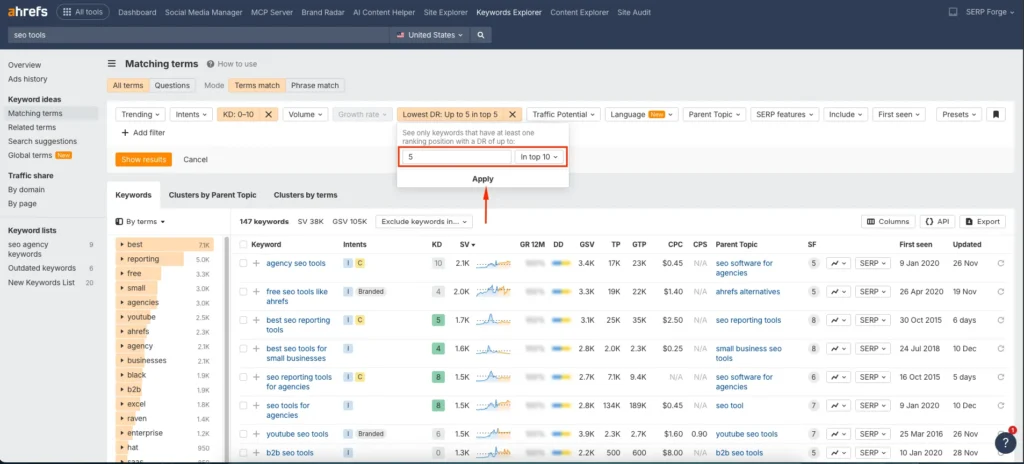
When low-DR websites appear on the first page, it signals weak competition and a realistic opportunity to outrank them with well-optimized content.
I personally rely on this step to validate keyword difficulty because it shows whether Google is ranking smaller or newer sites, not just authoritative domains.
5. Use Other Filters (Optional)
To refine your keyword list further, you can apply additional filters such as:
- Search volume to avoid keywords with no demand
- Word count to find long-tail keywords with clearer intent
- Traffic potential to estimate actual ranking value
- Include or exclude terms to match specific subtopics
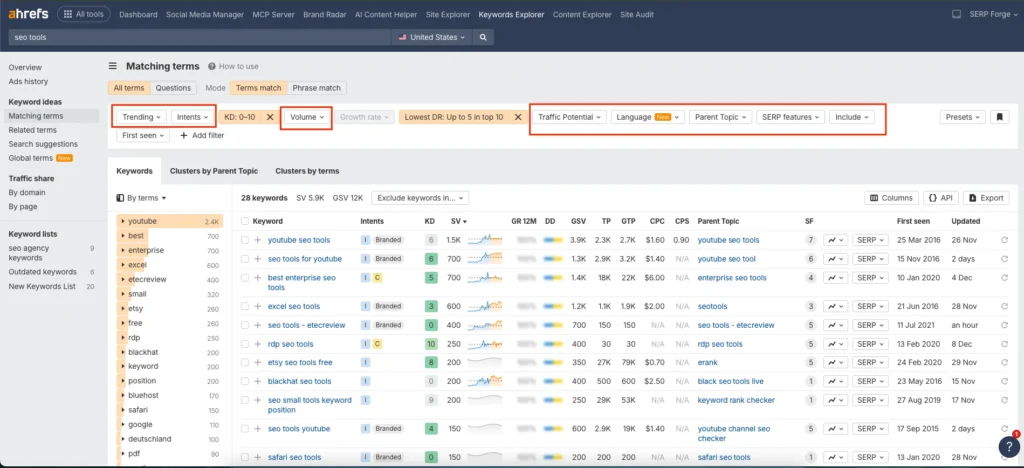
For example, if I am writing informational blog posts, I often include modifiers like “how”, “what”, or “best”. This helps surface keywords aligned with educational content rather than commercial pages.
These filters are optional, but they save time and help you focus on keywords that match your content goals.
6. Export the List of Keywords
Once you have filtered the list, export the keywords into a spreadsheet or CSV file. This allows you to group keywords by intent, topic cluster, or content type.
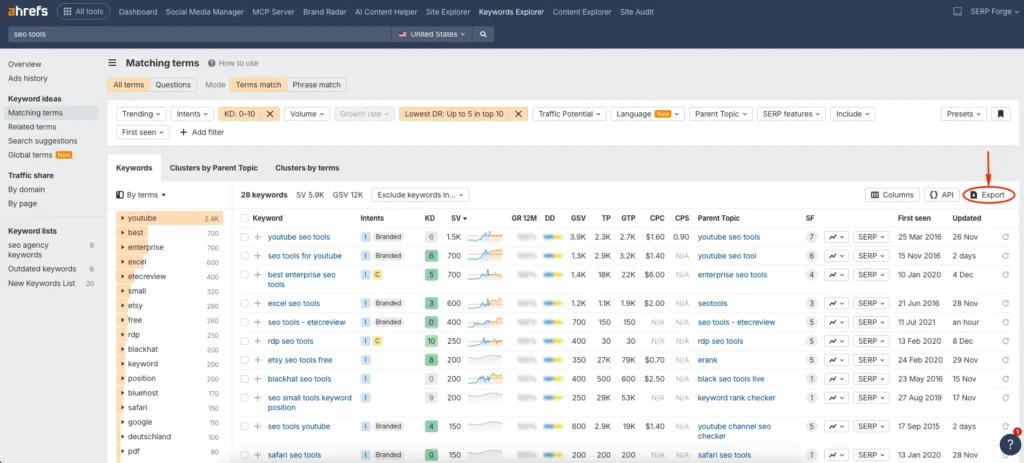
I usually organize exported keywords into categories such as blog posts, comparison pages, and supporting articles. This step makes content planning much easier and ensures each keyword has a clear purpose.
Conclusion
Finding low competitive keywords using Ahrefs is not about chasing shortcuts. It is about aligning your content strategy with realistic ranking opportunities.
By focusing on keyword difficulty, search intent, and semantic relevance, you can consistently publish content that ranks and attracts qualified traffic.
This method has helped me move from guessing topics to building data-driven content plans.
Whether you are running a niche blog, an agency site, or a SaaS content strategy, targeting low competition keywords gives you momentum, authority, and measurable SEO growth over time.


