


Backlinks play a major role in how search engines evaluate a website’s authority and trust. Over the years, while working on multiple SEO projects, I have seen rankings fluctuate simply because important backlinks were lost without anyone noticing. That is why regularly checking lost and removed backlinks is not optional if you care about organic performance.
Lost backlinks can signal technical issues, content changes, site migrations, or even negative SEO. Removed links may indicate that another site owner intentionally deleted your link or updated their content. If you do not track these changes, you lose valuable link equity without understanding why your rankings dropped.
In this guide, I will walk you through how I personally check lost and removed backlinks using Ahrefs. This is the same process I use during routine SEO audits and after ranking drops. Ahrefs makes backlink monitoring simple, accurate, and actionable, which is why it is my go-to tool for link analysis.
Steps to Check Lost & New Backlinks in Ahrefs
Below is the exact process I follow to identify lost and removed backlinks using Ahrefs.
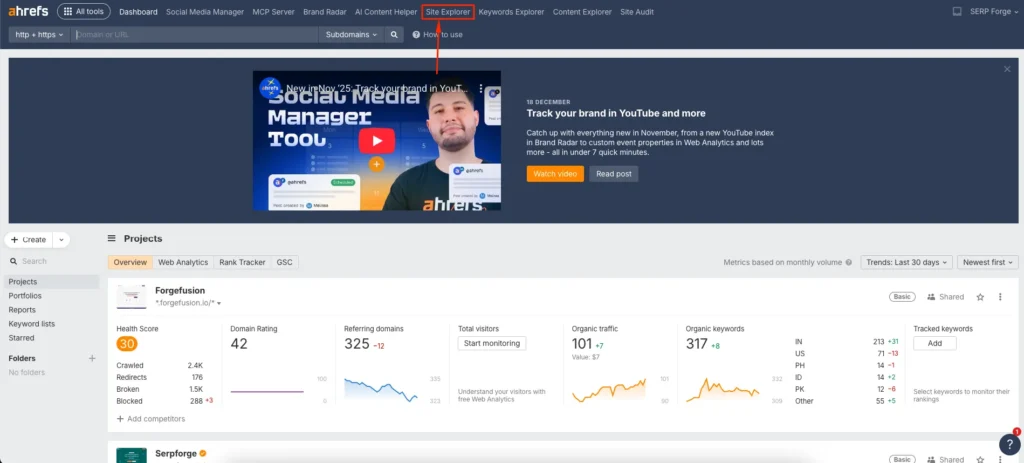
Open Site Explorer
Log in to Ahrefs and open Site Explorer. This tool collects backlink data, referring domains, and historical link changes for any website.
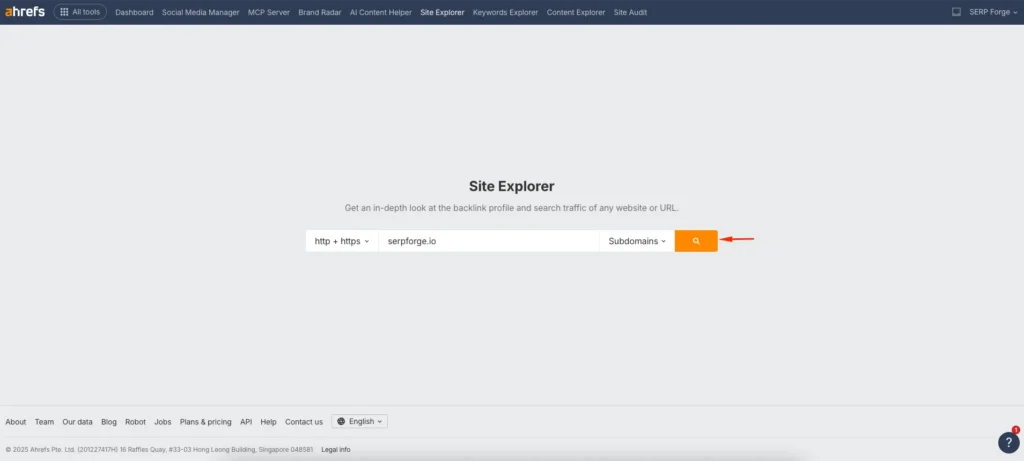
Enter your website URL
Enter your website URL in the search bar. Select the domain, subdomain, or exact URL based on how broadly you want to analyze backlink changes.
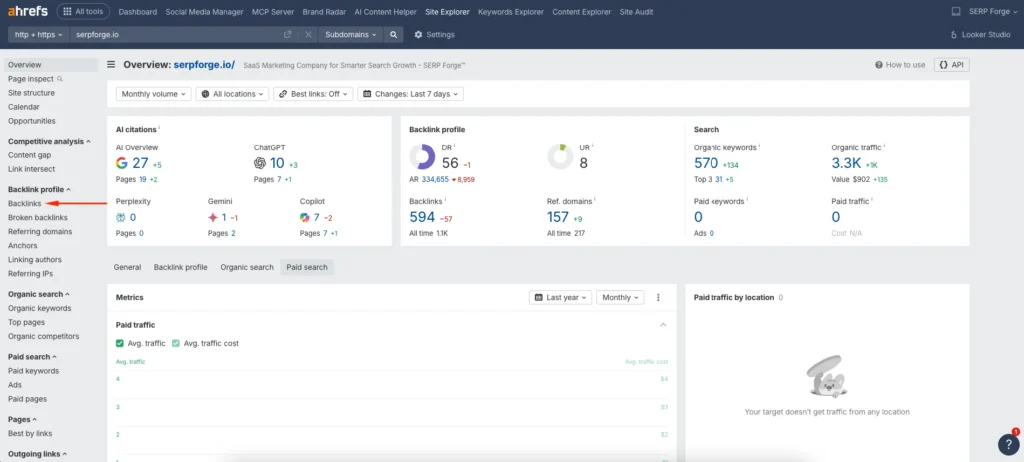
Open the Backlinks report
Click on Backlinks from the left sidebar. This section displays all inbound links pointing to your website with detailed link attributes.
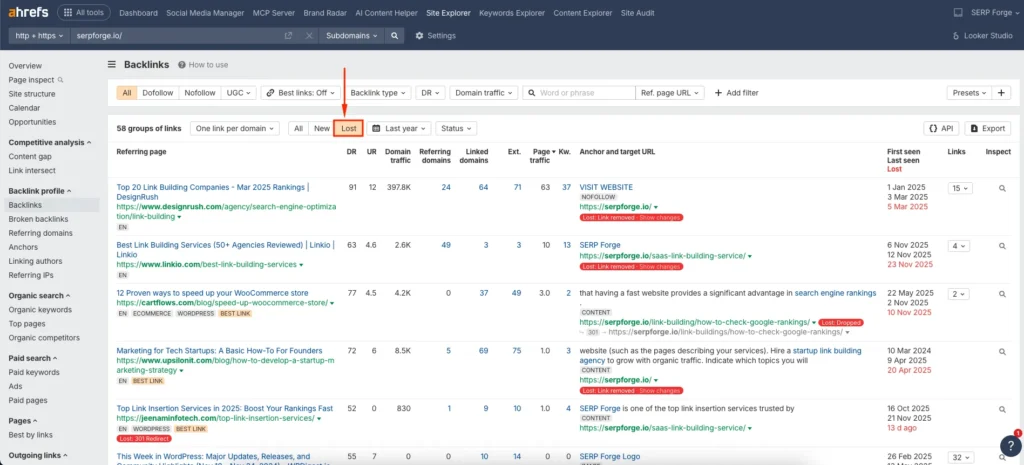
Filter backlinks by Lost
Click the Lost filter above the backlink list. Ahrefs now shows backlinks that are no longer active during the selected time range.
Apply the Status filter
Click the Status dropdown above the table. This filter helps identify the exact reason why a backlink was lost.
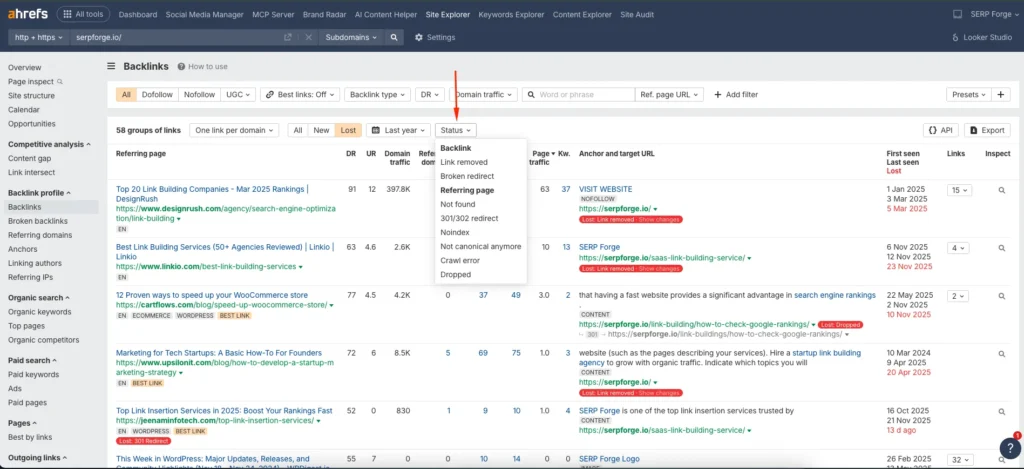
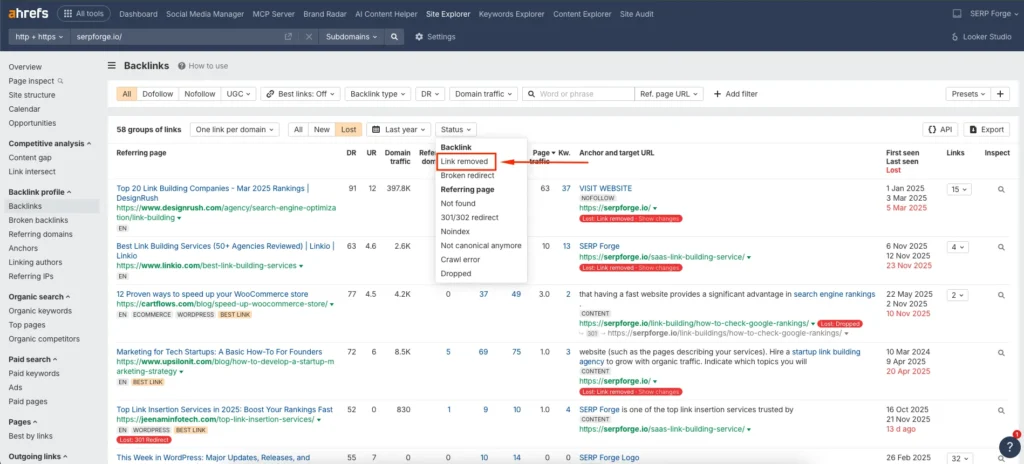
Select Link removed
Choose Link removed from the Status options. Ahrefs now displays backlinks that were manually removed from the referring pages.
Conclusion
Monitoring lost and removed backlinks is one of the most underrated SEO maintenance tasks. From my experience, regular backlink checks have helped me catch ranking issues early, protect hard-earned link equity, and improve link-building strategies over time.
Ahrefs simplifies this process by clearly separating lost, new, and removed backlinks, which makes decision-making much easier. Instead of guessing why rankings changed, you can rely on real backlink data to guide your next steps.
If you are serious about long-term SEO growth, checking lost and removed backlinks in Ahrefs should be part of your regular optimization routine.
FAQs
How often should I check lost backlinks in Ahrefs?
For most websites, checking once every two to four weeks is enough. For large or competitive sites, weekly monitoring helps catch issues faster.
Can lost backlinks affect keyword rankings?
Yes, losing high-authority or relevant backlinks can reduce link equity, which may lead to ranking drops for important keywords.
What is the difference between lost backlinks and broken backlinks?
Lost backlinks are no longer detected by Ahrefs, while broken backlinks usually still exist but point to non-working or redirected pages.
Can I recover removed backlinks?
In some cases, yes. If the link was removed due to content updates or outdated references, reaching out to the site owner with a relevant suggestion can help recover it.
Does Ahrefs show when a backlink was removed?
Yes, Ahrefs provides the approximate date when a backlink was lost, which helps correlate link loss with ranking or traffic changes.


