


Domain Rating (DR) is Ahrefs’ authority metric that evaluates the strength and quality of a website’s backlink profile on a scale from 0 to 100.
It helps you understand how powerful your site is in terms of link authority and how it compares to competitors.
Before you start any link-building campaign, you should always know your DR. I use it regularly to benchmark sites, analyze competitors, and track the impact of ongoing SEO work.
In this guide, I will walk you through the exact methods I use to check Domain Rating in Ahrefs.
Steps to Check Your Domain Rating in Ahrefs
1. Use the Ahrefs Website Authority Checker (Free)
You can check your domain rating for free using Ahrefs’ Website Authority Checker.
Open the Ahrefs Website Authority Checker in your browser, enter your domain name, and click the Check Authority button.

After completing the captcha, the tool will show your Domain Rating along with basic backlink insights. This is the quickest way to check DR without signing in.
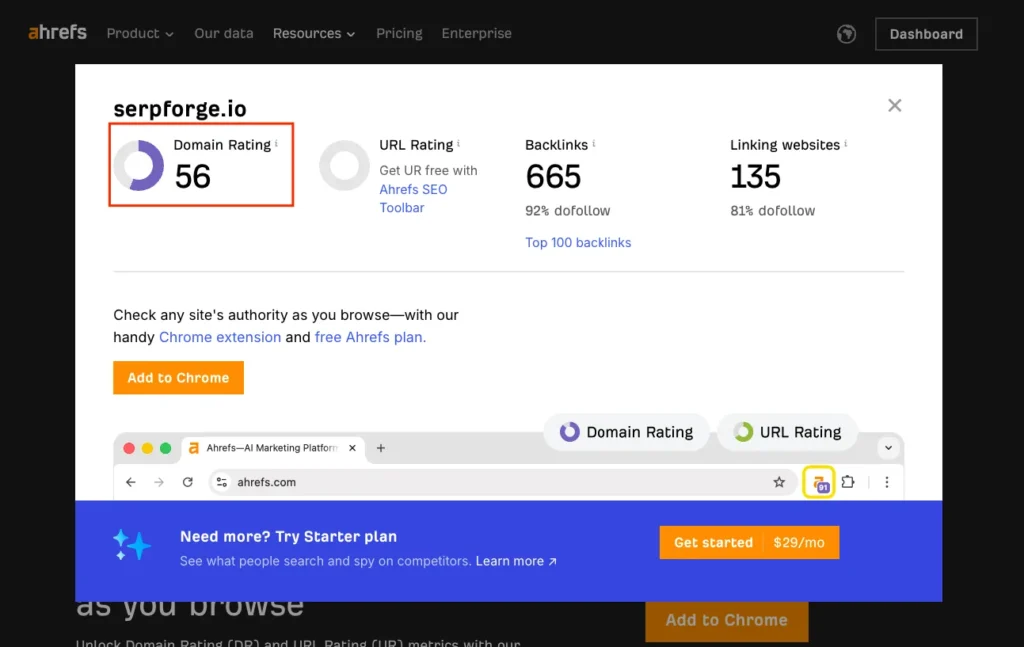
2. Check Website DR Using the Ahrefs SEO Toolbar Extension (Free)
If you want to monitor DR more frequently, the Ahrefs Chrome extension is a helpful option.
Install the Ahrefs SEO Toolbar from the Chrome Web Store.

Pin the extension to your browser.
Log in or create a free Ahrefs account.
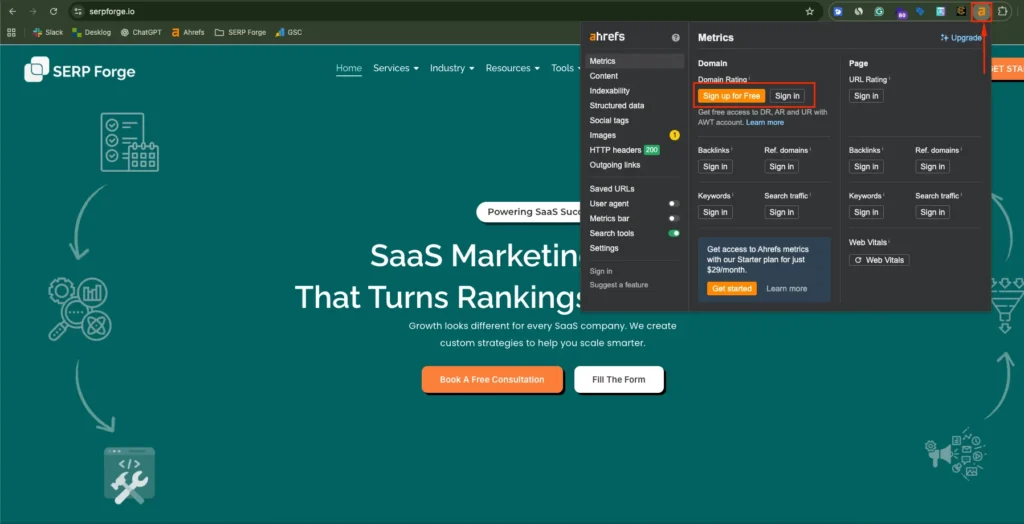
Visit your website and click the Ahrefs icon.

The extension displays your Domain Rating instantly. I use this method often because it shows DR directly on the extension icon, which makes quick checks very convenient.
Do you know?
Research shows that long-form content attracts significantly more links, earning about 77.2% more backlinks than shorter articles.
3. Check DR Using Site Explorer (Paid)
If you have a paid plan, Site Explorer gives you the most detailed breakdown.
- Open Site Explorer in Ahrefs.
- Enter your domain and click Search.
- In the Overview dashboard, go to the Backlink Profile section.

Here you will see two important metrics, like Domain Rating (DR) and Ahrefs Rank (AR)
These numbers help you measure your link authority and understand where your website stands in comparison to competitors.
Conclusion
Domain Rating is an important indicator of your website’s overall link strength. I check it regularly for all sites I manage because it gives a clear snapshot of authority growth, link-building progress, and competitive standing.
Whether you use the free tools or the full Site Explorer dashboard, monitoring DR helps you make informed decisions and build a stronger, more trustworthy SEO foundation.
FAQs on Checking Domain Rating in Ahrefs
Does Domain Rating directly affect my Google rankings?
No. DR is an Ahrefs metric, not a Google ranking factor. However, stronger backlink profiles often correlate with better rankings.
What is a good Domain Rating?
There is no universal benchmark, but most small to medium websites fall between DR 10 and DR 50. Competitive sites often exceed DR 60.
How often does Ahrefs update Domain Rating?
Ahrefs updates DR regularly. The frequency depends on how quickly they crawl and index new backlinks to your site.
Why does my Domain Rating drop?
Your Domain Rating may drop when you lose backlinks, when competitors earn stronger or more authoritative links, or when Ahrefs updates or recalculates its index.
Can I increase my Domain Rating quickly?
Raising DR takes consistent effort. You can improve it by earning high-quality backlinks, publishing authoritative content, and building digital PR opportunities.


