


Finding competitor backlinks is one of the fastest ways to understand how other websites build authority in your niche.
When I started analyzing competitors for my own projects, I realized that looking at their backlink profiles helped me uncover new link building opportunities that I would otherwise miss.
Ahrefs makes this entire process simple because it collects backlink data at scale and presents it in a clean, easy-to-understand format.
In this guide, I will walk you through the exact steps to check competitor backlinks using Ahrefs. You will learn how to view detailed backlink sources, apply filters that match your SEO strategy, and export clean backlink lists for outreach or analysis.
Steps to Find Competitor Backlinks in Ahrefs
1. Enter Your Competitor URL in Site Explorer
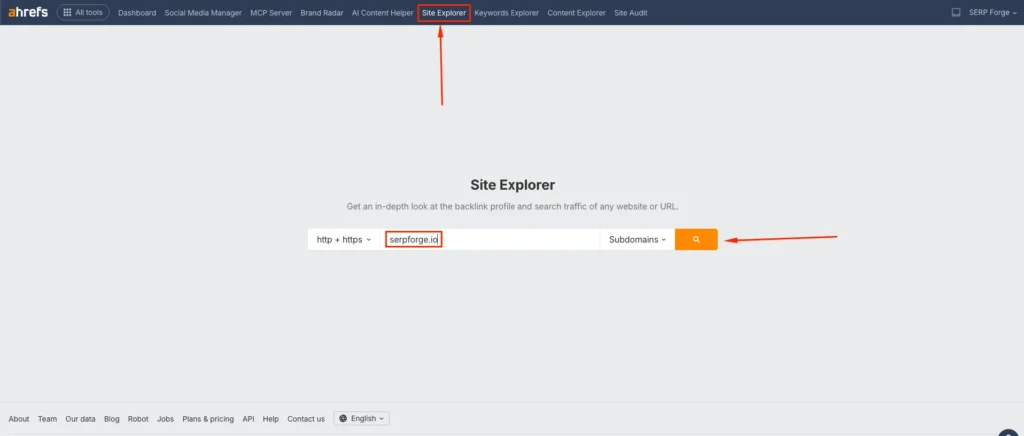
Open Ahrefs and go to the Site Explorer tool. Enter your competitor’s domain in the search bar.
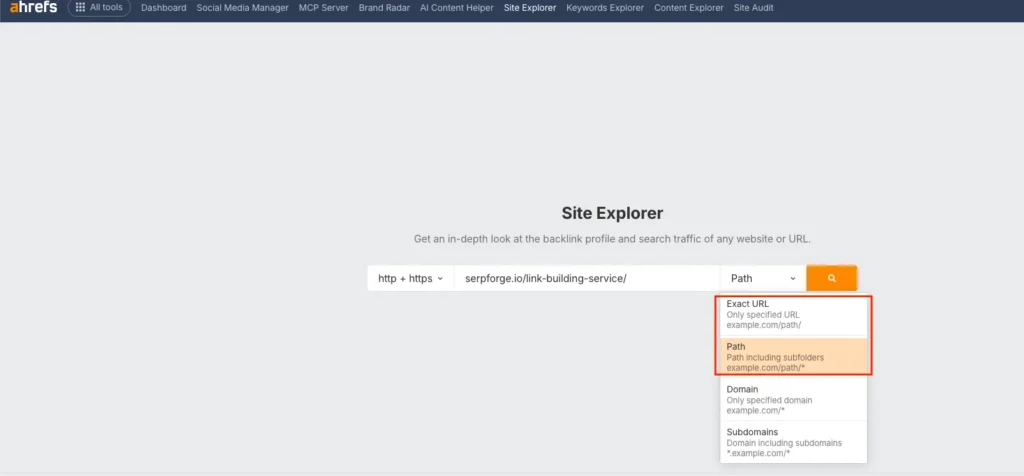
If you want to analyze backlinks for a specific page instead of the entire site, paste the exact page URL and select the correct mode. Choose “Exact URL” or “Path” when analyzing a single page. Avoid using “Domain” or “Subdomain” if you need page-specific backlink data.
2. Navigate to Backlinks
After the overview loads, look for the Backlink Profile section. Click on the number next to “Backlinks” to open the full list. You can also select “Backlinks” from the left-side navigation.
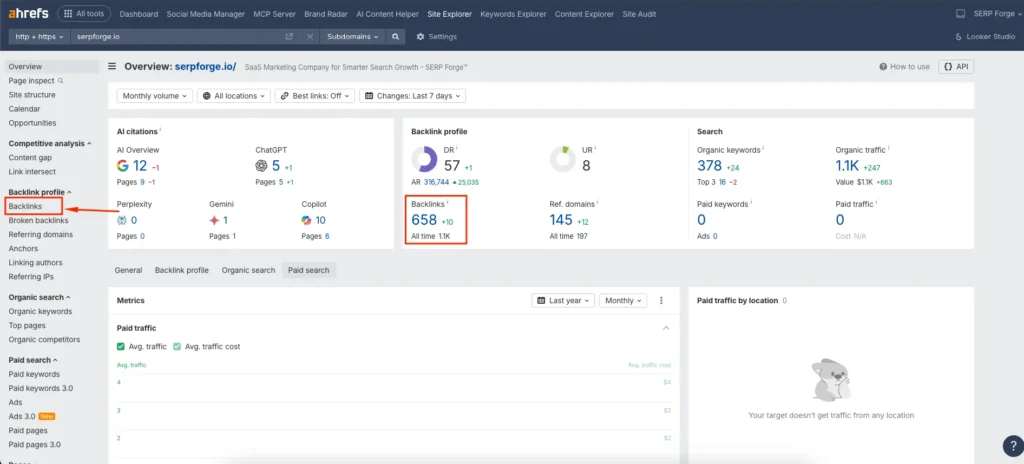
This page shows every referring page, anchor text, DR of linking domains, and the type of link used.
3. Apply Filters
Filters help you narrow down the backlinks that matter the most. You can choose filters such as dofollow, nofollow, link type, platform, referring domain DR, and estimated domain traffic.
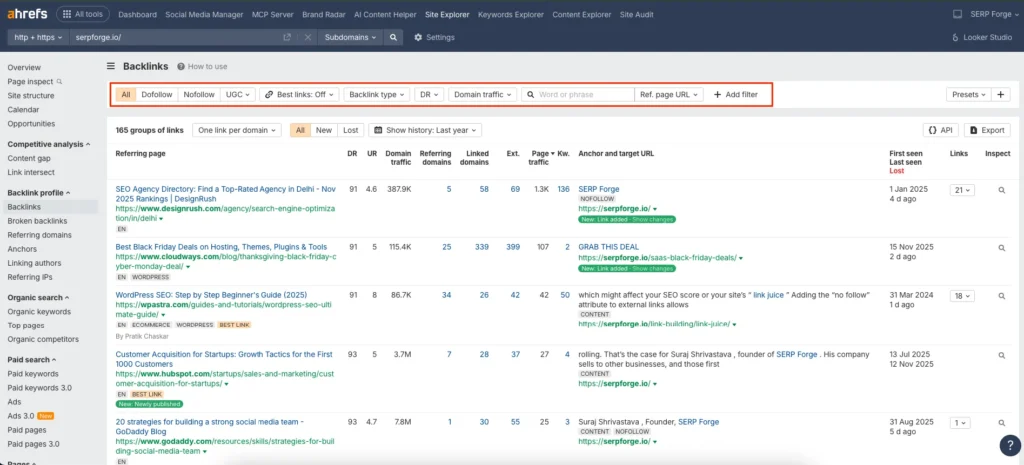
I often filter by dofollow links with a minimum DR threshold because it gives me a list of high-value backlinks that influence rankings.
4. Export the Report
Once you apply all your filters, click the Export button located in the top-right corner. Download the backlink list in a CSV or Google Sheets format.
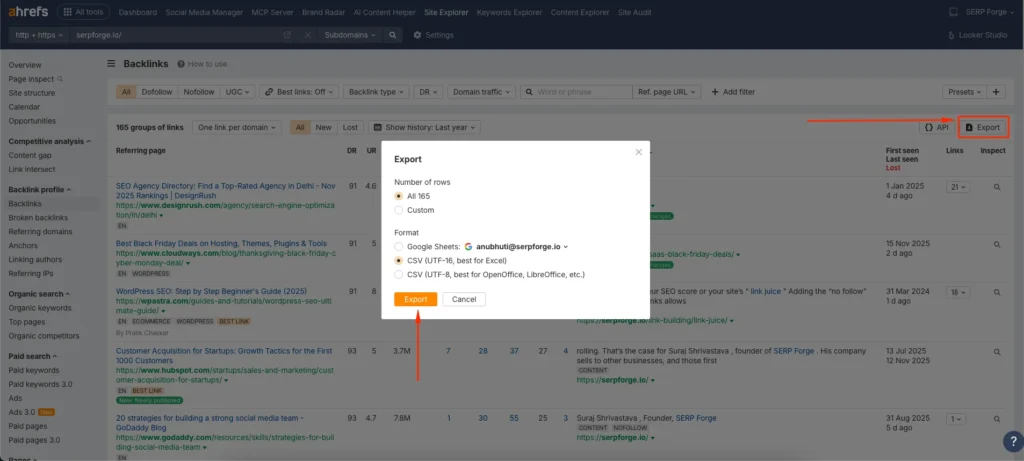
This makes it easier to organize data, run competitor comparisons, or plan link building outreach.
Conclusion
You can check competitor backlinks in Ahrefs by entering their URL in Site Explorer, navigating to the Backlinks section, applying targeted filters, and exporting the final report.
Once you start reviewing these backlinks regularly, you will understand how your competitors gain authority, which types of sites link to them, and where your own link building opportunities exist.
I rely on this process whenever I plan a new content strategy or search for potential outreach prospects.


