


Imagine spending hours creating a new product page or publishing a fresh blog post… but Google doesn’t see it for days, sometimes even weeks. Your content sits there, unnoticed, while competitors get indexed faster and show up ahead of you.
That delay often isn’t about quality or keywords; it’s about something most websites overlook: crawl budget.
In simple words, crawl budget is the number of pages Googlebot is willing and able to crawl on your site within a specific time. If your important URLs aren’t being crawled quickly enough, they can’t get indexed or found by users, no matter how good the content is.
Crawl budget becomes especially important for:
- Medium to large websites with thousands of URLs
- E-commerce stores with product variations and filter pages
- SaaS platforms with expanding documentation and feature pages
- News and content-heavy sites that publish frequently
- Marketplaces and listing websites where pages change daily
On the other hand, if your website has fewer than 1,000 URLs, crawl budget is usually not a major concern.
Google can crawl smaller sites easily, and issues only start to show up as the number of pages, variations, and dynamic URLs grows.
Crawl budget isn’t just a technical term; it becomes one of the most important factors in how quickly your content gets discovered.
What is crawl budget optimization?
Crawl budget optimization is the process of making sure search engine crawlers (like Googlebot) spend their limited crawling resources on your site’s important, index-worthy pages, not on low-value, duplicate, or parameter-generated URLs.
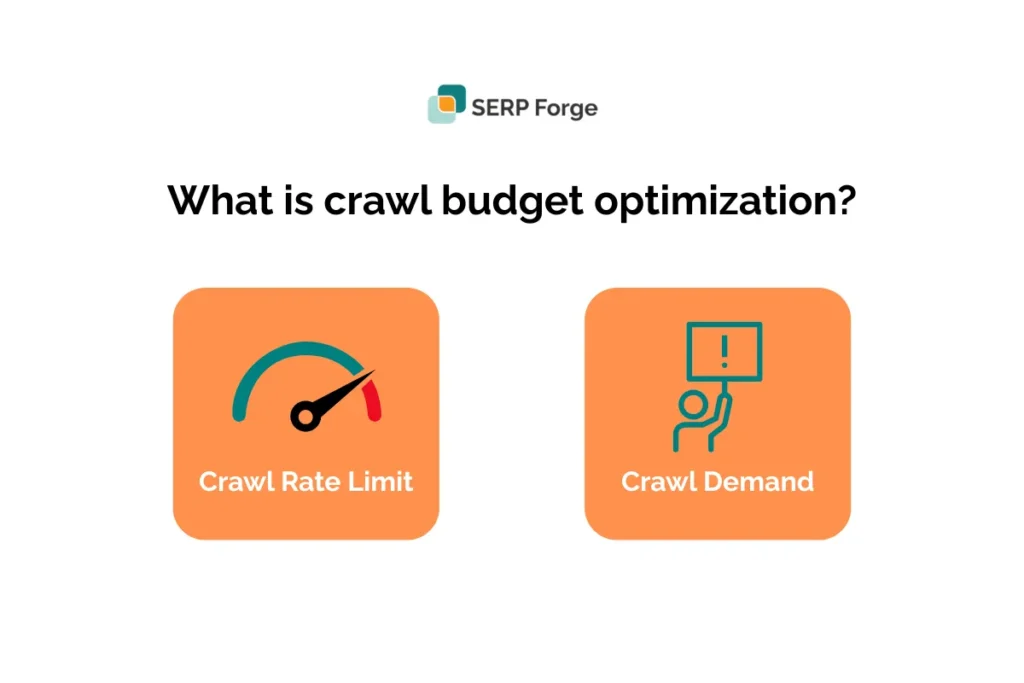
Crawl budget is the combination of crawl rate limit (how fast Googlebot can fetch pages from your server without overloading it) and crawl demand (how much Google wants to crawl your pages based on popularity and freshness).
Quick note:
Google defines crawl budget as the number of URLs Googlebot can and wants to crawl. i.e., crawl rate limit + crawl demand.
Optimizing crawl budget means improving server responsiveness, removing or blocking low-value URLs (using robots.txt, noindex, or canonical tags), cleaning sitemaps, and enhancing internal linking so that Googlebot discovers and indexes the pages that matter most.
Use Search Console’s Crawl Stats and server logs to measure where crawl time is being spent.
Practical example
- Site total URLs: 50,000
- Google crawls: 5,000 URLs/day
- Share of wasted crawls (filters, parameters, archives): 30%
Calculation:
- Useful URLs = 50,000 × (1 − 0.30) = 35,000
- Useful crawls/day = 5,000 × (1 − 0.30) = 3,500
- Days to touch every useful page once = 35,000 / 3,500 = 10 days
Meaning: because 30% of crawls are wasted, it takes 10 days for Google to visit each useful page; once new or updated pages are discovered, they may wait many days before being discovered.
Fixes (block parameter URLs, canonicalize duplicates, speed up server, prune sitemap), shift crawl share back to important pages and shorten that latency.
Why crawl budget optimization matters
Crawl budget optimization becomes increasingly important as your website grows. When you have hundreds or thousands of URLs, every crawl Googlebot makes affects how quickly your content gets discovered and how efficiently your site performs. Here’s why it matters.
1. Faster indexing of new content and updates
When your crawl budget is well-managed, Google can quickly reach:
- Newly published product pages
- Fresh blog posts
- Updated landing pages
- Recently modified content

According to Google’s guidelines, improvements aren’t always immediate; some changes may show results within a few days, but it can also take several months for Google’s systems to recognize long-term, helpful and reliable content.
If there’s still no visible impact after a few months, the effect may only become noticeable after the next core update.
This means your pages get indexed sooner, helping them appear in search results faster and stay competitive.
2. Prevents crawl waste on irrelevant URLs
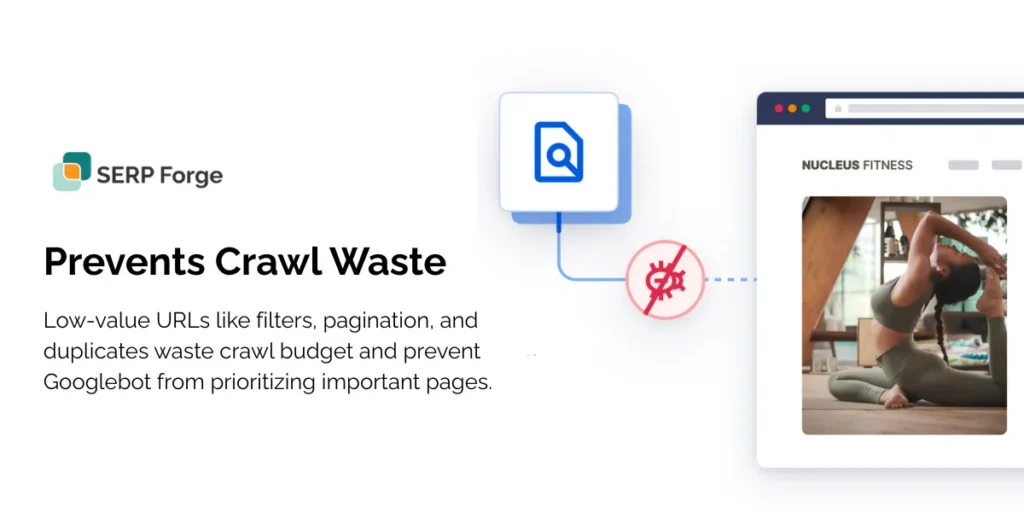
Without optimization, Googlebot often gets trapped crawling pages such as:
- Filter combinations
- Paginated pages
- Duplicate variations
- Session or tracking parameters
Quick insights:
According to Google, using canonical URLs helps solve this problem by clearly signalling which version of a page should be treated as the main one.
All ranking signals, impressions, and performance data are consolidated into a single canonical URL instead of being spread across multiple variations.
These URLs hold little ranking value but consume valuable crawl resources.
3. Improves organic visibility for large websites
Large sites like e-commerce stores, SaaS platforms, news portals, directories, and marketplaces depend heavily on efficient crawling. When Google focuses on the right pages, your core product, category, and landing pages get crawled more often, increasing their visibility over time.
4. Reduces server load and speeds up the site
Crawlers can cause unnecessary server strain, especially on shared or mid-level hosting.
According to Google, server response time shows how quickly your server delivers the initial HTML needed to start rendering a page, excluding network delays.
Some variation is normal, but large or inconsistent changes often signal deeper performance issues that should be investigated.
Optimizing crawl budget helps by:
- Reducing frequent hits on duplicate or useless URLs
- Lowering server stress
- Improving site stability and loading speed
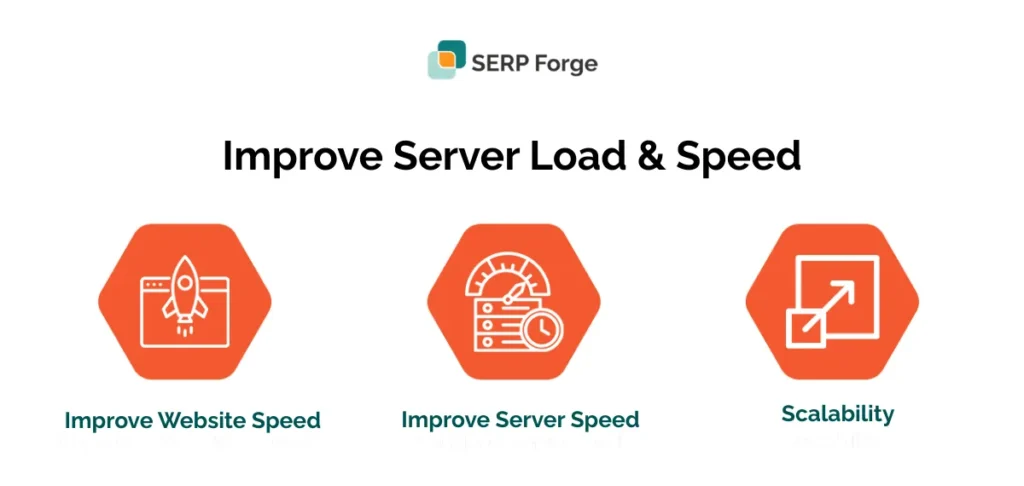
A faster, healthier site encourages Google to crawl even more efficiently.
5. Helps Google understand your site structure better
When Google only crawls meaningful URLs, it gets a clearer picture of:
- Your main sections
- Important categories
- How pages relate to each other
- Which content holds the most value
Better structure = better crawl paths = better indexation.
Signs your site has Crawl budget issues
Crawl budget problems usually show up long before rankings drop. You’ll notice slow indexing, inconsistent crawling patterns, and Googlebot spending time on pages that don’t matter. Here are the most common warning signs to watch for.
1. New pages take weeks to index
If fresh blogs, product pages, or landing pages don’t appear in Google’s index for 7–20 days (or longer), it’s a strong signal that Googlebot isn’t crawling your site efficiently.
Why it happens: Googlebot is busy crawling low-value, duplicate, or parameter-based URLs instead of the important ones.
Google’s note: According to Google, “If your site has fewer than 500 pages, you probably don’t need to use this report. Instead, use simple Google searches to check whether key pages on your site are indexed.”
This means indexing delays are more common on medium-to-large sites, not small websites.
Example: You publish a new category page on an e-commerce site, but Google keeps crawling filter URLs like ?color=blue instead of your main content.
2. Google Search Console shows high crawl requests on non-important pages
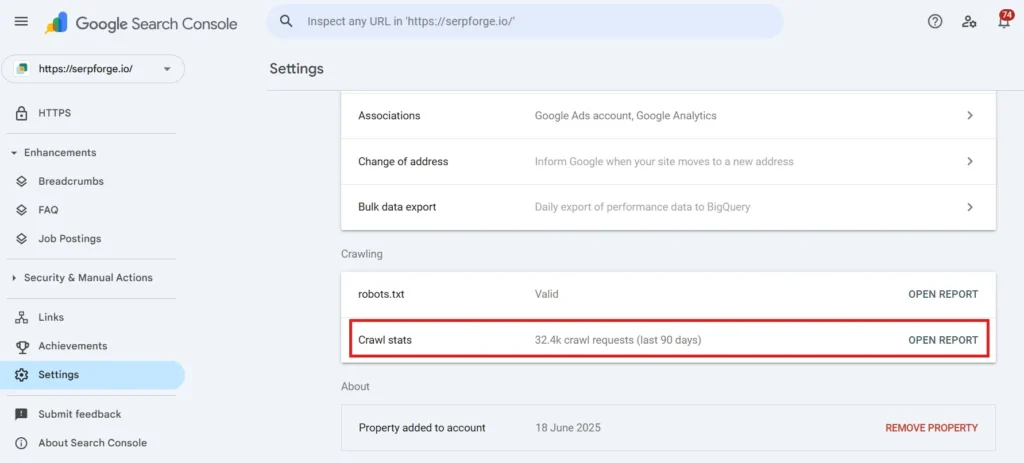
Inside GSC → Settings → Crawl Stats, check which areas Googlebot hits most.
If you see high crawl activity on:
- Parameter URLs
- Tag pages
- Faceted filter URLs
- Paginated pages
- Old or thin content
It means your crawl budget is being consumed by pages that add little SEO value.
3. Low crawl hits on core pages
Your most important URLs should receive regular crawling:
- Product pages
- Category pages
- Feature/solution pages
- High-performing blogs
- FAQs or documentation
If these pages are only crawled once in a while, it means the crawl budget isn’t being allocated correctly.
Example: A high-value “Pricing” page is crawled twice a month, but filter URLs are hit daily.
4. Server logs reveal Googlebot spending time on low-value sections
Your server logs show exactly what Googlebot crawls. If you notice crawl hits on:
Tag pages
/tag/seo/
– Usually thin pages with no real ranking value.
Parameter URLs
?sort=low-to-high
?category=shoes&page=20
– These multiply quickly and consume huge crawl resources.
Pagination loops
/page/5/, /page/6/, /page/50/
– Google wastes time crawling deep pages with no unique value.
Archive pages
/2020/09/
– Often outdated and repetitive.
This pattern is a classic indicator of crawl waste.
5. Indexed pages < Total valid pages
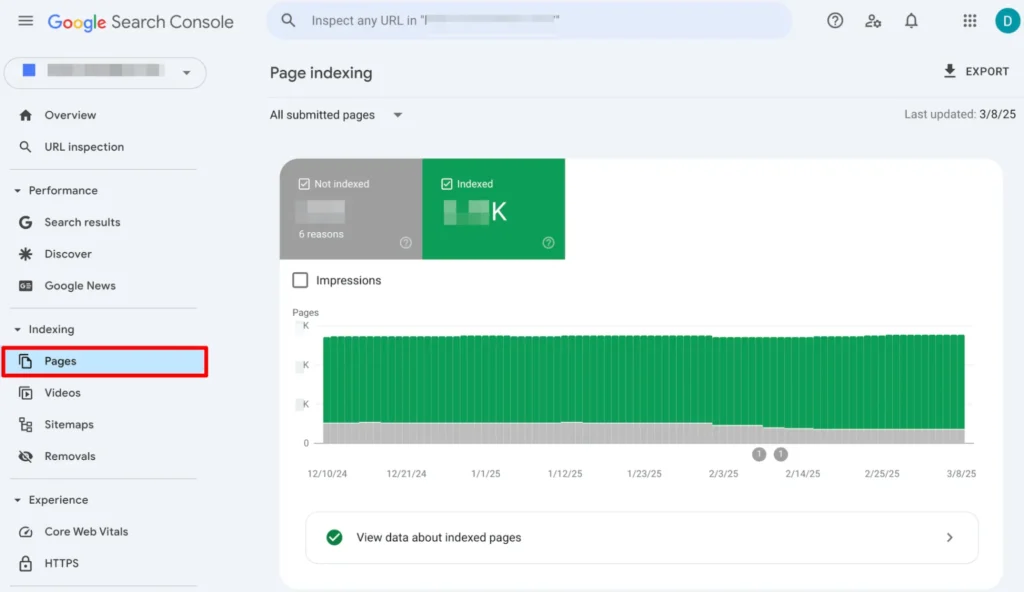
If the number of “Indexed” pages is much lower than the number of valid pages you want indexed, Google might not be crawling deeply enough.
According to data, the View data about indexed pages section shows historical trends of how many pages on your site are indexed, along with an example list of up to 1,000 indexed URLs. This helps you understand which pages Google has successfully added to its index over time.
Example:
- Total valid pages you want indexed: 12,000
- Actually indexed pages: 7,500
- Gap: 4,500 pages missing
This usually means Googlebot isn’t reaching those pages due to crawl limitations, poor internal linking, or too many low-value URLs taking priority.
How to audit crawl budget (Step-by-Step)
Auditing crawl budgets helps you understand how Googlebot interacts with your website, where crawl waste is happening, and which technical improvements will give you the biggest impact. Follow these four steps to get a complete picture.
Step 1: Check crawl stats in Google Search Console
Google Search Console’s Crawl Stats Report shows you exactly how often Googlebot crawls your site, how fast your server responds, and whether crawling is increasing or slowing down. This is your best starting point.
How to access it
- Open Google Search Console
- Go to Settings → Crawl Stats
- Review all crawl-related metrics
What to look for
- Crawl requests/day trends
- Increasing = Google is comfortable crawling your site
- Dropping = potential issues (server slowness, errors, low-value pages)
- Crawl response time
- Aim for fast server responses (<200–300ms)
- Spikes indicate hosting/server stress
- High % of alternate URLs
Examples:- Parameter URLs
- Filter combinations
- Old or redirected URLs
- Duplicate content versions
A high volume of these means Googlebot is wasting crawl budget on pages that don’t need frequent crawling.
Red flags to note
- Response time suddenly spikes
- Crawls drop week-over-week
- A large number of non-canonical or parameter URLs in the report
Step 2: Analyze server log files
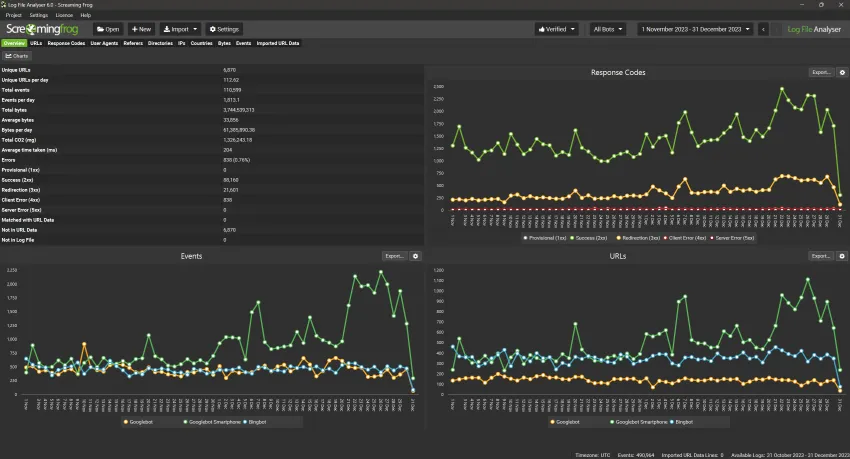
Server logs show the exact URLs Googlebot visited, how often they were crawled, and which parts of your site receive too much or too little attention. This is the most accurate way to detect crawl waste.
How to get server logs
- Download access logs from your hosting panel (Apache/Nginx logs)
- OR use tools like Screaming Frog Log File Analyzer, Botify, or Sitebulb Log Tracking
What to look for
- Thin pages are being crawled too often
- Broken URLs (404/410) receiving repeat crawl hits
- Filter or parameter URLs overcrawled
- Pagination loops receiving crawler attention
- JavaScript or redirect URLs are crawled unnecessarily
Example (common e-commerce issue)
If Googlebot crawls:
- /product?sort=low-to-high&page=12 → 200 times
- /product/category/shoes → 20 times
This means 90% of crawling is wasted on filters and deep pagination, while your main category page, which actually needs crawl attention, is being ignored.
What to do next
- Block or noindex unnecessary parameters
- Improve internal linking to important pages
- Fix or remove broken/dead URLs
- Reduce paginated pages that Googlebot can reach
Step 3: Conduct a full URL inventory check
Large sites often have thousands of URLs coming from CMS features, filters, tags, archives, and outdated content. You need a complete list before deciding which URLs deserve a crawl budget.
Where to export URLs from
- Screaming Frog or Sitebulb
- XML sitemap
- Google Search Console → Indexing Report
- CMS database (WordPress, Shopify, Magento, custom CMS)
What to compare
Orphan pages
Pages found in the database but not linked anywhere → Google struggles to find or crawl them.
Redirect chains
URLs like A → B → C → D waste crawling and slow discovery.
Duplicate URLs
Sorted pages, tag pages, filters, /page/2, uppercase/lowercase URLs, etc.
Checklist for URL inventory
✓Remove outdated, thin, or tag/archive URLs
✓Consolidate duplicates with canonical tags
✓Add missing important URLs to the sitemap
✓Identify URLs to block or noindex
✓Identify pages deeply buried in the site structure
This step gives you a master list to decide what deserves crawl focus and what doesn’t.
Step 4: Prioritize important pages
Not all URLs should compete for crawling. Your main goal is to ensure that Googlebot prioritizes your high-value pages over low-importance URLs.
Pages typically worth prioritizing
- Product and category pages (for e-commerce)
- Core landing pages (services, features, solutions)
- High-performing blogs that bring traffic
- New content with ranking potential
- Important documentation or support pages (SaaS/tech)
- Evergreen content you update regularly
How to prioritize them
- Ensure they are in your XML sitemap.
- Add strong internal links leading to them.
- Reduce parameter/duplicate URLs competing for crawl budget.
- Use canonical tags for alternate versions.
- Keeping these pages updated with fresh content attracts more crawl demand.
Quick example
If you run a SaaS site and your blog has 1,500 posts but only 50 bring traffic, you should prioritize:
- Those 50 traffic-generating posts
- Product pages
- Pricing page
- Feature landing pages
- Updated documentation
And de-prioritize:
- Old tag pages
- Duplicate pages generated by filters
- Outdated content and thin/tutorial pages
Crawl budget optimization techniques
Below are the most effective, practical methods to help Googlebot focus on your important pages, reduce crawl waste, and improve indexing speed across your entire website.
1. Fix site speed & server response time
Google crawls faster when your server responds quickly. Slow servers, high TTFB, or overloaded hosting make Google reduce crawl frequency to avoid harming site performance. Faster sites = higher crawl rate.

Examples
- A site with a TTFB of 1.2 seconds is crawled far more slowly than one with 150 ms.
- Switching from shared hosting to cloud hosting often increases crawl requests within weeks.
How to Do It (Steps)
- Check TTFB using PageSpeed Insights or GTmetrix.
- Upgrade to better hosting (cloud/VPS over shared).
- Use a CDN (Cloudflare, Akamai, Fastly).
- Add server-level caching (Nginx, LiteSpeed, Redis).
- Compress images and reduce JS/CSS bloat.
Pro Tip: Aim for <200 ms server response time. Faster servers almost always get crawled more.
2. Block low-value URLs from crawling
URLs created by filters, session IDs, pagination loops, or internal tools waste crawl budgets. Blocking them ensures Google focuses on real, index-worthy pages.
Examples
- /product?color=red
- /page/50/
- ?sessionid=123
- /wp-admin/
How to Do It (Steps)
- Identify unnecessary URLs (using GSC Crawl Stats + Screaming Frog).
- Add robots.txt rules to block crawl-only pages.
- Test rules in Google’s Robots Testing Tool.
- Ensure important pages are NOT accidentally blocked.
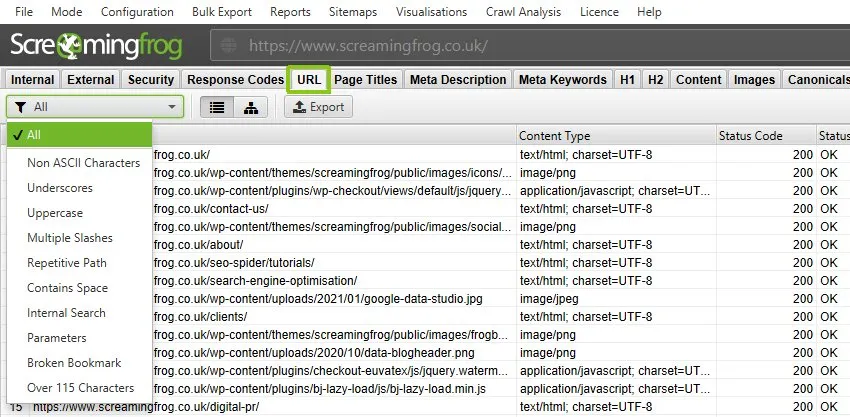
Example Robots.txt Rules:
Disallow: /*?sort=
Disallow: /*?filter=
Disallow: /*?sessionid=
Disallow: /wp-admin/
3. Use canonical tags to consolidate duplicate URLs
Many sites generate multiple versions of the same page due to sorting, filters, UTM tags, or trailing slashes. Canonical tags tell Google which version to index.
Example
/tshirts/?size=M → canonical to → /tshirts/
How to do It (Steps)
- Crawl your site to find duplicate URLs.
- Set the preferred URL as canonical.
- Ensure canonical URLs are also in your XML sitemap.
- Avoid conflicting canonical and noindex combinations.
4. Optimize internal linking
A clean internal linking structure helps crawlers find important pages faster. Poor linking = pages buried too deep, delaying crawling and indexing.
Strong internal links help create clear crawl paths, and combining them with balanced link-building techniques ensures Googlebot can easily identify and prioritize your most valuable pages.
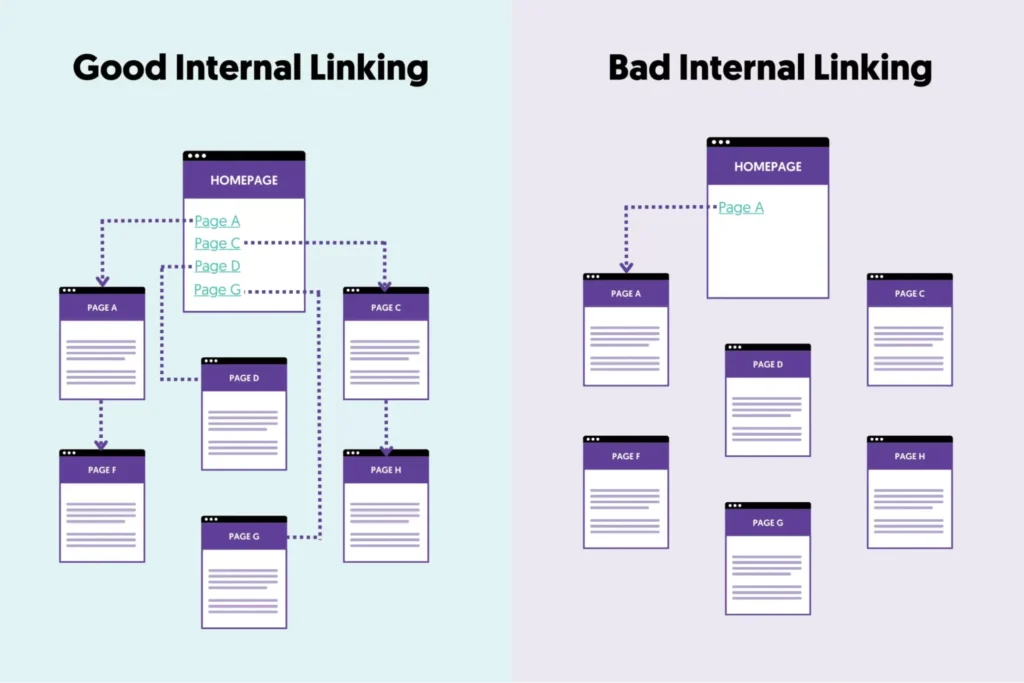
Examples:
- Linking high-value pages from the main navigation.
- Adding breadcrumbs to categories and product pages.
How to do It (Steps):
- Make important pages ≤ 3 clicks from the homepage.
- Add links in the top menus, footer, and category hubs.
- Use breadcrumbs to strengthen structure.
- Update old blogs to link to newer, more important pages.
5. Clean up redirect chains & 404s
Long redirect chains slow down crawling and waste requests. Too many 404s confuse Googlebot and reduce crawl efficiency.
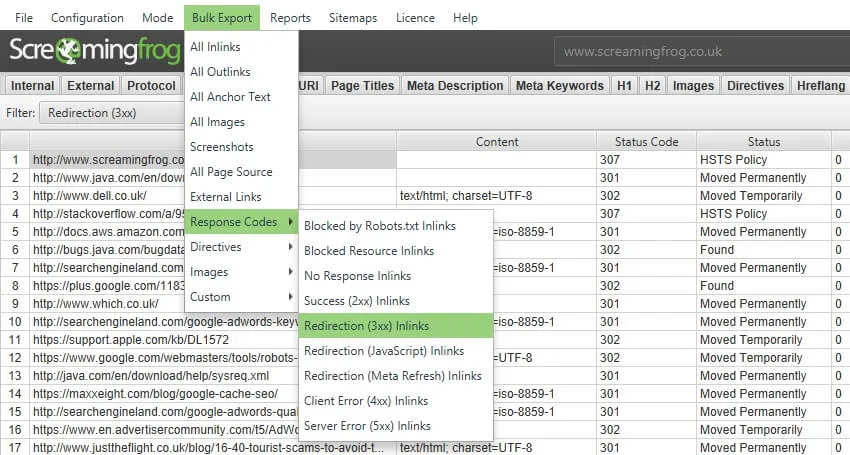
Example
❌ A → B → C
✔️ Fix to: A → C
How to do it (Steps)
- Crawl your site with Screaming Frog / Sitebulb.
- Export redirect chains and fix them in bulk.
- Remove links pointing to 404 pages.
- Replace 302 redirects with 301s when appropriate.
6. Reduce faceted navigation issues
E-commerce filters generate thousands of URL combinations. Most have no search value but still get crawled, wasting budget.
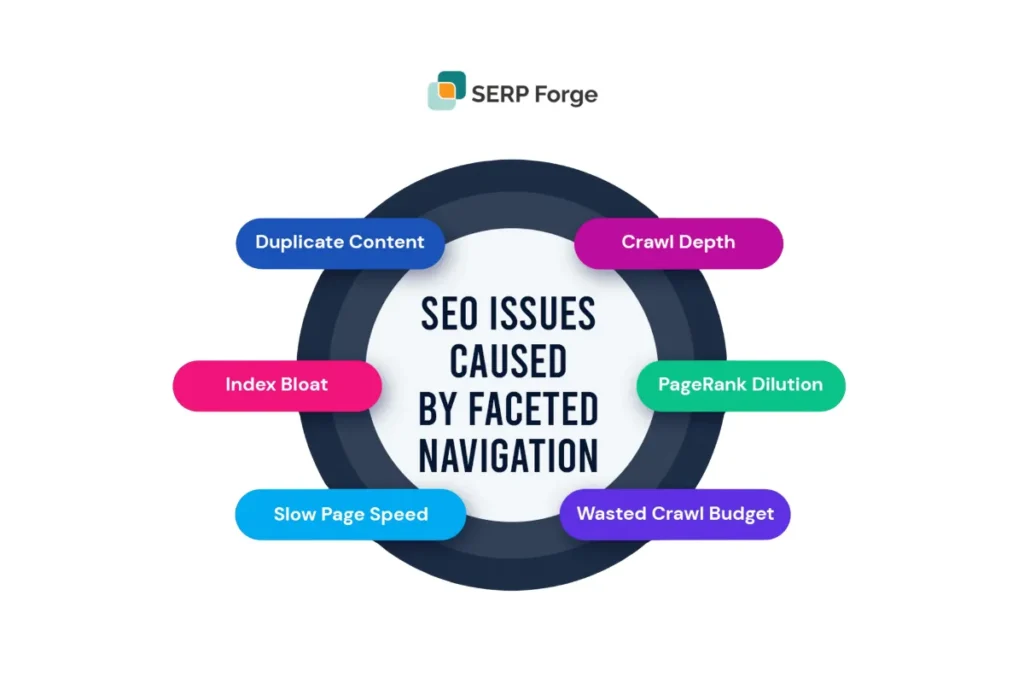
Examples
Allowed:
?category=shoes
Blocked:
?color=blue&size=8&sort=popular&page=12
How to do It (Steps)
- Identify filter parameters generating too many URLs.
- Allow only essential filters to be crawlable (category).
- Block others via robots.txt or add a noindex tag.
- Use canonical tags for variations.
- Add “view all” links to minimize pagination.
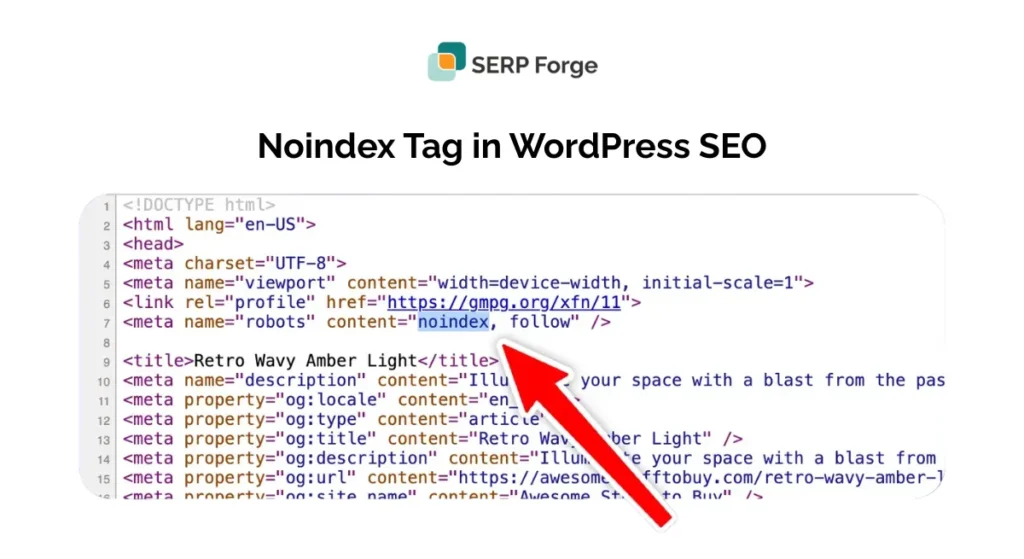
7. Use noindex strategically
Pages marked as noindex are eventually crawled less. This helps remove noise from Google’s index and reduces crawl waste.
Examples of pages to noindex
- Tag pages
- Category archives
- Search pages
- Thin content pages
- Endless pagination pages
How to do it (Steps)
- Identify pages with low value (thin/duplicate/archives).
- Add <meta name=”robots” content=”noindex”>
- Keep them crawlable (do not block in robots.txt).
- Remove them from the sitemap.
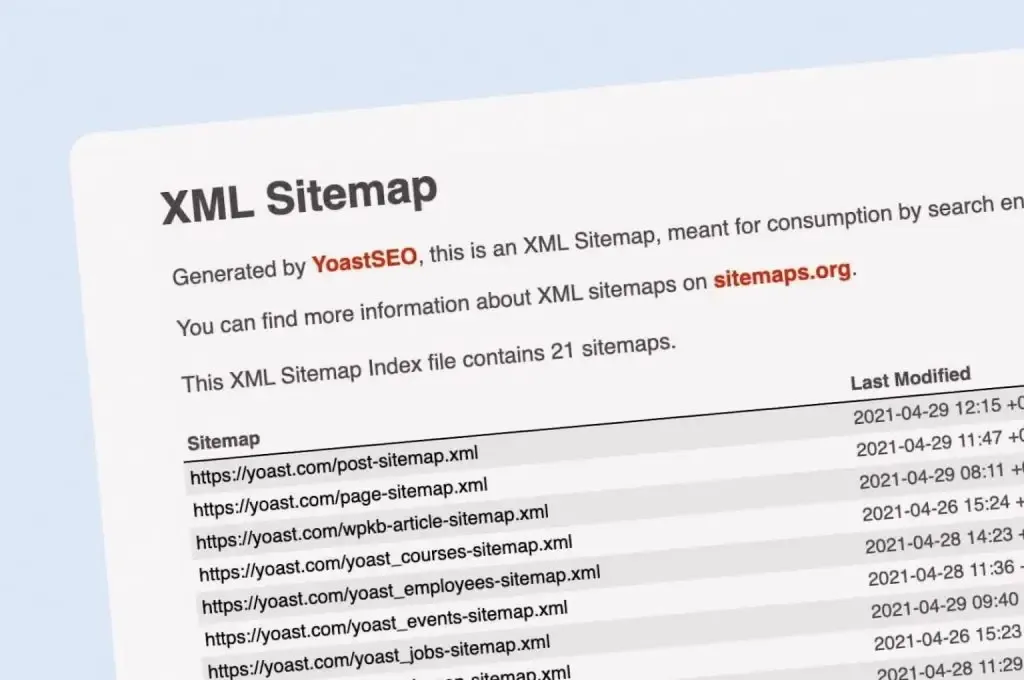
8. Keep XML sitemaps clean
Google relies on sitemaps to understand your most important URLs. A messy sitemap wastes crawling on redirected or non-canonical pages.
Include only
- Canonical URLs
- Live pages
- Important landing pages
- Priority product/category pages
Remove
- 404s
- Redirected URLs
- Noindexed pages
- Non-canonical duplicates
How to do It (Steps)
- Regenerate sitemaps monthly or after major updates.
- Validate using GSC Sitemap Reports.
- SEO audit tools can help you validate sitemaps and spot indexing issues quickly.
- Use <50,000 URLs per sitemap.
- Keep separate sitemaps for blogs, products, categories, etc.
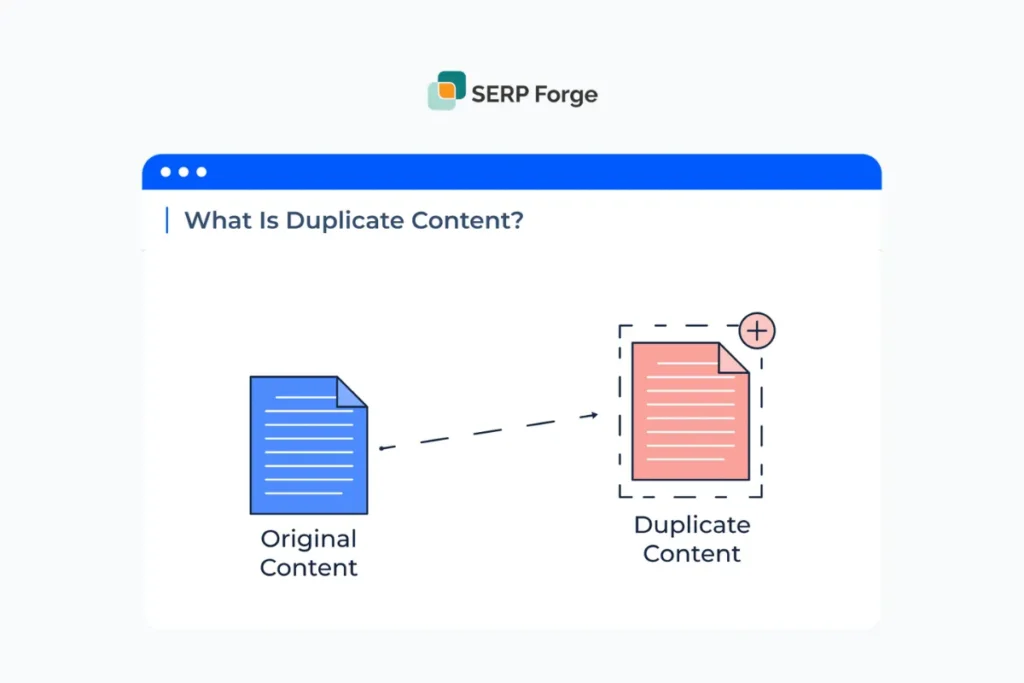
9. Fix duplicate content
Duplicate versions of URLs split crawl budgets and confuse search engines.
Common duplicates
- HTTP vs HTTPS
- www vs non-www
- Trailing vs non-trailing slash
- Uppercase vs lowercase URLs
How to do it (Steps)
- Choose one preferred version (HTTPS + non-www recommended).
- Add 301 redirects for all variations.
- Ensure canonical and sitemap follow the chosen version.
- Avoid accidentally creating duplicate product/category URLs.
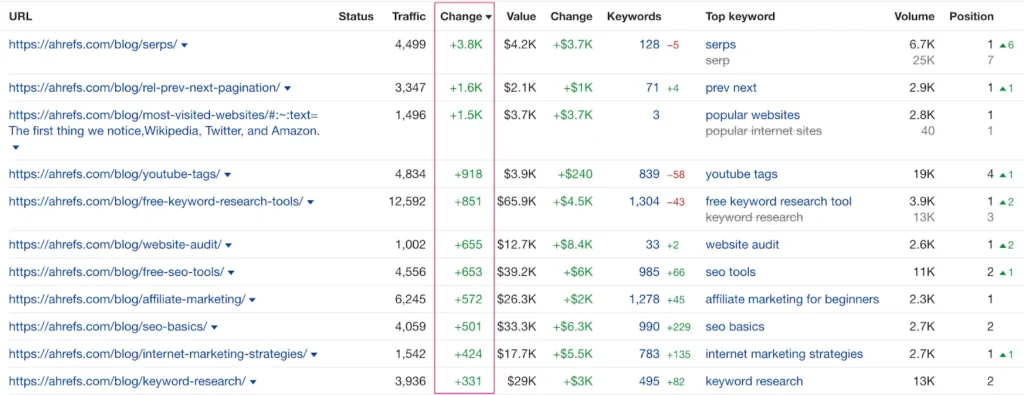
10. Improve page popularity
Popular pages attract more crawl demand. Pages with more internal links, external mentions, and regular updates are crawled more often and sooner.
Examples
- A category page linked from the homepage gets crawled daily.
- A blog with fresh updates is crawled more frequently.
To boost page authority and attract more crawl demand, explore the benefits of link-building. Strong backlinks often lead to faster crawling and more consistent indexation of key pages.
How to do it (Steps)
- Add internal links to your most important URLs.
- Build high-quality backlinks to priority pages.
- Update top-performing blogs every 2–3 months.
- Add fresh content to keep pages active.
Conclusion
Crawl budget optimization is not just a technical task; it’s a strategic advantage for websites with thousands of URLs, dynamic content, or complex structures. When your site grows, every crawl Googlebot makes becomes valuable.
The more efficiently you guide those crawls, the faster your important pages get discovered.
At its core, the goal is simple: Make Googlebot spend time on the pages that actually matter.
By improving site speed, cleaning up low-value URLs, maintaining a clear internal structure, and keeping your sitemaps tidy, you ensure that search engines focus on your best content instead of wasting time on duplicates or unnecessary variations.
When done correctly, crawl budget optimization leads to:
- Faster indexing of new and updated pages
- Better search visibility for key URLs
- Reduced crawling waste and server load
- A more organised, search-friendly website overall
Once your crawl budget is optimized, the next step is bringing more authority to your important pages. Quality backlinks help Google discover, crawl, and trust your content even faster.
Contact us today, and we’ll help you build a smart, sustainable link-building strategy that drives better rankings and steady long-term growth.
Crawl Budget Optimization FAQ’s
What is crawl budget optimization?
Crawl budget optimization ensures Googlebot spends its limited crawling time on your most important pages instead of low-value URLs. This improves indexing speed, reduces crawl waste, and helps your key pages appear in search results faster.
How do I know if my site has crawl budget issues?
You may have crawl budget issues if new pages take weeks to index, Googlebot crawls many parameter URLs, core pages get few crawl hits, or server logs show high activity on tag, filter, or archive pages.
Do small websites need crawl budget optimization?
Small websites with fewer than 1,000 URLs usually don’t need crawl budget optimization because Google can easily crawl them. It becomes crucial only when your site grows and generates thousands of dynamic, duplicate, or filter-based URLs.
Does crawl budget affect rankings?
Crawl budget doesn’t directly affect rankings, but slow crawling delays indexing, meaning your pages can’t rank until they are discovered. Faster crawling helps important pages enter search results sooner, which indirectly improves visibility.
How can I improve my crawl budget quickly?
You can quickly improve crawl budget by speeding up your server, blocking parameter URLs, fixing duplicates, cleaning your sitemap, and strengthening internal links so Googlebot reaches important pages more often.

